Adobe is slowly transforming its AI video and image generation platform into a proper AI video editing suite. A few months back, the company added a timeline view and text prompt editing to Firefly.
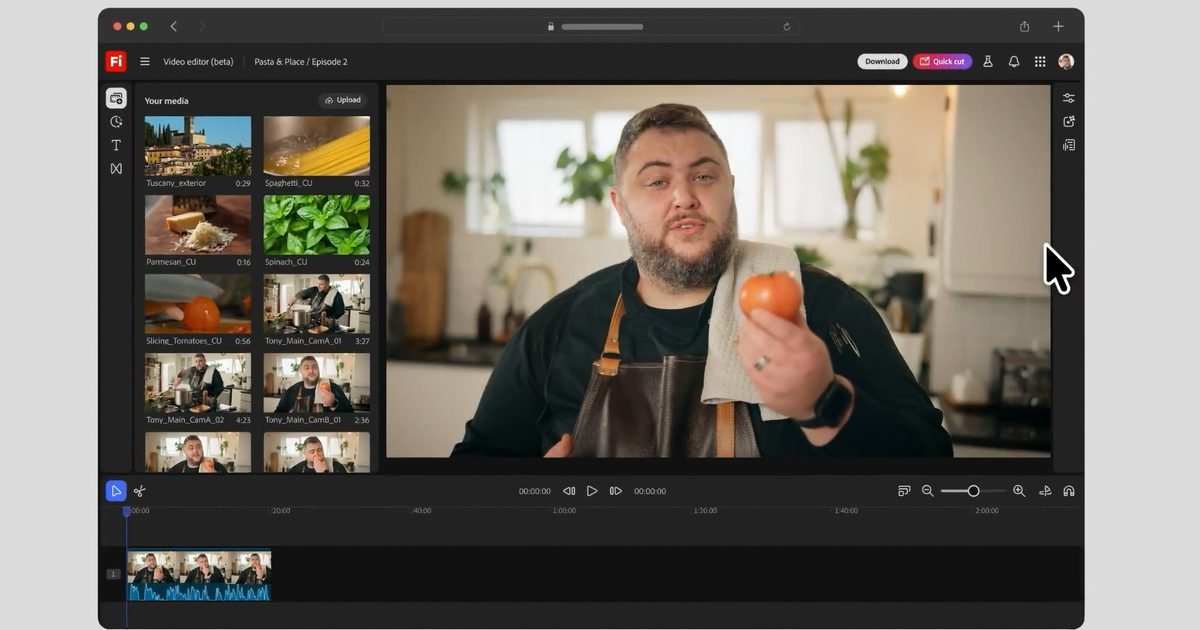
With its latest update, Adobe has introduced a Quick Cut feature that allows users to upload their footage and automatically generate a clean first cut.
Save hours of editing time with Quick Cut
I’m a hobby video editor, and one of the most time-consuming parts of the process is creating an initial rough cut from hours of footage. The Quick Cut feature will handle this task for you, significantly reducing editing time.
Adobe gave several example use cases of how users can use Quick Cut to streamline their editing process. Product reviewers can upload their footage, and Firefly will give a rough cut of the video based on the audio narration.
Podcasters and reporters can find key moments without sifting through hour-long interviews. These are but a few examples of how Quick Cut can help video creators supercharge their workflow.
How to use Quick Cut
Using Quick Cut is as simple as uploading your footage and providing Adobe Firefly with a text prompt that describes your video: whether it’s an interview, demo, vlog, or recap. You can then ask Firefly to generate a first draft for you.
Adobe
Firefly will use your description and narration to create a first rough cut of the footage. For more control and precision, you can even add a script or provide follow-up text prompts to refine the cuts.
If your footage is lacking, you can use Adobe Firefly’s generative powers to create videos from photos and fill the gaps.
What it means for video editors
Adobe Firefly is not here to replace video editors; instead, it can empower them. Adobe has stated that Quick Cut and other Adobe Firefly features are designed for ideation, experimentation, and creating a first draft of the video.
With AI handling the first pass, video editors can focus more on storytelling and the pacing of the video. It can reduce the monotonous work and give them more time to focus on creativity.
Google introduced a new AI-powered feature called Magic Cue with the Pixel 10 series that delivers contextual suggestions and app actions based on your usage patterns. Designed to anticipate your needs, the feature surfaces timely suggestions to help you complete everyday tasks faster and more efficiently.
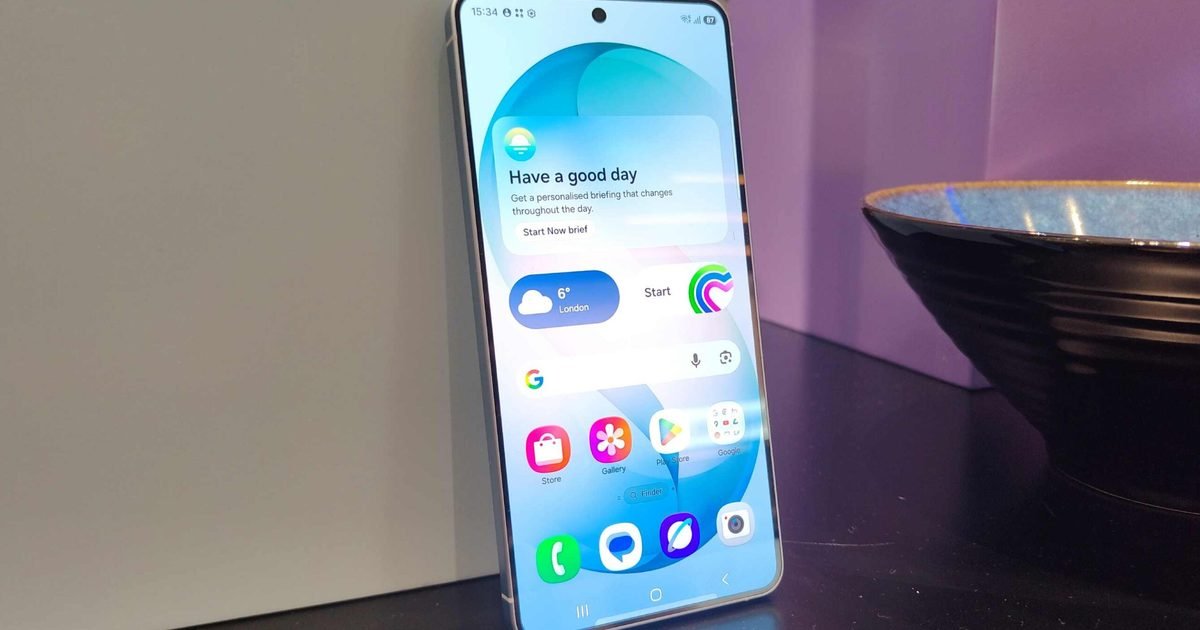
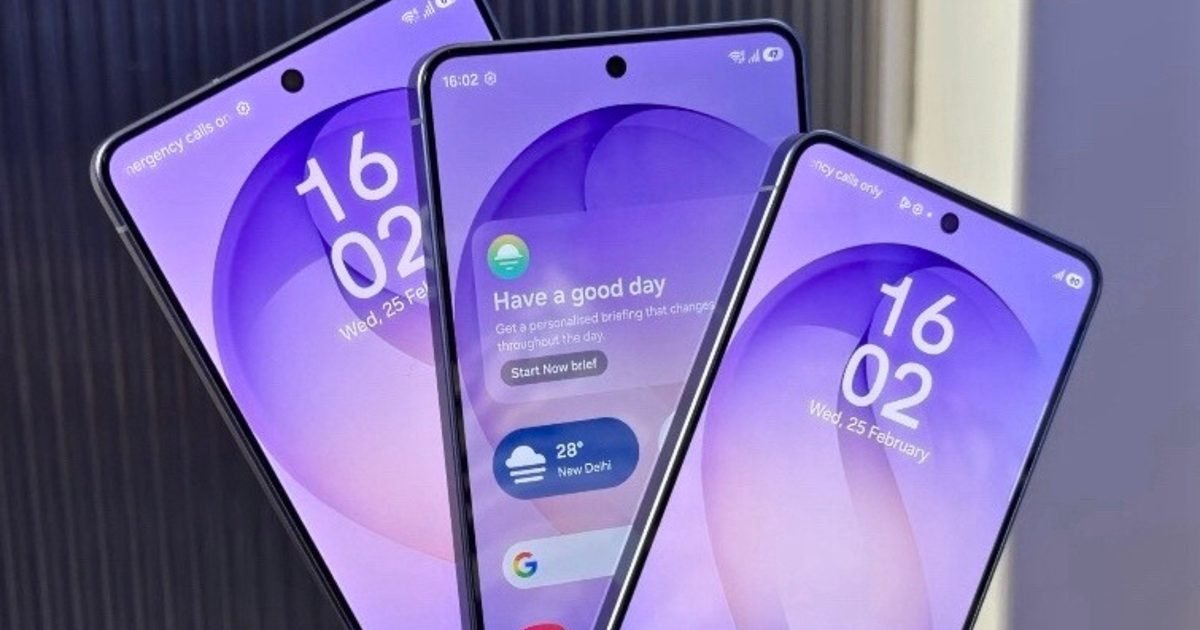
Late last year, a teardown hinted that Google was preparing to expand these AI-driven suggestions beyond Pixel phones. While the expansion has yet to materialize, Samsung has now debuted a similar functionality with its new Galaxy S26 series. Called Now Nudge, Samsung’s alternative is also designed to deliver relevant suggestions based on what you are currently doing on your phone.
For example, the company says that if someone asks for photos from a recent trip in a messaging app, Now Nudge will automatically suggest images from the Gallery app, eliminating the need to dig through albums or switch between apps. Similarly, if you receive a message about a meeting, the feature can check your calendar for potential conflicts.
Supported messaging apps and limitations
According to Samsung, Now Nudge supports text-based prompts across several third-party messaging platforms, including Samsung Messages, Google Messages, Google Chat, WhatsApp, KakaoTalk, LINE, Signal, Instagram DMs, Tango, NTT Docomo Messages, and KDDI Messages. The company adds that the photo-sharing capability works by analyzing available image content, though it cautions that results may not always be accurate.
While Samsung’s implementation looks promising, it remains unclear whether Now Nudge will ultimately prove more effective than Pixel’s Magic Cue feature. For now, the feature is limited to the Galaxy S26 series, and Samsung has not said whether the feature will roll out to older Galaxy devices.
Samsung took over San Francisco’s Palace of Fine Arts on February 25 for Galaxy Unpacked 2026 — and left little to the imagination. Three new phones, a new pair of earbuds, and a pile of AI features. Here’s the full breakdown.
Nadeem Sarwar / Digital Trends
The Galaxy S26 series arrives with familiar naming
The S26, S26+, and S26 Ultra all share a rounder, more cohesive design this year — which sounds minor until you remember the Ultra used to look like it came from a completely different product line.
Pick one up, and you notice the difference straight away — it sits better in the hand, feels less aggressive in the pocket. Under the hood, all three run on a slightly overclocked version of Qualcomm’s Snapdragon 8 Elite Gen 5 (denoted by the “For Galaxy” branding).
Tom Bedford / Digital Trends
Samsung also quietly killed off the 128GB base model this year; every S26 model now starts at 256GB, and nobody is disappointed about that. What people are disappointed about is the price — both the S26 and S26+ crept up by $100 this cycle.
S26 Ultra: The Privacy Screen nobody knew they needed
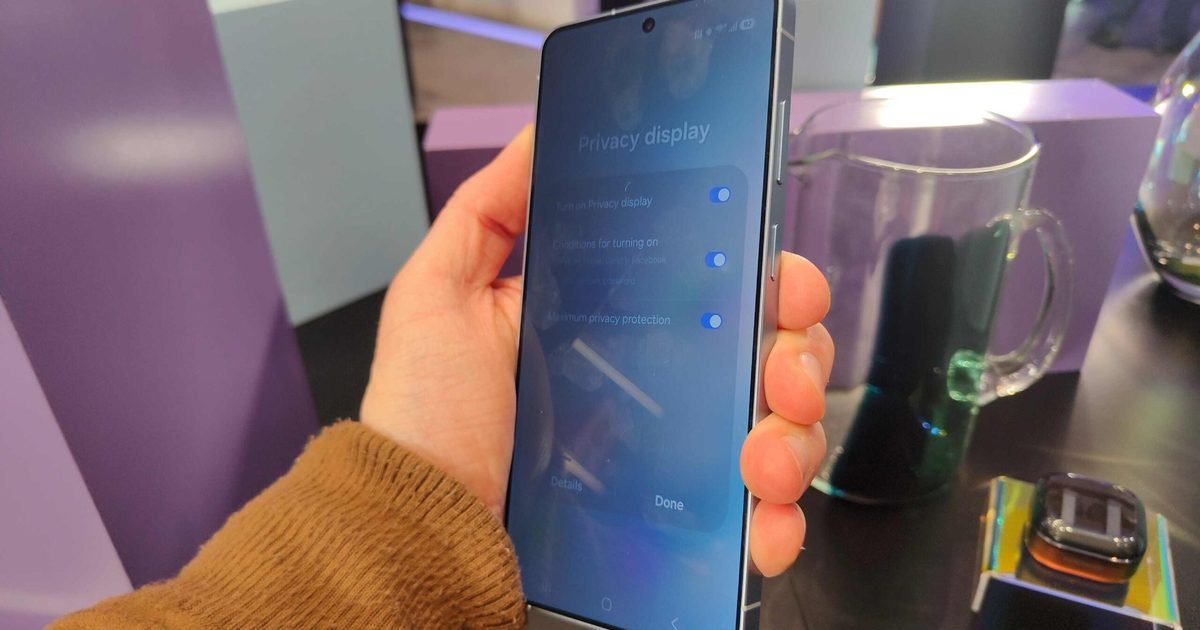
The Ultra’s headline feature is a Privacy Display that darkens the screen from side angles and blurs sensitive notifications when someone nearby is clearly being nosy. In my opinion, it is one of the most useful innovations from Samsung in a while, and future Android flagships (even MacBooks) are likely to copy it.
The camera system gets a bump too, with wider apertures on the 200MP main and 5x telephoto sensors, but the selfie camera remains the same old tiny 12MP shooter.
Tom Bedford / Digital Trends
Third-generation Galaxy AI features are cool, too
Now Brief gives you a personalized morning snapshot — weather, calendar, reminders — before you’ve unlocked your phone. Now Nudge surfaces relevant actions based on whatever’s on your screen.
Google jumped in too: Gemini-powered Scam Detection silently handles spam calls so you never have to, and Circle to Search can now identify multiple objects at once, like scanning a full outfit instead of a single item.
Tom Bedford / Digital Trends
Galaxy Buds 4 and Buds 4 Pro
Samsung released two models — the standard Buds 4 and the Buds 4 Pro. The Pro is the one doing the heavy lifting, with adaptive ANC, improved spatial audio, and that upgraded call clarity. The base Buds 4 keep things simpler and more affordable, but still get the core Galaxy AI treatment.
Nadeem Sarwar / Digital Trends
All S26 models and the Buds 4 are available for pre-order now.
If you don’t like the extra cheerful and patronizing talking style of your AI virtual assistants, Alexa+ has you covered. Today, the company has launched three different personality types that will change how the assistant answers your questions.
From Brief to Chill to Sweet: choose the right tone for your day
The three new personality types are Brief, Chill, and Sweet. The Brief personality provides a concise, no-nonsense response and gets directly to the information you request. You don’t get small talk or extra conversation, and it’s my favorite.
Amazon
The Chill personality offers a relaxed, conversational tone that should feel like you are chatting with a friend. Finally, the Sweet personality type is for people who prefer the enthusiastic, warm, and overjoyous responses.
You can observe how these personality types differ by asking a simple “How’s it going?” question and observing the responses.
Brief: “Operating efficiently.”
Chill: “Life’s treating me well, all systems are zen and the digital universe is spinning in harmony.”
Sweet: “Absolutely fantastic. I’m radiating pure joy and ready to make your day incredibly amazing!”
Amazon explained that these personality types are built using five different dimensions: expressiveness, emotional openness, formality, directness, and humor. The different interactions between these dimensions create these varying personalties.
How you can change Alexa’s voice and personality
Changing Alexa’s personality style is quick and effortless. Just say, “Alexa, change your personality style,” to your Echo device, and it will guide you from there.
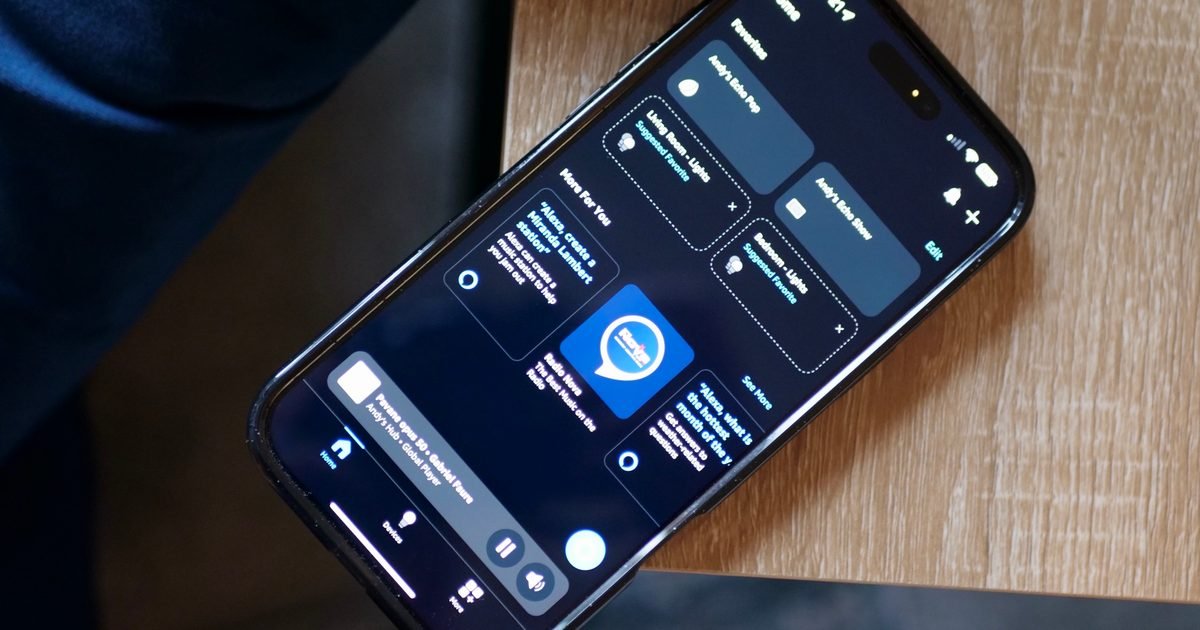
You can also switch personality styles through the Amazon Alexa app by following these simple steps:
Open the Amazon Alexa app.
Select your Echo device from the Devices list.
Tap on Device Settings.
Select Alexa’s Personality Style and swipe through the options to select what you want.
What this new Alexa+ update means for you
I dislike the overly enthusiastic and patronizing tone many AI assistants use. I rely on ChatGPT frequently, but its constant encouragement and upbeat responses sometimes get on my nerves.
Hence, the Brief style is perfect for me. But if you prefer any of the other two styles, that’s okay too. Having choices is what matters, and I am happy that Alexa+ is letting you choose how the assistant responds to you.
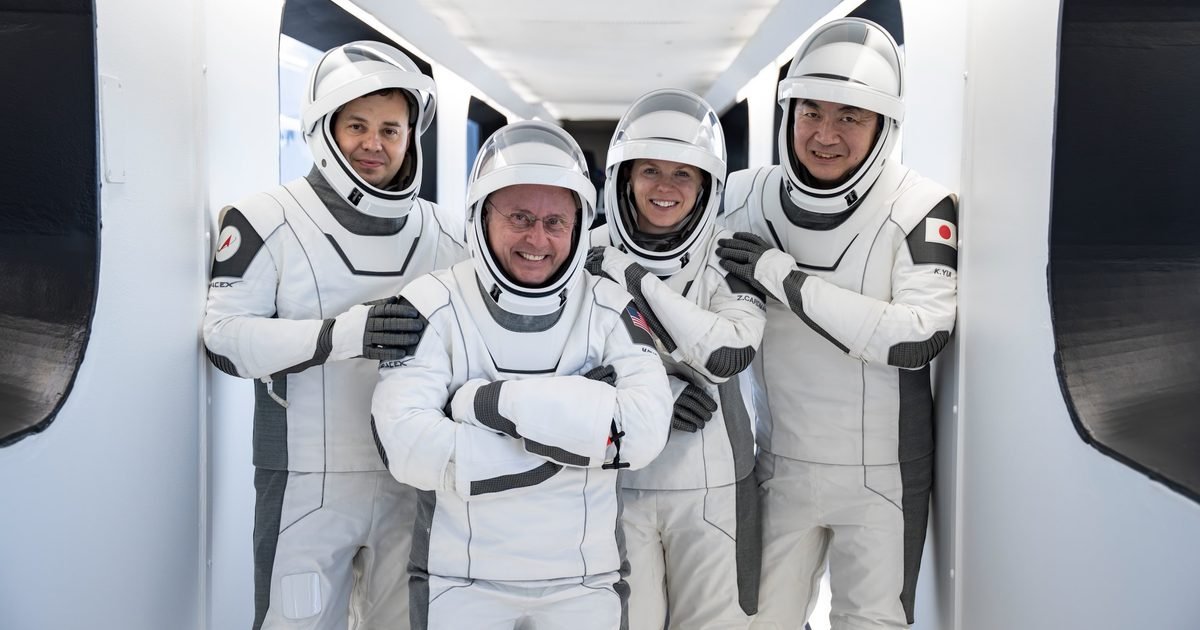
The NASA astronaut whose serious medical issue prompted the early return of SpaceX’s Crew-11 from the International Space Station (ISS) has spoken out about the incident.
In a statement posted on NASA’s website on Wednesday, NASA astronaut Mike Fincke stepped forward to say that while in orbit aboard the ISS, he experienced a medical event “that required immediate attention from my incredible crewmates,” adding that “thanks to their quick response and the guidance of our NASA flight surgeons, my status quickly stabilized.”
Fincke, 58, continued: “After further evaluation, NASA determined the safest course was an early return for Crew-11 — not an emergency, but a carefully coordinated plan to be able to take advantage of advanced medical imaging not available on the space station.”
Crew-11 arrived at the ISS in August 2025 and weren’t due to return until at least a month later. But it became apparent that all was not well aboard the orbital outpost on January 7 when NASA called off a spacewalk involving Fincke and colleague Zena Cardman that was scheduled for the following day.
In his statement, Fincke declined to give any details about the nature of his medical condition, but at the time the situation was deemed serious enough for newly installed NASA administrator Jared Isaacman to bring the four-person crew home early aboard their SpaceX Dragon spacecraft, which splashed down off the coast of San Diego on January 15.
“I am deeply grateful to my fellow Expedition 74 members — Zena Cardman, Kimiya Yui, Oleg Platonov, Chris Williams, Sergey Kud-Sverchkov, and Sergei Mikayev — as well as the entire NASA team, SpaceX, and the medical professionals at Scripps Memorial Hospital La Jolla near San Diego,” Fincke said in his statement. “Their professionalism and dedication ensured a positive outcome.”
He added that he’s “doing very well and continuing standard post-flight reconditioning at NASA’s Johnson Space Center in Houston,” describing spaceflight as “an incredible privilege,” and how it sometimes “reminds us just how human we are.”
Crewed space missions have, very occasionally, been shortened due to technical issues, but the rescheduling of Crew-11 marks the first time in NASA’s history that an astronaut mission has been cut short over health concerns.
While the ISS has various medical facilities to cope with health emergencies, in this case it was clear that the safest way forward was to bring the crew home.
Over 30 years after the premiere of Neon Genesis Evangelion, Studio Khara announced that a new Evangelionanime is in the works. The franchise follows depressed teenager Shinji Ikari and his allies as they pilot giant robot EVAs to protect the world from the destructive Angels, only to discover another conspiracy at play that threatens all of humanity.
As an Evangelion fan, the prospect of seeing another series in the franchise is very exciting. However, the question lingers: will this new Evangelion anime live up to its predecessor with the talent behind it, and is such a series even necessary?
Evangelion already ended on a high note
Studio Khara / Studio Khara
Through Evangelion’s tumultuous history, audiences have witnessed three different endings to its story in the original anime series, The End of Evangelion, and Evangelion 3.0+1.0 Thrice Upon A Time. The latter film ended with Shinji overcoming his depression and recreating the world into one without EVAs, allowing him and his friends to grow up and have normal lives, giving them all the happy ending they deserve.
This film delivered a satisfying, uplifting conclusion to the long-running anime. Shinji’s decision to break the vicious cycle of trauma and remake the work aligned with the story’s themes of courage and moving forward in life, even if it means feeling pain or making mistakes. which is supposed to bring him and the audience closure after all these years. It was honestly my favorite of the franchise’s three endings, and it didn’t feel like Evangelion needed to go any further.
It’s unknown whether the next Evangelion series will be a prequel, sequel, or remake of the original anime. We may or may not see Shinji and his friends again in this new anime. Fortunately, Evangelion has left open some room for the story to progress after the most recent film.
Evangelion 3.0+1.0 revealed that Shinji and the rest of the cast were trapped in a time loop, forcing them to relive the franchise’s story as seen in the original show and films. This concept makes it easier for us to imagine the upcoming anime starting fresh while continuing where Evangelion’s story left off.
The new anime’s creators suggest a fresh, faithful follow-up
Studio Khara / Studio Khara
Though Evangelion creator Hideaki Anno won’t helm this new anime, it still features some returning talent working behind the scenes. Rebuild of Evangelion film director Kazuya Tsurumaki will lead the project alongside Evangelion 3.0+1.0 assistant director Toko Yatabe. Tsurumaki has worked closely with Anno since the days of Neon Genesis Evangelion, so someone with this much experience with the franchise should ensure the new anime stays true to the source material.
What is truly remarkable is that the upcoming Evangelion series will be written by Yoko Taro, who created the hit sci-fi video game series NieR. Similar to Evangelion, the NieR franchise has told subversive stories about characters who grapple with loneliness and seek purpose in life, all while depicting robots fighting in a post-apocalyptic world. Yoko has gone as far as to call NieR: Automata‘s story a retelling of Evangelion. Given Yoko’s success as a subversive storyteller and reverence for Evangelion, his writing a new chapter in the latter’s story would be interesting, to say the least.
The new anime will also be produced by Hideaki Anno’s animation company, Studio Khara, which produced the four Rebuild of Evangelion films. It will also be produced by CloverWorks, the animation studio behind popular shows like Darling in the Franxx, The Promised Neverland, Rascal Does Not Dream of Bunny Girl Senpai, and My Dress-Up Darling.
We’ve seen both Khara and CloverWorks deliver some top-tier animation with their respective projects. The two of them working together to revive Evangelion would lead to a dynamic, layered, and vibrant installment to an already stunning anime.
Will Evangelion be the same without Anno?
Studio Khara / Studio Khara
The Evangelion anime has long been the brainchild of Hideaki Anno. The acclaimed writer poured his experiences with clinical depression into the characters’ psychological journeys, particularly Shinji’s, presenting a harrowing, thought-provoking anime unlike any other.
Anno seemed to have finally made peace with his beloved anime with his final Rebuild of Evangelion film. Just as Shinji broke free from the cycle of sadness and violence that dominated his life, Anno finally concluded his magnum opus after writing multiple endings, allowing him to move on from the franchise after working on it for so long.
It’s hard to imagine this franchise without Anno at the helm. It’s also unclear what the new Evangelion creators will add to such a personal story that will allow it to stand out while honoring Anno’s work. However, Anno said in a 2016 interview that he hopes other creators will work on Evangelion in his stead.
“…I want them to be appealing works; it won’t be without specific conditions, but I will not confine them to what my works have established. Just like Gundam, which keeps continuously supporting the animation world, Eva can become a new pillar. After all, it is the purpose that led me to resume through the New Theatrical Versions. I want to maintain this pillar, which carries the animation world…,” said Anno. ‘I do this for the well-being of the animation industry. Gundam can be enjoyed through various works, and it would be nice if Eva can develop in the same way. I think it’s better if there is a diversity in the works.”
While Evangelion has long been a reflection of the man who created it, it is clear that the franchise has grown far beyond Anno, and he is happy to let the saga move forward with someone else.
Ultimately, Evangelion’s story is destined to repeat itself, but it seems to be for the better. An installment to such a prestigious franchise will undoubtedly be a huge economic boon for the animation industry. It will also keep Anno’s legacy alive and allow a new generation of viewers and creators to take in this story and conjure their own interpretations. Whatever this anime has in store for us, it will be a bold, new beginning for Evangelion worth watching.
This post is brought to you in paid partnership with Petlibro
We spend a significant amount of time optimizing our own health: tracking our sleep, monitoring our heart rates, and dialing in our nutrition. But when it comes to our pets, we’re usually left guessing. Cats, in particular, are notorious for hiding pain or illness until a condition becomes severe.
Petlibro is shifting that dynamic with the Luma Smart Litter Box. Since its quiet launch late last year, it has quickly become a staple in thousands of modern households. It moves the concept of a self-cleaning litter box past mere convenience, turning an unpleasant daily chore into a sophisticated system for early health awareness.
AI waste analysis and health tracking
For the data-driven pet owner, the Luma Smart Litter Box provides a level of insight that was previously impossible to get without a vet visit. It’s equipped with an AI waste analysis system that differentiates between pee and poop, and can even identify the consistency of the waste.
Every time your cat uses the box, the system logs their weight and tracks their bathroom behavior. If your cat skips the box for 24 hours, or if there’s a sudden shift in their routine, the app sends a smart alert to your phone. For senior cats or those with sensitive stomachs or kidney issues, this continuous cat health monitoring gives you a critical head start on potential medical problems.
Multi-cat recognition and safety
If you have more than one cat, tracking who did what is usually a guessing game. Luma solves this with a built-in 1080p HD camera and advanced AI that recognizes up to 10 different cats from any angle, even from behind. You get individualized logs and video records for each pet, so you always know exactly whose health you are looking at.
Safety is also a non-negotiable factor with autonomous tech. Since hitting the market in November 2025, Luma has maintained a 100% safe-use record. It features a wide-open, spacious design rather than a cramped globe, and uses triple-check sensors with an anti-pinch system to ensure your cat is completely clear before the cleaning cycle begins.
Autonomous cleaning and odor control
Beyond the health metrics, this is still a highly engineered piece of smart home hardware designed to keep your space clean. It automatically sweeps waste into a sealed drawer after each visit, holding up to seven days of waste for two cats.
To ensure your home doesn’t smell like a pet sanctuary, it utilizes an active odor-control system. A built-in fan pulls air through carbon filters, filtering out 97% of odors, with adjustable fan speeds controlled directly from the app. It’s a quiet, seamless integration into a well-kept home.
The bottom line
The Petlibro Luma represents a maturation in pet technology. It is a smart litter box for cats that respects the aesthetics of your home while acting as a daily preventive care tool for your pets. It replaces guesswork with hard data, offering peace of mind that your cat’s health is always being monitored.
In a smartphone world often driven by megapixels, battery capacity, and raw performance benchmarks, one feature on the Samsung Galaxy S26 Ultra is quietly stealing the spotlight: Privacy Display. Designed to protect what’s on your screen from wandering eyes, it’s one of the most tangible advances in visual privacy we’ve seen from a major smartphone maker in years.
Samsung didn’t make a huge splash about Privacy Display during the S26 Ultra launch – unlike its camera enhancements or AI boosts – but early impressions suggest it may be one of the most meaningful real-world additions to the handset. This feature marks a shift in how manufacturers think about privacy, pushing the concept beyond encryption and authentication to actually control who can see what’s on your display.
Privacy Display: Hiding your screen from prying eyes
Privacy Display is a hardware-level innovation that makes the Galaxy S26 Ultra’s screen readable only when viewed straight on. Tilt the phone slightly, and the display content becomes obscured or unreadable – a capability especially valuable in public or crowded spaces.
Unlike conventional privacy screen protectors that physically dim or mask the display, Samsung’s solution taps into the display’s own pixels. By controlling how light is emitted and perceived from certain angles, the display makes it significantly more difficult for bystanders to interpret what’s on your screen unless they’re directly in front of it. And because the technology is implemented at the pixel level, it doesn’t require external layers or accessories that can reduce brightness or sharpness. But how does this work exactly?
Basically, Samsung’s new Privacy Display uses two types of pixels – narrow pixels and regular (wide) pixels – to control what you see on your phone screen. In normal mode, regular pixels emit light broadly so the display is clear from many angles. When Privacy Display is activated, narrow pixels limit the path of light so that only someone looking straight on sees the content clearly; viewers from side angles see a blurred or obscured screen. By combining both pixel types, Samsung keeps direct visibility sharp while narrowing off-angle viewing, eliminating the need for third-party privacy filters.
Tom Bedford / Digital Trends
The result is a cleaner, more integrated version of visual privacy that doesn’t compromise much on visual clarity for the person holding the device – a significant improvement over screen films or filters that often make the display appear dim or grainy even to the main viewer.
Testing in real conditions – such as on trains, buses, or in busy offices – shows that Privacy Display can effectively blur out sensitive content to onlookers without handicapping your own view. Whether reading emails, browsing bank apps, or responding to private messages, users can enjoy a measure of peace of mind that their information won’t be casually visible to people nearby.
Why this feature matters now
Visual privacy isn’t a fringe concern. With more people using smartphones for sensitive tasks – from mobile banking and business communications to health apps and personal journals – there are countless moments when shoulder surfing can lead to unintentional exposure of private information.
Traditional privacy solutions – aftermarket screen protectors or simple pin codes – have long been imperfect. Physical privacy films can be cumbersome, reduce touch sensitivity, and dim the screen. And while software safeguards can lock apps or require authentication, they don’t prevent someone from simply glancing at a device left unlocked or mid-use.
Samsung’s Privacy Display arrives at a moment when users are more privacy-aware than ever. People carry their entire lives on their devices, and that content is increasingly viewed in public spaces. Restaurants, public transportation, airports, and even shared workspaces are all settings where visual snooping is a genuine risk. Hardware-based visual privacy is therefore not just a convenience – it’s a practical security layer.
Why you should care
Whether you’re a professional handling emails on the go, a student checking sensitive information in public spaces, or simply someone who wants more control over your personal data, Privacy Display adds a new dimension of privacy that software alone can’t provide.
The camera bump of the Samsung Galaxy S26 Ultra.Tom Bedford / Digital Trends
For frequent travelers or commuters, the difference can feel immediate and meaningful. You no longer need to awkwardly shield your screen with your hand or body just to check a message. The display itself acts as a gatekeeper, protecting your content from side angles while keeping the main view bright and clear.
Unlike traditional privacy films that have to be bought, applied, and replaced, this feature is built into the phone’s hardware and can be toggled on or off instantly. There’s no visual penalty when you’re viewing content directly, making it a discrete but powerful addition to everyday usage.
But there are limitations
That said, Privacy Display isn’t perfect. Its effectiveness depends on lighting conditions, screen brightness, and viewing angles. In very bright environments, the difference between the primary view and side angles can be less distinct. Some critics also point out that people sitting directly beside or slightly behind you may still catch glimpses of information, meaning that this isn’t an impenetrable privacy shield, but rather an enhancement on top of existing practices.
Tom Bedford / Digital Trends
There’s also the question of adoption across Samsung’s broader lineup. Currently, Privacy Display is limited to the S26 Ultra. If this technology proves popular, Samsung may expand it to more affordable models – and that could redefine visual privacy expectations across Android devices. Competitors will surely take notice; once a flagship manufacturer demonstrates a practical privacy innovation, others often follow.
Samsung could also refine the feature further through software tweaks or future hardware iterations. Enhanced angle control, adaptive privacy based on context (e.g., in public vs. private spaces), or even integration with face recognition could make future implementations even more compelling.
Verdict: Promising privacy tech with room to grow
Having used Privacy Display in real scenarios, it’s easy to see why some reviewers have hailed it as one of Samsung’s most forward-thinking technologies in years. It addresses a real and often overlooked aspect of privacy – visual exposure – with a solution that feels intuitive and integrated.
On the positive side, it enhances everyday privacy without sacrificing screen quality. It’s seamless to use, doesn’t require additional accessories, and feels surprisingly effective in real-world conditions. For users increasingly concerned about digital privacy in crowded spaces, it’s a welcome addition.
Tom Bedford / Digital Trends
Yet it’s not a silver bullet. Its effectiveness can vary with lighting and angle, and privacy purists may still prefer physical shields for absolute discretion. And because it’s currently exclusive to a premium device, its reach is limited.
In sum, Samsung’s Privacy Display is a smart, thoughtful innovation that brings real value to the Galaxy S26 Ultra. It points toward a future where our devices protect not just data access, but also data visibility. For privacy-minded users – and really, for anyone who values personal space in a public world – it’s a feature worth appreciating and watching as it evolves.
Square Enix has released a new version of the original Final Fantasy VII for PC. The game is now available on Steam and GOG for $11.99.
Players who already own Final Fantasy VII on Steam will receive this new version as a free update. The previous version will remain in their library under the name Final Fantasy VII – 2013 Edition. However, the 2013 Edition has been removed from sale.
One important detail is that save files are not compatible between the two versions. Players will need to start fresh if they switch to the new release.
This is not a remake or remaster with story changes. The core game remains the same. The story, characters, and world are untouched. Players will once again follow Cloud Strife, a former SOLDIER who joins the rebel group Avalanche. The group fights against the Shinra Electric Power Company, which controls the planet’s energy source known as Mako. The journey begins in Midgar and expands into a larger conflict that shapes the fate of the planet.
While the story remains unchanged, this updated PC version adds several quality-of-life features.
The game now includes a 3x Speed Mode. This allows players to move through battles, travel, and certain events at up to three times the normal speed. This feature is useful for players who want a faster experience.
There is also an option to turn off random battle encounters. This makes exploration smoother. However, story-related battles must still be completed to progress.
Another addition is Battle Enhancement Mode. When activated, it restores HP and MP during combat and fills the Limit gauge. This makes difficult fights easier.
An autosave feature has also been added, which improves overall convenience.
Follow Techlomedia on Google News to stay updated.
Affiliate Disclosure:
This article may contain affiliate links. We may earn a commission on purchases made through these links at no extra cost to you.
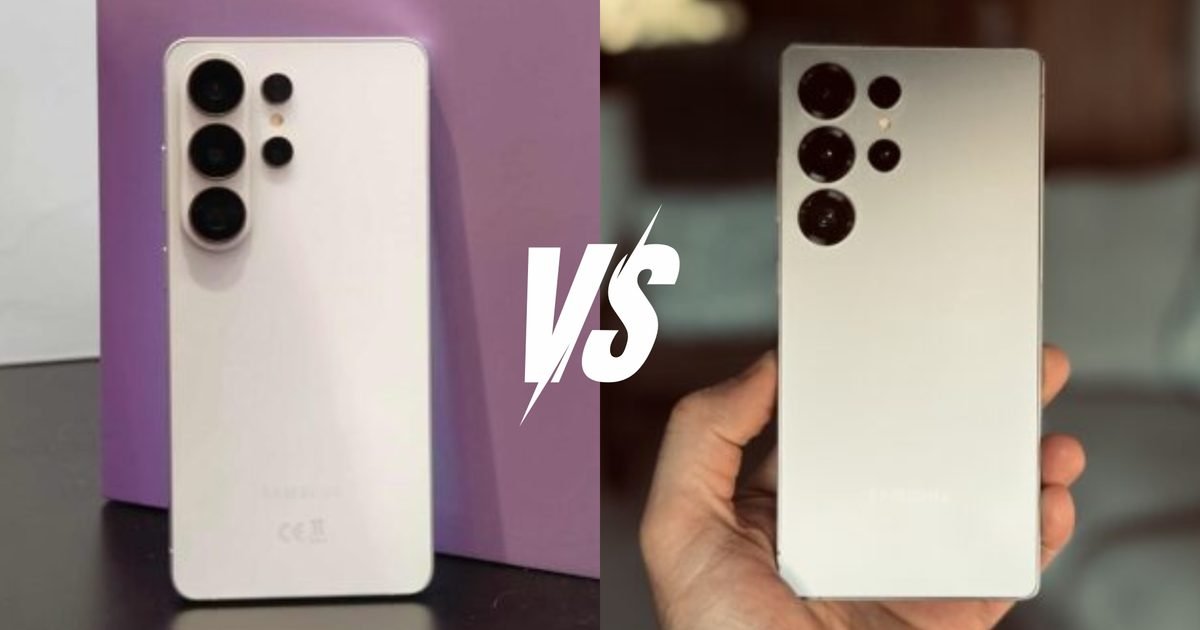
Samsung releases a new Ultra every year, and every year the same conversation happens. Is it worth it? What actually changed? The Galaxy S26 Ultra doesn’t reinvent anything — but it does come with a couple of upgrades that are harder to dismiss than usual. A world-first Privacy Display, a custom-tuned chipset, meaningfully wider camera apertures, and faster charging. Not a revolution, but enough of a shake-up that the comparison with the S25 Ultra is worth having properly.
Price and availability
The Galaxy S26 Ultra starts from $1,299.99 for the baseline 256GB variant. It is available to pre-order on the company’s website, Amazon, Best Buy, and Samsung Experience Stores; general availability commences from March 11, 2026.
The Galaxy S25 Ultra, on the other hand, is already available to purchase across retailers. If you’re lucky enough, you can find the phone listed at massive discounts of around $300 to $400, making it an excellent recommendation at an effective price.
Design
Tom Bedford / Digital Trends
The S25 Ultra was never a subtle phone. Big, sharp-cornered, titanium everything — it had the energy of someone who irons their gym clothes. The S26 Ultra tones things down just enough to feel like a different phone in your hand — without losing the Ultra characteristics.
It’s 0.3mm thinner and 4g lighter than the S25 Ultra, numbers that won’t make any headlines. But throw in those noticeably rounder corners and something shifts. It stops feeling like you’re gripping a rectangular slab and starts feeling like, well, a phone.
Samsung did sacrifice a little screen dominance to get there, though, or at least that is what it looks like. The bezels are marginally thicker than on the S25 Ultra (resulting in a lower screen-to-body ratio), and the difference is quite noticeable, at least to me.
Tom Bedford / Digital Trends
Water and dust resistance remain unchanged, as the Galaxy S26 Ultra features the same IP68 rating as before. Where things actually feel fresh is the color lineup — Cobalt Violet and Sky Blue alongside the usual White and Black, with Pink Gold and Silver Shadow as Samsung.com exclusives.
The finishes have got way more personality than last year’s range of “various shades of titanium.”
Display
Tom Bedford / Digital Trends
The S26 Ultra has the same 6.9-inch QHD+ Dynamic AMOLED 2X panel as the S25 Ultra, same 1-120Hz adaptive refresh rate, same everything. Samsung basically looked at last year’s display, said “yeah that’s fine” and moved on. Honestly? Hard to argue with them on that one.
So where did the display team actually earn their salaries this year? Two words — Privacy Display. The S26 Ultra is the first phone in history to ship with a proper built-in Privacy Display, and before you roll your eyes thinking it’s just another gimmick — it isn’t the third-party privacy screen protectors that degrade the overall display quality.
The Samsung Galaxy S26 in Finder search.Tom Bedford / Digital Trends
The new feature works at the pixel level. The display literally controls how light scatters (using a directional OLED panel), so anyone peeking from the side just sees darkness. You can set it to kick in automatically when typing passwords or opening certain apps; it handles both portrait and landscape without any fuss, and your screen still looks completely normal straight on.
Revolutionary? Maybe that’s too strong. But genuinely useful in a way most “premium features” aren’t. Samsung also gave the color engine a proper workout, plus a new ProScaler feature that makes text and fine details look sharper. You won’t notice it immediately, but after a few days on the S25 Ultra, the difference starts nagging at you.
Performance
Tom Bedford / Digital Trends
The S25 Ultra ran on the Snapdragon 8 Elite for Galaxy and nobody was really complaining. It handled everything without breaking a sweat. Then Samsung went and did it anyway — equipped its successor with an even faster and more efficient chip.
What powers the S26 Ultra is a Snapdragon 8 Elite Gen 5, but with an asterisk; a version exclusive to Galaxy, bumping the prime cores from 4.6 GHz all the way to 4.74 GHz. Samsung essentially took the same engine and quietly bolted on a bigger turbo before anyone was looking.
CPU is up 19%, GPU by 24%, and the NPU — the part of the chip responsible for all the AI heavy lifting — improved by 39% over the S25 Ultra. That last one is worth dwelling on.
Jason Howell / Digital Trends
Galaxy AI runs almost entirely through the NPU, which means that 39% gap is less about impressing reviewers and more about whether your phone’s AI features actually feel instant or make you stand there tapping your foot.
The CPU gains show up in the small moments — that extra snap when opening apps, smoother multitasking when you’ve got too much running at once. The GPU improvements mean better frame rates and richer visuals during gaming.
And a completely redesigned vapor chamber keeps everything running cooler under sustained pressure, which anyone who shoots long videos or games seriously will appreciate pretty quickly.
Software
Tom Bedford / Digital Trends
The S26 Ultra ships with One UI 8.5 and Android 16 — and the gap between it and One UI 7 is bigger than a version number suggests.
Galaxy AI gets a serious personality transplant here. Now Nudge reads context across your apps and throws up suggestions before you’ve thought to ask — friend texts asking for trip photos, phone’s already pulling them. Calendar conflict hiding in your messages? Caught that too.
Now Brief works similarly, surfacing reservations and travel updates based on actual context rather than just burying you in notifications.
Bixby finally speaks like a normal person. Natural language, no rigid command structure, proper device control. Whether this is the version that makes people stop making Bixby jokes is another matter, but it’s the closest Samsung has come.
Tom Bedford / Digital Trends
Gemini and Perplexity also sit alongside it now, handling multi-step background tasks with a single button press.
Elsewhere — Circle to Search now recognizes multiple objects at once, Creative Studio turns sketches and prompts into wallpapers and stickers without app switching, and an upgraded Photo Assist lets you edit images using plain conversational language.
AI Call Screening summarizes unknown callers before you pick up, and Privacy Alerts flag suspicious app behavior in real time. As for S25 Ultra owners — some of this will probably trickle down eventually. Some of it almost certainly won’t. Samsung hasn’t exactly handed out a roadmap, so all we can do is wait.
Cameras
Tom Bedford / Digital Trends
On paper, the camera systems look like Samsung just hit copy-paste. 200MP main, 50MP ultrawide, 50MP periscope telephoto, 10MP 3x, 12MP front — the S26 Ultra has the exact same sensor lineup as the S25 Ultra. But quite a lot has happened between the lines.
Samsung widened the apertures across the board — the 200MP main goes from F1.7 on the S25 Ultra to F1.4 on the S26 Ultra, while the 50MP periscope telephoto opens up from F3.4 to F2.9.
Those aren’t just numbers moving around. Wider apertures mean more light hitting the sensor, and more light means your zoom shots in a dimly lit restaurant or a late evening outdoor concert actually come out looking like photographs rather than abstract impressionist paintings.
Andy Boxall / Digital Trends
Samsung claims 47% more light on the main camera and 37% more on the telephoto compared to the S25 Ultra, and low light performance is genuinely where you feel that most.
Nightography Video got an upgrade too. Enhanced Super Steady adds a horizontal lock option, and the S26 Ultra becomes the first Galaxy to support the APV codec — professional-grade video compression that stays visually lossless even after repeated editing rounds.
Photo Assist and Creative Studio round out the AI editing side, letting you change outfits, fix lighting, restore missing objects, all through plain conversational prompts. The selfie camera also gets improved AI ISP processing for more natural skin tones in tricky mixed lighting — a small thing, genuinely noticeable, but the 12MP sensor remains the same.
Battery
Tom Bedford / Digital Trends
Both phones pack a 5,000mAh battery, so Samsung didn’t touch the cell size, which, fair enough, was already competitive. What changed is everything around it.
The S25 Ultra topped out at 45W wired charging. Fine. Perfectly adequate. The kind of charging speed that gets the job done if you plug in before making breakfast and don’t have anywhere urgent to be.
The S26 Ultra bumps that to 60W with Super Fast Charging 3.0, hitting 75% in around 30 minutes. That’s a real-world difference — the kind where you plug in while getting ready in the morning and leave the house with enough battery to stop worrying about it until evening.
Tom Bedford / Digital Trends
Wireless charging gets an upgrade too, moving to Super Fast Wireless Charging (25W) on the S26 Ultra. The S25 Ultra had wireless charging, but the S26 Ultra moves things along faster without the cable — useful for anyone who’s built their life around a charging pad on their desk.
One thing worth flagging — the 60W adapter doesn’t come in the box, which at this price point feels a little cheeky. But that’s the world we live in now, apparently.
Conclusion
The Galaxy S26 Ultra is the better phone, for sure. Faster chip, wider apertures, genuinely useful Privacy Display, better charging speeds, fresher software. On every measurable axis, it moves the needle forward. If you’re walking into a store today choosing between the two, the S26 Ultra is the one you want — full stop.
The more interesting question is whether S25 Ultra owners should care. And honestly? Probably not. Here’s the thing about owning last year’s Ultra — it was already excessive in the best possible way. It handled everything you threw at it without complaint, the camera was already outstanding, and nothing about daily life with it felt compromised.
You should only upgrade if having the best possible cameras matter to you above everything else, perhaps you’re a professional smartphone photographer or videographer. In that case, you might also benefit from the Snapdragon 8 Elite Gen 5’s improved processor power for editing on the go. Otherwise, sit this one out and save yourself for whatever Samsung does next year.