If you were betting on Samsung finally baking built-in magnets into the Galaxy S26 series this year, well — you lost. For the second year running, Samsung has skipped native Qi2 magnetic hardware across the entire S26 lineup.
No MPP (Magnetic Power Profile), no satisfying snap onto your wireless charger. Just a phone that sits on a pad and hopes for the best with alignment. The reason? Space, apparently.
Tom Bedford / Digital Trends
Samsung didn’t include wireless charging magnets due to “space constraints”
At the Unpacked event, when asked why the Galaxy S26 still misses out on magnets, a Samsung executive told Digital Trends that it was probably due to space constraints. They didn’t go deep into the engineering process behind it all, but ruled out that there were any thermal concerns behind the decision.
So the internals are just too busy to fit a ring of magnets. Sure, Samsung. We believe you. I’d say that Google’s decision to finally include wireless magnetic charging on the Pixel 10 series — dubbed Pixelsnap charging — gives the series a clear edge in terms of daily charging convenience.
Here’s where things get genuinely better — on paper, at least. Wireless charging speeds are up across the lineup: the S26+ now tops out at 20W, and the Ultra goes all the way to 25W Qi2. The base S26 is still stuck at 15W, but the jump for the two bigger models is real and welcome.
Samsung
Faster wireless charging — on supported models — is a bit confusing
The catch? Those faster speeds come with strings attached. Specifically, a magnetic case. Without one, your phone is limited to whatever the Qi spec’s Extended Power Profile allows — which is 15W, full stop.
Anything beyond that sits in Magnetic Power Profile territory, and that standard physically needs magnets to lock alignment and pull higher wattage from the charger. No magnets on the phone means no alignment means no extra speed (via 9To5Google).
Samsung’s own 25W wireless charger is itself a magnetic puck, which tells you everything — it barely works without a magnetic case in the picture.
At least you get new magnetic cases and charging gear
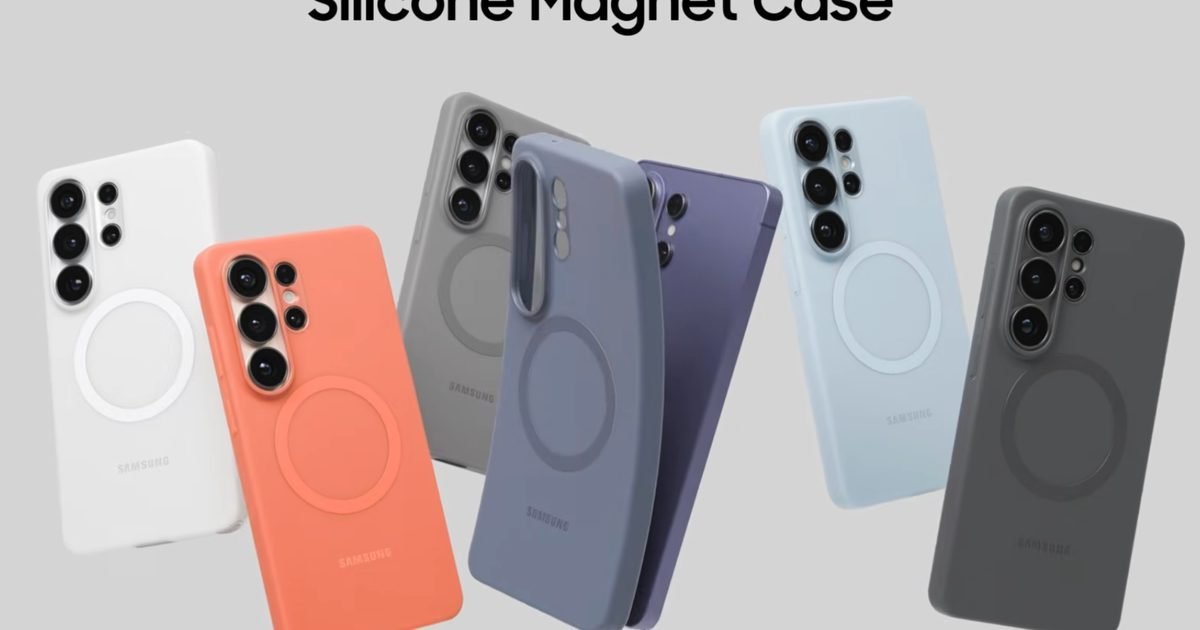
To Samsung’s credit, the company isn’t leaving buyers stranded. It launched a fresh lineup of first-party magnetic cases alongside the S26 series — silicone options with Qi2 magnets built inside, a transparent patterned “Rugged” variant, and a returning clear case.
Samsung also dropped a new Magnet Wireless Charger (a slim 4.4mm Qi2 puck with a fabric USB-C cable, currently on sale for $34.99 from $49.99) and a 5,000mAh magnetic power bank with a kickstand.
Third-party brands like Belkin, ESR, and dbrand have piled in too, with magnetic S26 cases that bring full MagSafe-style snap-on functionality to the table.
Is it a little absurd that you need to buy a case just to use a charger at full speed? Absolutely. But at least the ecosystem around that workaround is now genuinely good.
After rolling out its AI-powered Prompted Playlist feature to users in North America earlier this year, Spotify is now introducing another smart tool aimed at improving how your music flows from one track to the next.
With its latest update, the streaming giant has added a new feature called Smart Reorder for playlist transitions. As its name suggests, the feature automatically rearranges songs in a playlist to create smoother transitions between tracks. It builds on the Mix tool introduced last year, which allowed users to manually add volume, EQ, and effect curves to achieve seamless transitions between tracks in a playlist.
Spotify
Now, instead of manually tweaking the order or applying effects to avoid jarring shifts in tempo or mood, users can create playlists that feel like a thoughtfully curated DJ set with just a tap. Smart Reorder appears as an optional control within the Mix feature.
How to use Smart Reorder
You can access the feature by tapping the Edit button, scrolling down, and then selecting the Smart Reorder option. Once enabled, it analyzes factors like beats per minute (BPM) and key to reshuffle songs into a more cohesive listening sequence.
Like the Mix feature, Smart Reorder doesn’t permanently change your playlist. The original track order remains intact, and users can toggle the feature on or off at any time. That flexibility ensures you still have full control over your carefully arranged playlists while gaining the option for a smoother, algorithm-driven listening experience when you want it.
Smart Reorder is rolling out globally to Spotify Premium subscribers, marking the latest addition to the platform’s growing suite of AI-powered features.
Samsung’s Galaxy S26 series is now up for pre-order, but this year’s launch feels a little underwhelming. The devices bring only minor upgrades over last year’s models, yet they come at higher prices, and even the early bonuses are less generous than in previous years. If you’re still planning to upgrade, though, there are a few worthwhile pre-order deals that can help soften the blow.
Samsung.com Galaxy S26 series pre-order deals
While Samsung is not offering a free storage upgrade with pre-orders this time, there are still some solid deals available if you place your order before retail availability begins on March 11.
Galaxy S26: Up to $500 off with an eligible trade-in, plus up to $150 in store credit for add-on accessories.
Galaxy S26 Plus: Up to $700 off with an eligible trade-in, plus up to $150 in store credit for add-on accessories.
Galaxy S26 Ultra: Up to $900 off with an eligible trade-in, plus up to $150 in store credit for add-on accessories.
Galaxy S26 series carrier pre-order deals
For those purchasing directly from a carrier, there are a few pre-order offers available, including trade-in discounts and promotional bill credits that can help offset the higher price.
Verizon:
Galaxy S26: Get the device for free with a new line on select unlimited plans.
Galaxy S26 Plus: Get the device for free with a new Unlimited Ultimate or Unlimited Plus data plan, or pay only $10 per month when you sign up for the Unlimited Welcome plan.
Galaxy S26 Ultra: Get the device for free with an eligible trade-in and a new Unlimited Ultimate plan.
AT&T:
Galaxy S26: New and existing subscribers can get the device for free with an eligible trade-in on select unlimited data plans.
Galaxy S26 Plus: New and existing subscribers can get the device for free with an eligible trade-in on select unlimited data plans.
Galaxy S26 Ultra: New and existing subscribers can get the device for free with an eligible trade-in on select unlimited data plans.
T-Mobile:
Galaxy S26: Up to $600 with new Experience Beyond, Experience More, and Essentials data plans. Existing subscribers can get up to $600 off with Experience Beyond, Experience More, Better Value, Essentials, or legacy Go5G Next or Go5G Plus plans.
Galaxy S26 Plus: Get the device for free with an eligible trade-in on the Experience More plan or up to $900 off with a new line on the Experience More plan.
Galaxy S26 Ultra: Get the device for free with an eligible trade-in on the Experience Beyond plan or up to $600 off with trade-in on other unlimited data plans.
Alongside the pre-order deals on Samsung.com and through major carriers, Amazon is also sweetening the pot with a free storage upgrade and gift cards bundled with the Galaxy S26 series, giving buyers another way to save some money on their purchase.
Galaxy S26: $100 Amazon gift card on pre-orders and a free storage upgrade to 512GB.
Galaxy S26 Plus: $100 Amazon gift card on pre-orders and a free storage upgrade to 512GB.
Galaxy S26 Ultra: $200 Amazon gift card on pre-orders and a free storage upgrade to 512GB.
Pre-order before March 11 and save some cash
These pre-order deals are live until March 11, so it’s worth acting quickly before the promotions expire. Amazon’s offers are arguably the best if you’re buying the device unlocked. However, if you’re purchasing through a carrier or are tied to a contract, the trade-in offers and bill credits available directly from carriers will deliver better overall value.
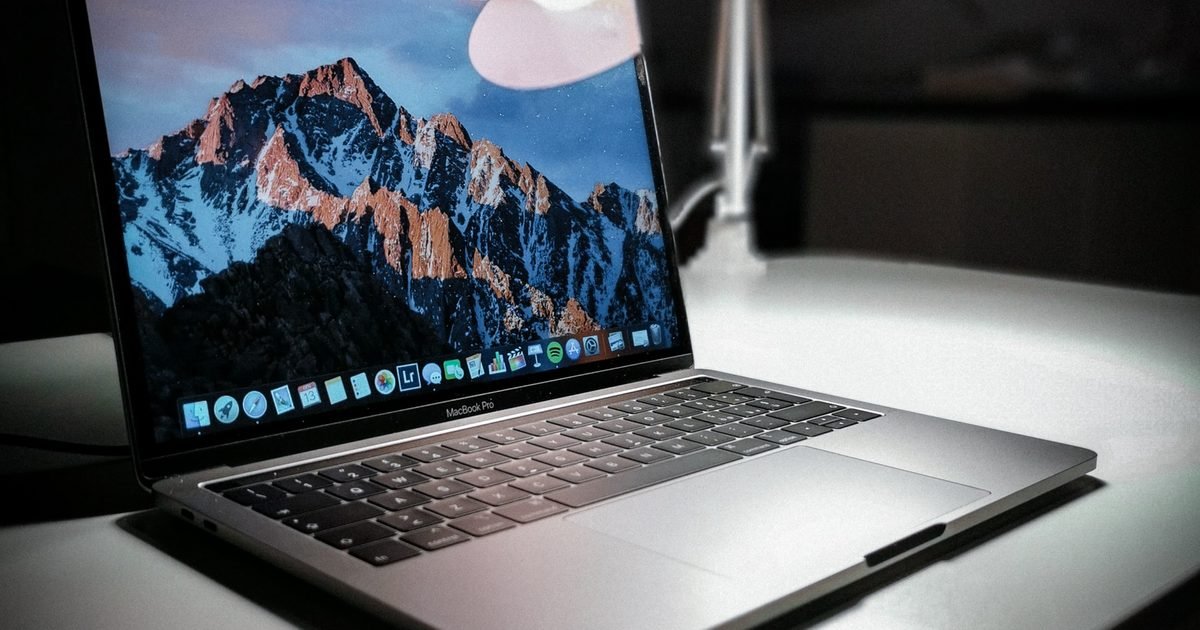
A new leak from Weibo suggests Apple‘s upcoming budget laptop could arrive without several expected features. The rumored sub-$1,000 machine might ditch True Tone display support, fast charging, and a backlit keyboard according to the post and other online sources.
The 12.9-inch model would target the price range Apple hasn’t seriously addressed since the M1 MacBook Air. But buyers could face real tradeoffs to hit that lower price.
The information also points to missing high-impedance headphone support and slower SSD storage than the MacBook Air and Pro.
Display and charging get downgraded
The screen and power setup might take the biggest hits. This budget MacBook reportedly won’t support True Tone, the feature that adjusts display color based on ambient light.
It also lacks the driver for fast charging. So you’ll wait longer for a full battery compared to other modern models.
Brightness may drop too. While the MacBook Air offers a 500-nit panel, this one could settle for something lower.
Audio also gets cut. The leak suggests it won’t support high-impedance headphones, a feature audiophiles use with professional gear.
Wireless and storage speed take a back seat
Inside, Apple might skip its own wireless components. The leak points to a MediaTek Wi-Fi and Bluetooth chip instead, the same one found in the base iPad.
That shift could affect connectivity, though it likely helps keep costs down.
Storage looks slower too. SSD read and write speeds would lag behind the Air and Pro. Most configurations land at 256GB and 512GB, with a possible 128GB option for education buyers.
The keyboard may lose backlighting, making dim light work tougher. And while 8GB of RAM meets Apple Intelligence requirements, the rest of the package feels stripped down.
What to watch for in March
Apple hasn’t confirmed any of this, and the leak carries plenty of uncertainty. The information pulls from Weibo and other sources, so skepticism makes sense. But the timing matches rumors of an early March event.
The company is reportedly hosting a “special Apple experience” on March 4 in London, New York, and Shanghai. If a low-cost MacBook exists, that’s likely where we’ll see it, possibly with an iPhone 17e.
For now, if you’re shopping for a laptop, wait until early March. Either Apple announces something new, or this leak fades away.
Picking a flagship in 2026 is genuinely harder than it should be — not because the options are bad, but because they’re good in completely different ways.
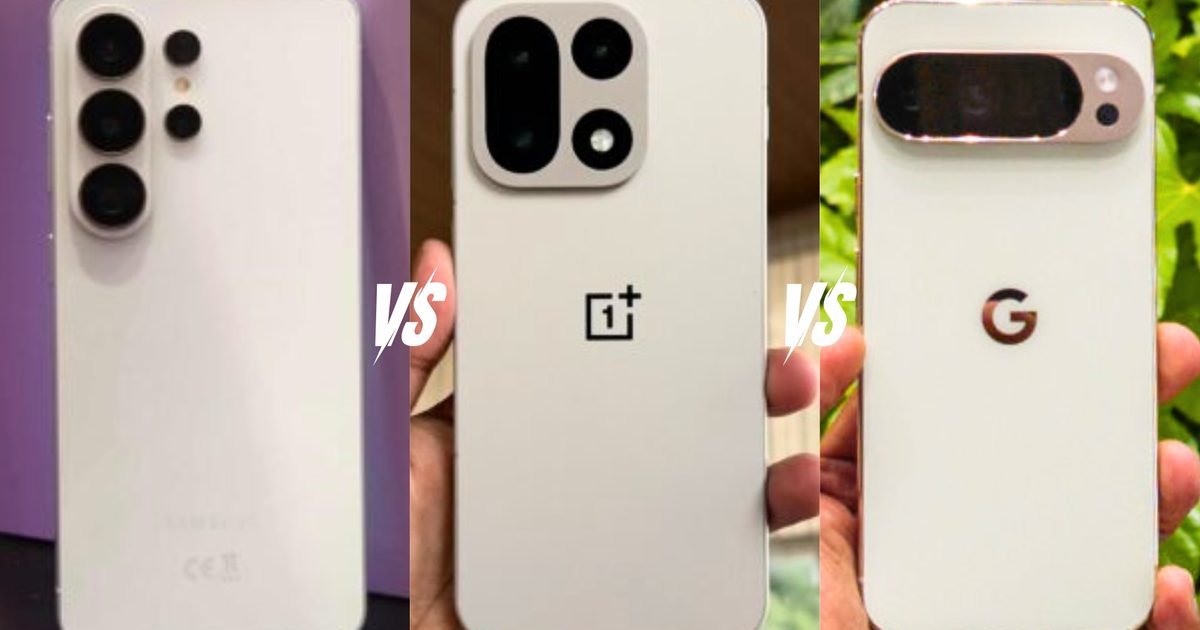
The S26 Ultra is Samsung doing what its does best: throwing everything at a phone until it sticks. The OnePlus 15 has a battery so large it almost feels like cheating, at a price that makes the other two look overpriced. And the Pixel 10 Pro XL is Google quietly making the case that specs aren’t everything — that software, consistency, and a camera you can trust on the first shot matter more than numbers on a sheet.
Which one’s right for you depends entirely on what you actually use a phone for. That’s what we’re here to figure out.
Price and availability
Samsung just announced the S26 Ultra — ships March 11, starts at $1,299 for 256GB, goes up to $1,799 for 1TB. Carrier deals with trade-ins can soften that, but the sticker price is what it is.
OnePlus comes in at $899 for the base model, $999 for the 512GB. For context — that’s less than what Google and Samsung charge. It hit US shelves mid-December after getting stuck in FCC approval hell during the government shutdown.
Google launched the Pixel 10 Pro XL back in August at $1,199 for the 256GB variant, and goes up to $1,549 for the 1TB variant. Six months on, you’ll find it discounted pretty regularly if you shop around.
Design
These three phones could not have more different design philosophies, and honestly, which one you pick says something about you.
Tom Bedford / Digital Trends
The S26 Ultra ditched titanium this year and went back to aluminium — Armor Aluminium — after two years of the more premium material. The general consensus is that it’s better at heat management, and it is not as expensive as titanium, so that’s that.
The frame is paired with Gorilla Armor 2 on the front, and at 7.9mm thick and 214g, it sits comfortably in the hand for a 6.9-inch phone. Colors are Cobalt Violet, Sky Blue, Black, and White, with Silver Shadow and Pink Gold exclusive to Samsung’s website.
It’s IP68, and the S Pen still ships in the box.
Nadeem Sarwar / Digital Trends
Talking about the latest OnePlus flagship, the whole package comes in at 161.4 × 76.7 × 8.1 mm and 211 grams — the lightest of the three.
The handsets come with IP68, IP69, and IP69K — the last one being resistance to high-pressure water jets. Whether that ever comes in useful in real life is debatable, though.
The camera module got a complete rethink too, dropping the old circular housing for a squircle metal layout that looks noticeably more grown-up. Colorways include Infinity Black, Sandstorm and Ultra Violet.
Nirave Gondhia / Digital Trends
Google took one look at the Pixel 9 Pro XL and decided the exterior was basically fine. The 10 Pro XL is the same 162.8 × 76.6 × 8.5 mm body, same camera bar across the back, same general silhouette.
What changed is the weight — up to 232 grams now, which makes it the heaviest here by a margin you actually feel after a few hours. In return, you get a build quality that inspires a lot of confidence.
Google added two new colors — Moonstone, a blue-gray, and Jade, a soft pistachio green with subtle golden accents. Jade especially looks better in person than any photo suggests. IP68 puts it on par with the S26 Ultra.
Display
Screens are where flagship phones quietly fight their most important battles, and we should talk about them more often, as we literally spend most of the time looking at them.
Tom Bedford / Digital Trends
Samsung kept the 6.9-inch Dynamic AMOLED 2X panel at QHD+ (3120 × 1440 pixels, 500 ppi) with a 1–120Hz adaptive refresh rate and 2,600 nits peak brightness — hardware that’s virtually unchanged from the S25 Ultra.
The story this year is entirely about what they bolted on top of it: Privacy Display. Unlike the third-party privacy screen protectors, this one is integrated in the panel itself and can actually limit how light disperses sideways so the person next to you sees nothing. You can dial it up for passwords only, specific apps, or just leave it on constantly; it works in both portrait and landscape.
However, as per what I’ve seen in the early hands-on reviews, enabling the Privacy Display decreases the effective resolution of the screen and appears to desaturate colors a bit.
Nadeem Sarwar / Digital Trends
OnePlus went after the gaming crowd with the 15’s screen and didn’t really apologize for it. The 6.78-inch LTPO OLED hits 165Hz natively — the first phone panel to do that at this resolution — but that resolution is 1.5K (1272 × 2772), which is lower than what the other two offer.
OnePlus is upfront about it: a 165Hz panel at QHD+ doesn’t exist yet. For everything else — scrolling, video, general use — the lower pixel density is hard to actually perceive. What you do perceive is the fluidity, which is real and noticeable coming from a 120Hz device.
Peak brightness tops out around 1,800 nits in auto mode, which is the lowest of the trio outdoors, but the display can also drop to 1 nit (something that the S26 Ultra can also do). The screen also uses 2,160 Hz PWM dimming, making prolonged low-light usage comfortable.
Image used with permission by copyright holder
Google’s approach to the Pixel 10 Pro XL display was basically: don’t mess with what works, and bump the brightness. Same 6.8-inch LTPO OLED, same 1344 × 2992 resolution at 486ppi, same 1–120Hz refresh. Peak brightness is up to 3,300 nits from 3,000 on the previous generation — it contributes to visibility under direct sunlight.
The thing Google doesn’t shout about enough is color. DxOMark tested it and put the Pixel 10 Pro XL first in their entire database for color rendering accuracy. Google also bumped PWM dimming from 240Hz to 480Hz, quietly. The Dolby Vision gap is still there, though.
On screens alone — the S26 Ultra has the sharpest panel and the privacy feature nobody else has. The OnePlus 15 is the pick for gamers and people who hate bright screens at 1am. The Pixel 10 Pro XL renders color more faithfully than either.
Performance
All three phones run on 3nm chips. That’s where the common ground ends.
Qualcomm
The S26 Ultra and OnePlus 15 both use Qualcomm’s Snapdragon 8 Elite Gen 5 — though Samsung’s version is tuned specifically for Galaxy hardware. Two prime cores hitting 4.74 GHz, six performance cores at 3.63 GHz, and an Adreno GPU that’s 24% faster than last year’s already-fast silicon.
The NPU is where Samsung pushed hardest though, a 39% jump that handles Galaxy AI’s on-device processing without constantly phoning home to a server. Geekbench scores for the S26 Ultra broke 11,700 multi-core (via Gizmochina), which is a serious number.
The OnePlus 15 runs the same chip with slightly different tuning (two 4.6 GHz prime cores), and benchmarks land comparably close. Day-to-day, you’re not going to feel a meaningful difference between these two — both are fast in a way that currently has no ceiling.
Google
The Pixel 10 Pro XL runs Google’s Tensor G5, built on TSMC’s 3nm node and a genuine step up from the G4. However, the single-core gap between Tensor G5 and Snapdragon 8 Elite Gen 5 is beyond generational, which shows up in gaming and anything GPU-heavy.
Where Tensor earns its keep is AI — Google’s TPU is optimized specifically for on-device Gemini tasks, and that tight hardware-software integration genuinely shows in how the Pixel handles AI features.
For raw responsiveness and longevity over three or four years, the S26 Ultra and OnePlus 15 are clearly ahead. The Pixel 10 Pro XL is more than capable for daily use, but if gaming or sustained heavy workloads are part of how you use a phone.
Cameras
Tom Bedford / Digital Trends
On paper and in person as well, the S26 Ultra looks dominant — 200MP main sensor now with a wider f/1.4 aperture (47% more light than last year), a 50MP 5x periscope telephoto that also got a brightness bump, and 8K video recording.
The dual telephoto setup giving you both 3x and 5x optical zoom still makes it the most flexible zoom range of the three, which matters if you shoot a lot of distant subjects. The one thing that’s hard to defend in 2026 is the 10MP 3x telephoto sitting between two high-res powerhouses, and so is the 12MP selfie shooter.
Video-wise, the new APV codec for near-lossless recording and the 360-degree horizon lock on video make this the most capable option for anyone doing serious mobile filmmaking. The phone can also record 4K120 fps videos.
Nadeem Sarwar / Digital Trends
The OnePlus 15’s triple 50MP setup with a 3.5x periscope telephoto was a decent step forward, but dropping Hasselblad tuning in favor of the in-house DetailMax engine was a gamble that hasn’t fully paid off yet. Colors skew warm and punchy — great for social media, less great if you want accuracy.
Low-light is where it starts to fall behind the other two noticeably. While the handset matches the 8K resolution and frame rate (and 4K120 fps video as well), it does have a higher resolution 32MP (f/2.4).
Nirave Gondhia / Digital Trends
The Pixel 10 Pro XL doesn’t try to win on hardware — 50MP main, 48MP ultrawide, 48MP 5x telephoto, same sensors as the Pixel 9 Pro XL. What it does bring is the best image processing of the three, consistently.
Colors come out natural, moving subjects are handled more reliably than competitors, and Google’s AI editing suite — Magic Editor, Best Take, Add Me — is still in a class of its own for post-processing. It also has the sharpest front camera — 42MP — which also has the widest focal length of all (17 mm).
For professional video: S26 Ultra. Consistent daily photography: Pixel 10 Pro XL. Everyday snapshots you want to look good on Instagram: any of them, honestly.
Battery
Tom Bedford / Digital Trends
Samsung kept the 5,000mAh cell from last year, which isn’t a dealbreaker so much as a missed opportunity given what the competition is doing. The real upgrade is charging — 60W wired and 25W wireless (without built-in magnets), landing at 75% in about 30 minutes.
Day-to-day stamina sits comfortably in the “won’t stress you out” range.
OnePlus went with a 7,300mAh silicon-carbon cell — nearly 50% larger than what Samsung and Google are running — and the results back it up. It comes closest to a true two-day battery life as a smartphone has ever been.
Nadeem Sarwar / Digital Trends
The 120W charger it ships with fills the whole thing in around 40 minutes, which is absurd for a battery that big. The catch is proprietary SuperVOOC charging and there’s no Qi2 support.
Google’s 5,200mAh Pixel 10 Pro XL charges at 45W and gets you 70% in 30 minutes. The win here is Qi2.2 with actual built-in magnets — works with any Qi2 pad and MagSafe accessories. Battery life is fine, but heavy days will find the limit.
Conclusion
Tom Bedford / Digital Trends
If you live in Samsung’s ecosystem and want the most complete flagship money can buy, the S26 Ultra delivers. The dual telephoto setup, Privacy Display, and APV video codec are genuinely hard to match. The S Pen still has no equivalent elsewhere.
Downsides? The 5,000mAh battery is starting to look stubborn next to the competition, and you’re paying a premium for incremental improvements over last year.
Nadeem Sarwar / Digital Trends
The OnePlus 15 is a battery life story first, and everything else second. Two days between charges is genuinely achievable here, and the 120W charging means when you do plug in, you’re back to full before your coffee gets cold.
Throw in IP69K durability, a 165Hz display, and Snapdragon 8 Elite Gen 5, all at a lower price than the other two — it’s hard to argue with on paper. The cameras are the weak link, along with proprietary charging.
Nirave Gondhia / Digital Trends
Google’s strongest argument here is consistency — the cameras rarely disappoint, Android feels the most refined on Pixel hardware, and Qi2.2 with built-in magnets is a genuinely useful addition nobody else on Android offers yet.
The Tensor G5 gap against Snapdragon is real though, and the design is essentially identical to 2024’s phone.
The Samsung Unpacked 2026 event was packed with AI announcements. Apart from the new hardware and AI improvements, two features in particular stood out: Privacy Display and Ocean Mode.
Ocean Mode, however, isn’t new. It was first launched with the Samsung Galaxy S24 Ultra and was developed for marine researchers, giving them a way to capture more color-accurate visual data underwater and consistently monitor coral reef ecosystems over time.
Now, the company is bringing that same feature to consumers with Ocean Mode inside the Expert RAW camera app, rolling out to the Galaxy S26 series.
Samsung
How Ocean Mode improves underwater photography
The issue with underwater photography is that photos have excessive blue tones. This happens because water absorbs light unevenly, and warm tones like reds and yellows disappear quickly with depth.
Ocean mode allows users to capture more color-accurate photos underwater by removing the blue tones. It also minimizes motion blur by adjusting shutter speed and utilizing multi-frame image processing. This results in clear, sharp, and color-accurate photos.
Samsung
Water resistance isn’t ocean resistance
Samsung Galaxy S26 Ultra’s Ocean Mode might tempt you to explore underwater photography, but you might want to hold off.
Yes, the entire Galaxy S26 series comes with an IP68 rating, which means the phones are dust-tight and can survive up to 1.5 meters (about 4.9 feet) underwater for 30 minutes. However, what many people don’t realize is that water-resistance ratings are designed for fresh water, not saltwater.
Ocean water has high amounts of dissolved salt, and salt water is highly corrosive. It can destroy your phone’s connectors, seals, and charging ports. Moreover, once the water evaporates, it can leave behind salt residue that may clog your phone’s ports and buttons.
What should we do then?
The simplest answer is to buy a water-resistant housing for your phone before you take it diving in the ocean. It will not only prevent your device from getting damaged but also increase the depth at which you can dive with your phone.
After all, 1.5 meters (4.9 feet) is not deep enough to explore underwater photography. Ocean Mode is a genuine cool edition to the Galaxy S26 series, just don’t forget to take the necessary precautions.
A Korean research team says it has solved the biggest technical hurdle standing between today’s EVs and a 12-minute charge.
The breakthrough targets dendrites. Those are the needle-like crystals that grow inside lithium-metal batteries during fast charging. They’ve kept advanced cells from leaving the lab by shortening lifespan and increasing fire risk.
Now researchers at KAIST have developed an intelligent coating that rearranges itself. It keeps lithium ions moving smoothly, even under extreme electrical load.
A self-adjusting layer that mimics traffic flow
The team added thiophene to the battery electrolyte. That creates a protective barrier with a flexible electronic structure.
Think of it like a smart traffic system that shifts lanes as cars merge. When lithium ions move, the charge distribution inside the layer changes. It creates optimal pathways on the fly.
Simulations confirmed this design beats existing commercial additives. The result was consistent charging at currents exceeding 8 mA per cm². That’s more than double what the field usually considers high.
Real-world testing confirms mechanical stability
The researchers didn’t just simulate success. They used in-situ atomic force microscopy to watch the battery at the nanometer scale during operation.
Even under high power, lithium deposited and removed itself uniformly on the surface. That visual proof confirms the mechanical reliability needed for real driving conditions.
The technology also works with common cathode materials including lithium iron phosphate and lithium nickel-cobalt-manganese oxide. That means it could integrate into existing EV battery production lines without a complete overhaul.
What comes next for ultra-fast EVs
This work tackles the fundamental instability at the electronic structure level. It’s not just a material tweak.
By enabling stable high-current operation, it opens the door for lithium-metal batteries to finally reach real-world use. The team specifically mentions ultra-long-range electric vehicles as an immediate target.
But the applications stretch further. Urban air mobility and next-gen energy storage systems could also benefit from the density and speed this design allows.
The next step will be moving from demonstration to scaled manufacturing. That process will determine how soon you might see that 12-minute charge at an actual charging station.
Google just gave us a real glimpse of how Android 17 might change the way you use your phone. New developer tools announced Tuesday let AI agents like Gemini dive directly into your installed apps to find photos, manage calendars, or book a multi-stop rideshare while you do something else.
The idea is simple. Instead of opening apps one by one, you tell an AI what you need. Google calls this the “agentic future,” and it’s landing in pieces starting now on the Galaxy S26 series and select Pixel 10 devices. A long press of the power button on those phones lets you hand off complex tasks to Gemini. The AI works across food delivery, grocery, and rideshare apps in the US and Korea to start.
Two ways Gemini takes control
Google is building this on two tracks. The first is AppFunctions, a framework that lets developers expose specific app features directly to AI. The Samsung Gallery integration on the Galaxy S26 shows how it works. You ask Gemini to “show me pictures of my cat from Samsung Gallery.” The AI finds and displays them. You never open the gallery app. It already works for calendar, notes, and tasks on devices from multiple manufacturers.
The second track is broader. For apps without dedicated integrations, Google is testing a UI automation framework. It lets Gemini execute generic tasks. The beta launches on the same devices, supporting a curated set of apps in food delivery, grocery, and rideshare categories. The AI handles the multi-step work using your existing app context.
You stay in the driver’s seat
Letting an AI loose inside your apps sounds like a privacy risk. Google says it designed these features with privacy and security as the foundation. When Gemini runs a task through UI automation, you can watch its progress via notifications or a live view. If something looks wrong, you jump in and take over manually.
Sensitive actions get extra guardrails. Gemini alerts you before completing things like a purchase. The actual work happens on your device, not a remote server. Google frames this as user control baked into the experience. The goal is to make automation feel helpful, not creepy.
Android 17 and what comes next
This is still early. Google is starting with a small set of developers to iron out the experience. The UI automation preview is limited to specific devices and app categories in just two countries. But the roadmap points to Android 17 as the moment these capabilities broaden to more users, developers, and device makers.
For now, if you have a Galaxy S26 or a select Pixel 10, you can try the beta when it launches. For everyone else, the takeaway is simple. Your phone is about to get smarter about handling tedious stuff. The shift from opening apps to telling AI what you need is coming. Android 17 later this year will likely be when it starts to feel normal.
Perplexity just launched a feature that lets different AI models collaborate on the same task. Called Perplexity Computer, it taps Gemini, Grok, and ChatGPT 5.2 depending on what you need. But Computer does more than answer questions. It completes tasks. The tool is live today for Perplexity Max subscribers on desktop web and will reach Enterprise Max users soon.
The system runs Opus 4.6 as its core reasoning engine. But for specific jobs, it hands off to specialist models. Gemini handles deep research by creating sub-agents. Grok jumps in for speed on lightweight tasks. ChatGPT 5.2 manages long-context recall and wide searches.
Computer also connects to Gmail, Outlook, GitHub, Slack, Notion, and Salesforce. It can write docs, build slides, send emails, and run scheduled tasks while you are offline.
The name Computer nods to history. In the 1700s, human computers divided complex work into pieces. Today, Perplexity Computer does the same thing with software.
You get to pick which models run your subtasks
Perplexity Computer is model agnostic, so the company can swap out engines as better ones appear. But you’re not stuck with the defaults. The system lets you choose which models handle your subtasks.
That control matters as token budgets become a real concern for people using AI at work. If you know one model burns through credits faster than another for a simple job, you can pick the cheaper or faster option.
The approach treats AI less like a single appliance and more like a toolbox. Grab Grok for quick answers, Veo 3.1 if you need video, and Nano Banana for images, all within the same session.
Why running multiple models changes the game
The move challenges the idea that AI models are becoming interchangeable commodities. Perplexity argues the opposite. Models are specializing. Each frontier model genuinely excels at different kinds of work, and a smart system should reflect that.
Think of it like having a team instead of one generalist. Gemini might dig through research better. Opus 4.6 handles the heavy reasoning. ChatGPT 5.2 remembers more context from earlier in the conversation. Let them play to their strengths, and the whole system gets more capable.
Computer chains capabilities together naturally. A single prompt can trigger research, analysis, document creation, email delivery, and scheduled follow-up. You do nothing between steps.
What the shift means for your subscription
If you are a Perplexity Max subscriber, you can try the Computer feature today. Enterprise Max users will get access soon. The launch gives you a reason to revisit your subscription and test whether orchestrating multiple models actually saves time or money.
Keep an eye on how the model roster changes. Perplexity built this to be flexible, so the lineup will likely evolve as new models drop. The real test is whether you notice the difference.
If the system picks a faster model for simple searches and a deeper one for research, your workflow should feel smoother without you having to think about it.
Perplexity just launched a feature that lets different AI models collaborate on the same task. Called Perplexity Computer, it taps Gemini, Grok, and ChatGPT 5.2 depending on what you need. The tool is live today for Perplexity Max subscribers and will reach Enterprise Max users soon. Just to be clear, it’s not hardware, it’s what the feature is called.
The system runs Opus 4.6 as its core reasoning engine. But for specific jobs, it hands off to specialist models. Gemini handles deep research by creating sub-agents. Grok jumps in for speed on lightweight tasks. ChatGPT 5.2 manages long-context recall and wide searches.
The idea is simple: use the right tool for each part of your workflow instead of forcing one bot to do everything.
You get to pick which models run your subtasks
Perplexity Computer is model agnostic, so the company can swap out engines as better ones appear. But you’re not stuck with the defaults. The system lets you choose which models handle your subtasks.
That control matters as token budgets become a real concern for people using AI at work. If you know one model burns through credits faster than another for a simple job, you can pick the cheaper or faster option.
The approach treats AI less like a single appliance and more like a toolbox. Grab Grok for quick answers, Veo 3.1 if you need video, and Nano Banana for images, all within the same session.
Why running multiple models changes the game
The move challenges the idea that AI models are becoming interchangeable commodities. Perplexity argues the opposite. Models are specializing. Each frontier model genuinely excels at different kinds of work, and a smart system should reflect that.
Think of it like having a team instead of one generalist. Gemini might dig through research better. Opus 4.6 handles the heavy reasoning. ChatGPT 5.2 remembers more context from earlier in the conversation. Let them play to their strengths, and the whole system gets more capable.
The name Computer nods to history. In the 1700s, human computers divided complex work into pieces. Today, Perplexity Computer does the same thing with software.
What the shift means for your subscription
If you are a Perplexity Max subscriber, you can try the Computer feature today. Enterprise Max users will get access soon. The launch gives you a reason to revisit your subscription and test whether orchestrating multiple models actually saves time or money.
Keep an eye on how the model roster changes. Perplexity built this to be flexible, so the lineup will likely evolve as new models drop. The real test is whether you notice the difference.
If the system picks a faster model for simple searches and a deeper one for research, your workflow should feel smoother without you having to think about it.