Category: Uncategorized

  • Rivian’s new Watch app turns your wrist into a car remote

    Rivian’s new Watch app turns your wrist into a car remote

    Rivian is expanding its Apple ecosystem support with a full Apple Watch app that goes beyond digital key access and brings core vehicle controls directly to the wrist. The feature, confirmed through Rivian’s 2026.03 software update release notes surfaced by RivianTrackr, marks a notable step in Rivian’s ongoing effort to modernize its software experience and close feature gaps with rival EV makers.

    The rollout builds on Rivian’s December update, which first enabled Apple Watch–based digital car keys through Apple’s Wallet system. That implementation worked only with second-generation Rivian EVs (2025 and later). The newly announced watchOS app expands compatibility and unlocks new controls for both Gen 1 (2021–2024) and Gen 2 vehicles, though digital key support still varies by model generation.

    The new app aims to replicate core functions of the Rivian iPhone app

    The app is offering features such as locking and unlocking, starting the vehicle, venting windows, sounding the alarm, adjusting cabin temperature, and setting a charging target. Users can also customize up to four quick-access actions on the watch display and can use the Digital Crown to fine-tune temperature and charging levels. Rivian notes that the watch app must be actively open (“foregrounded”) when used as a key for Gen 1 vehicles.

    This standalone app gives Rivian owners the kind of convenience Tesla owners received with Tesla’s own Apple Watch app last year. It’s also a meaningful quality-of-life update for drivers who prefer wrist-based access or routinely leave their phones behind. With Apple Watch Ultra and Series models offering cellular connectivity, the ability to access essential vehicle functions from the watch alone is a practical upgrade.

    The update also highlights Rivian’s evolving software roadmap

    The company still doesn’t support Apple CarPlay – something Tesla also continues to avoid – despite persistent customer demand. Instead, Rivian is gradually embracing Apple’s ecosystem in selective ways, starting with key access and now extending into full remote control. The strategy suggests Rivian is trying to strike a balance: offering convenience features users expect while maintaining its custom in-vehicle UI.

    The Apple Watch app will automatically install once users update the Rivian iPhone app to version 3.9, though Rivian has not provided a precise release date. With Gen 2 vehicles already supporting Wallet-based keys and Gen 1 models now able to use the Watch app as a key with the app open, Rivian owners across model years will gain new flexibility.

    As the update rolls out, the focus turns to whether Rivian plans deeper Apple integration – particularly CarPlay – which remains one of the most requested features among its user base. For now, the Apple Watch app marks Rivian’s most significant expansion into Apple’s ecosystem yet.

  • Google insists YouTube Music’s paywalled lyrics are just a ‘limited experiment’

    Google insists YouTube Music’s paywalled lyrics are just a ‘limited experiment’

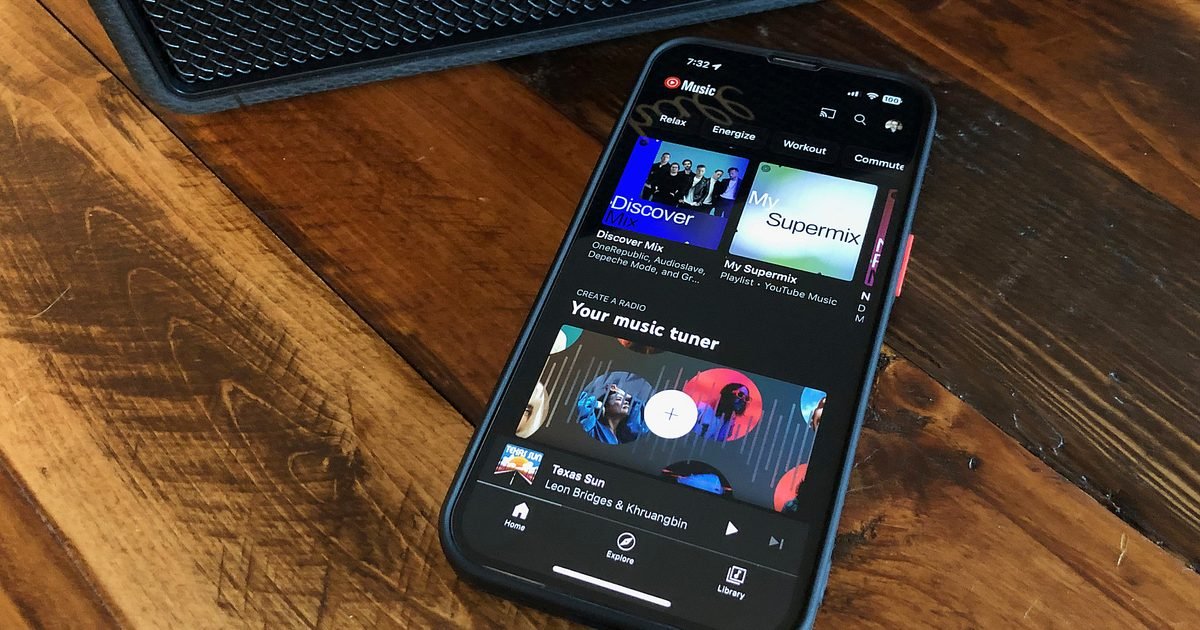
    YouTube Music has reportedly started nudging its free listeners toward a paid subscription by, you guessed it, limiting access to full song lyrics. Free users seemed to be capped at five complete song lyrics per month, post which, only the first few lines of a song’s lyrics are visible, while the rest are blurred.

    Full access, as far as I can tell, is only available if you cough up for the YouTube Music Premium ($10.99 per month) or YouTube Premium ($13.99 per month) subscriptions.

    Dear @youtubemusic,

    I recently noticed that the lyrics feature is now only available for Premium users. This has been disappointing because the lyrics were one of the main reasons I loved using the app, I hope you can make lyrics accessible for free accounts again. pic.twitter.com/duYUR5JsXD

    — DEADLINE 🍀 (@j_nnie16) February 6, 2026

    A new restriction for free users

    Upon being asked about the development by Android Authority, Google has played it cool by stating that it’s merely testing the paywall.

    “We are running an experiment with a small percentage of ad-supported users that may impact their ability to access the lyrics feature repeatedly,” clarifies Google.

    It also notes that the experimenting isn’t affecting “the majority” of its global users; they shouldn’t see any changes to the lyrics feature.

    While the company’s statement about routinely running experiments on YouTube Music to improve users’ experience is quite generic, there are plenty of user reports about the inaccessibility of lyrics, suggesting that this might not be a trial after all.

    If it’s an experiment, it should go away soon

    As mentioned in the report, free YouTube Music users can still access the Lyrics tab, but only with a warning at the top that reminds them about the remaining views and a message that says “Unlock lyrics with Premium.”

    While we won’t go so far as to say that Google is intentionally hiding lyrics from users to force them into paying for the subscription, it is concerning that the company is calling it an “experiment.”

    If it starts showing up for more people in the near future, it would be considered less of an experiment and more of a calculated push to convert free YouTube Music users into paid ones.

  • YouTube Music can now turn your thoughts into a personalized playlist

    YouTube Music can now turn your thoughts into a personalized playlist

    Getting work done by simply describing is the hottest new trend. You can prompt an iOS app and publish it to the App Store with Replit. You can have Claude handle work files and make changes without even opening them. And then there are tools like ChatGPT and Gemini that can handle everything from Deep Research to making viral images and videos. The music streaming segment is aboard the AI train, as well.

    Google has today announced that you can now simply describe your mood in natural language, and the built-in AI will create a playlist for you. The new AI playlist feature is already rolling out within the YouTube Music app on Android and iOS platforms. All you need to do is tap the “New” button that appears in the bottom-right corner of the Library page.

    YouTube Premium and @YouTubeMusic Premium users can now instantly turn an idea, mood or genre into a personalized playlist using our new AI playlist feature 🎧

    Here’s how to use it:

    1. On Android & iOS, tap the “New” button in the Library tab of YouTube Music
    2. Select “AI… pic.twitter.com/YR1GVCqwvu

    — Updates From YouTube (@UpdatesFromYT) February 9, 2026

    Once there, select the AI playlist option and simply describe your music mood. You can either choose voice or input, and once you’re done with the description, the AI will create a custom playlist within a few seconds. Unsurprisingly, this feature is locked behind a paywall, and you will need a YouTube Premium or YouTubeMusic Premium subscription to access it.

    This won’t be the first attempt of its kind that blends streaming music with AI. Spotify also offers a tool called Prompted Playlist that lets you curate song libraries based on your mood or even building atop your listening history. The app also shows sample prompts created by its music editors and culture experts to get users started.

    If the idea sounds appealing to you, ChatGPT also lets you link music streaming (among other services) to get work done. Officially known as ChatGPT Apps, all you need is to connect the accounts and then enter the natural language prompts to create a playlist without even opening the target music streaming app.

  • DuckDuckGo’s AI lets you talk to it without giving up privacy

    DuckDuckGo’s AI lets you talk to it without giving up privacy

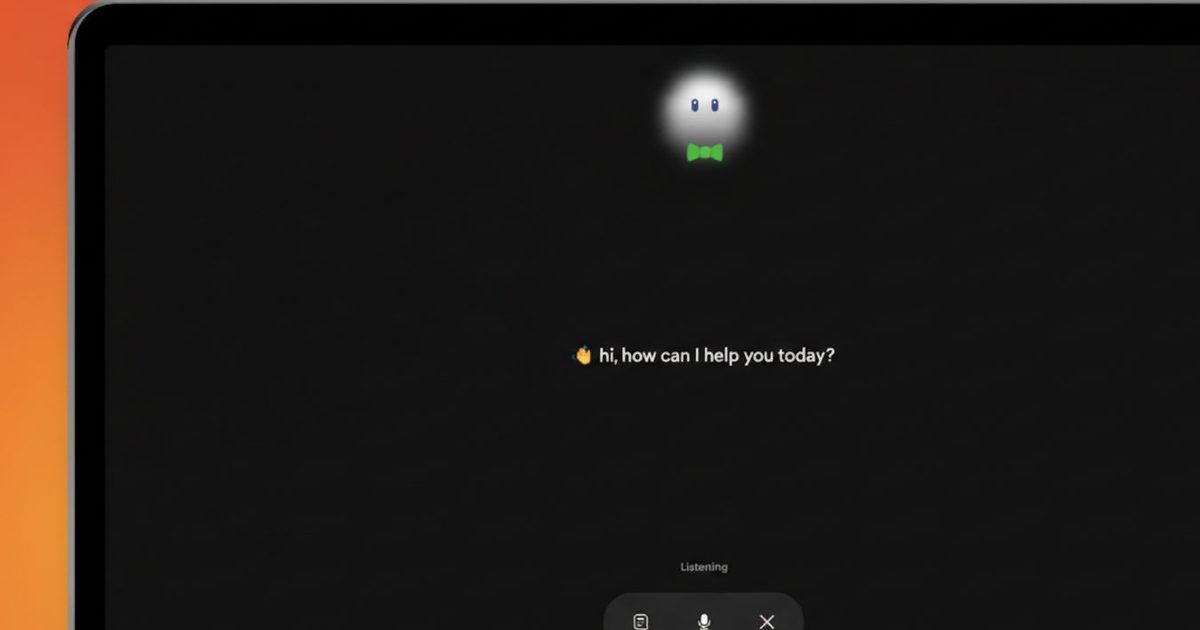
    DuckDuckGo’s Duck.ai voice chat is now live, giving you a hands-free way to talk to its AI while it leans on a familiar promise, your audio won’t be recorded or stored, and it won’t be used for training.

    Voice is creeping into every AI app, and it usually comes with a quiet tradeoff, more data flowing somewhere you can’t see. Duck.ai voice chat is aimed at people who want spoken answers without feeling like they’re feeding another voice dataset.

    The rollout is real, but a few practical bits still take digging. DuckDuckGo says voice chat works in its own browser and most other browsers, with Firefox support listed as coming soon. It also applies daily usage limits, but doesn’t publish a number.

    The promise is the product

    Duck.ai voice chat runs at Duck.ai. Turn it on, grant mic permission, and you can start speaking and get spoken replies back.

    DuckDuckGo is also leaning on plumbing details to back up the privacy pitch. It says your mic audio is streamed using WebRTC through an encrypted relay, then processed to generate a response. The company says it doesn’t store your voice.

    Limits and tradeoffs you should know

    The privacy claim is clear, but voice is still touchy. A single question can include names, places, or other personal details, and your voice itself can be identifying.

    There’s also the usage cap. DuckDuckGo confirms voice chats have a daily limit, and subscribers get higher limits than free users. It says it won’t spell out the exact method to prevent abuse. It also warns that VPNs or being on a cellular network can sometimes make you hit the limit sooner.

    A practical way to try it

    If you test Duck.ai voice chat, treat the first run like a quick checkup. Look at the permissions it requests, how easy it is to shut off, and whether it behaves the same on your phone and your laptop.

    For now, keep sensitive topics out of voice mode and use it for low-stakes tasks where convenience is the main win. If DuckDuckGo adds clearer disclosures on providers and handling, that’s the moment to reassess whether it’s ready for more personal conversations.

  • Ring’s Search Party Super Bowl ad sold pet love and surveillance fears. Here’s how to opt out

    Ring’s Search Party Super Bowl ad sold pet love and surveillance fears. Here’s how to opt out

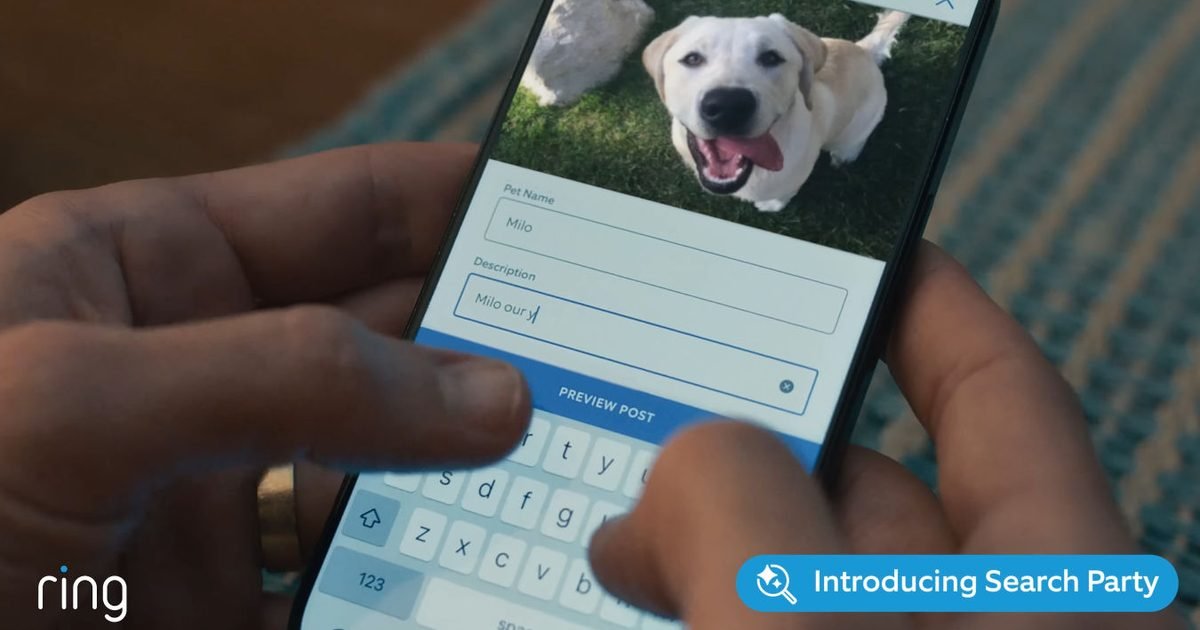
    If you watched Ring’s Search Party Super Bowl spot and felt two things at once, aww and uneasy, you’re not alone. The feature is built to help find missing pets, but it also adds another layer of AI scanning to cameras that already watch your front yard.

    If you want a Ring Search Party opt out, you can do it in the Ring app in under a minute. The switch is inside Control Center, and it’s set per camera, not as one global toggle.

    Ring says Search Party is available in the US for supported doorbells and outdoor cameras. It can look for a neighbor’s missing dog, and it can also watch for visible flames or smoke during active wildfire events through a setting Ring calls Fire Watch.

    Where the toggle actually lives

    Open the Ring app, go to the main dashboard, tap the menu icon, then open Control Center and select Search Party. You’ll see two separate controls, Search for Lost Pets and Natural Hazards (Fire Watch). Each one can be turned off for each camera using the on-screen icons, the pet icon for lost dog matching, the flame icon for fire monitoring.

    If you use Stick Up Cam or Outdoor Cam, Ring notes you should set the install type to Outdoor. Otherwise, you may not see the right options.

    Why it feels different than motion alerts

    Ring says the system can send you a notification when your camera spots what it thinks is a match, and you decide whether to share a relevant snapshot or video to help. For some people, that decision point isn’t the issue. It’s the idea that the camera is doing extra category-based detection in the first place.

    On the fire side, Ring warns Fire Watch can be wrong, including false positives and false negatives. It also says it isn’t a substitute for smoke detectors or official emergency alerts, and you should follow local authorities.

    The cleanest way to opt out

    If you want fewer surprises, switch off both Lost Pets and Natural Hazards for every compatible device you own, then revisit the setting only when you need it. If you keep Fire Watch on, treat it as a bonus signal, not a safety system, and keep official alerts as your primary source.

  • You’ll soon make WhatsApp video calls right in your browser

    You’ll soon make WhatsApp video calls right in your browser

    WhatsApp web video calls are starting to roll out, so you can place voice and video calls straight from a browser tab. You won’t need the desktop app for the basics anymore, at least if the feature has reached your account.

    The first wave is limited to one-to-one chats. Open a conversation, tap the call icon, and you can start a voice or video call without leaving WhatsApp Web. Group calls aren’t part of this initial release.

    This is a practical fix for people who live in the browser all day, and it’s especially useful on Linux, where WhatsApp still doesn’t offer an official desktop app.

    The web version gets serious

    WhatsApp has been building toward this for roughly a year, aiming to make the web experience feel closer to its desktop apps instead of a messaging-only companion. The big change is that calling now sits alongside chat in the same window, which reduces friction when you’re working on a laptop.

    Security doesn’t shift with the move to the browser. Calls on WhatsApp Web keep end-to-end encryption, using the Signal protocol WhatsApp already uses across messages, calls, and status updates.

    WhatsApp Web also supports screen sharing, but only during a video call. If your goal is to show a document or walk someone through a settings menu, you’ll need to start a video session even if you don’t plan to be on camera.

    The next milestone is bringing group calling to the web. The same report points to group calls with up to 32 participants, plus extras like call links and scheduled calls, once that phase is ready.

    What you should do now

    WhatsApp has begun its gradual rollout of native voice and video calling for beta users. If you’re in the WhatsApp Web beta, the simplest check is inside a one-to-one chat. If you see calling controls, you can use the browser for voice and video calls, plus screen sharing during video.

    If you don’t see it yet, you’re likely still waiting on the wider rollout, and WhatsApp hasn’t said which browsers or platforms get priority first. For now, treat web calling as the fast option for one-to-one chats, and keep the phone app handy if group calls are part of your routine.

  • You can avoid ChatGPT ads, but your Free limits may change

    You can avoid ChatGPT ads, but your Free limits may change

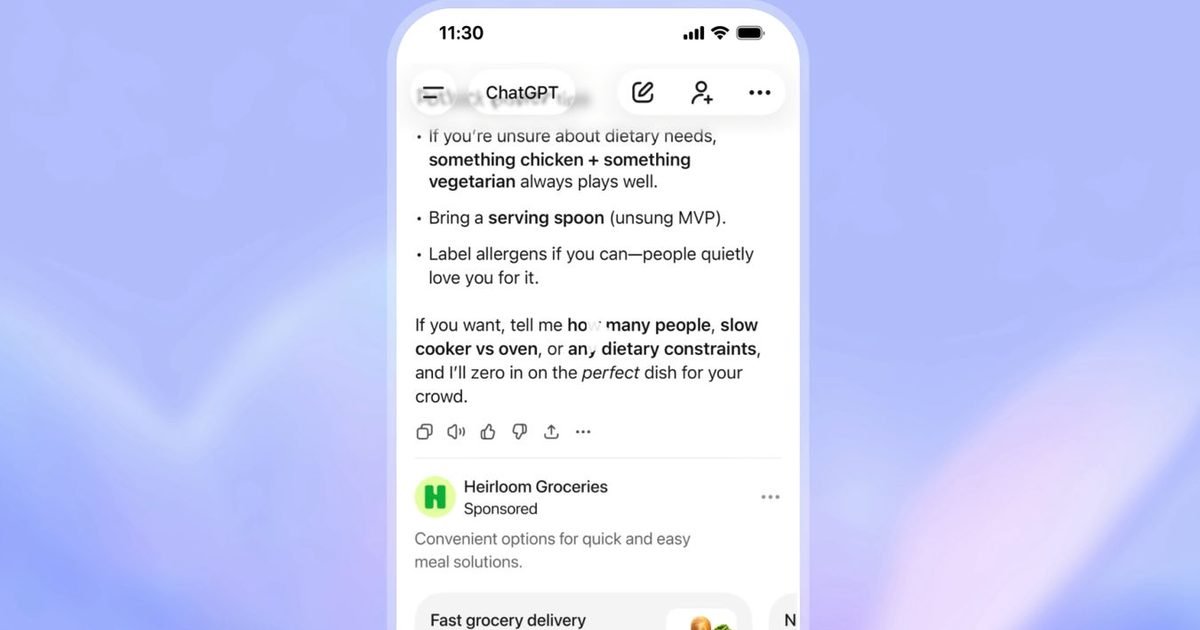
    ChatGPT ads are now in testing, and OpenAI is starting in the US with logged-in adults on the Free and Go tiers. If you fall into that group, ads can show up as sponsored placements inside the ChatGPT experience.

    OpenAI is keeping paid tiers ad-free during this test. It lists Plus, Pro, Business, Enterprise, and Education as not receiving ads, while it experiments with advertising as a way to support free access without forcing everyone into a subscription.

    Your choice comes down to three routes. Stay on Free and accept ads, move to Plus or Pro, or opt out on Free and accept fewer daily messages.

    Ads are kept separate

    OpenAI says ads won’t be blended into the answers you asked for. Sponsored placements are meant to be clearly labeled and visually separated from the normal conversation, so it’s obvious what is paid and what is not.

    That separation is also the company’s main reassurance. OpenAI says ads won’t influence ChatGPT’s answers, and responses remain tuned for what’s most helpful to you. If you’re worried an ad model could quietly steer recommendations, this is the line OpenAI is drawing.

    Relevance comes from your use

    OpenAI describes ad matching as a relevance system. It can use the topic you’re discussing, plus signals from your past chats and your previous interactions with ads. In the company’s example, a recipe chat could surface a meal kit or grocery delivery ad, and when multiple advertisers fit, the system is designed to prioritize what’s most relevant.

    This is where the opt-out tradeoff gets real. If you opt out while staying on Free, you’re stepping away from that personalized sponsored layer, but you’ll also have fewer daily free messages. If you want ad-free without reduced limits, OpenAI’s stated answer is a paid plan.

    Limits, eligibility, next steps

    Because this is a test, the big question is expansion, how quickly it moves beyond the initial U.S. group, and how heavy the ad load becomes. OpenAI also says it won’t show ads to users it knows are, or it predicts are, under 18, which signals eligibility checks before placements appear.

    If you want to avoid surprises, open your settings now and see what options are available on your account. That’s where the decision will land if ads start appearing in your chats.

  • NextSense wants your sleep fixed by EEG sleep earbuds, not apps

    NextSense wants your sleep fixed by EEG sleep earbuds, not apps

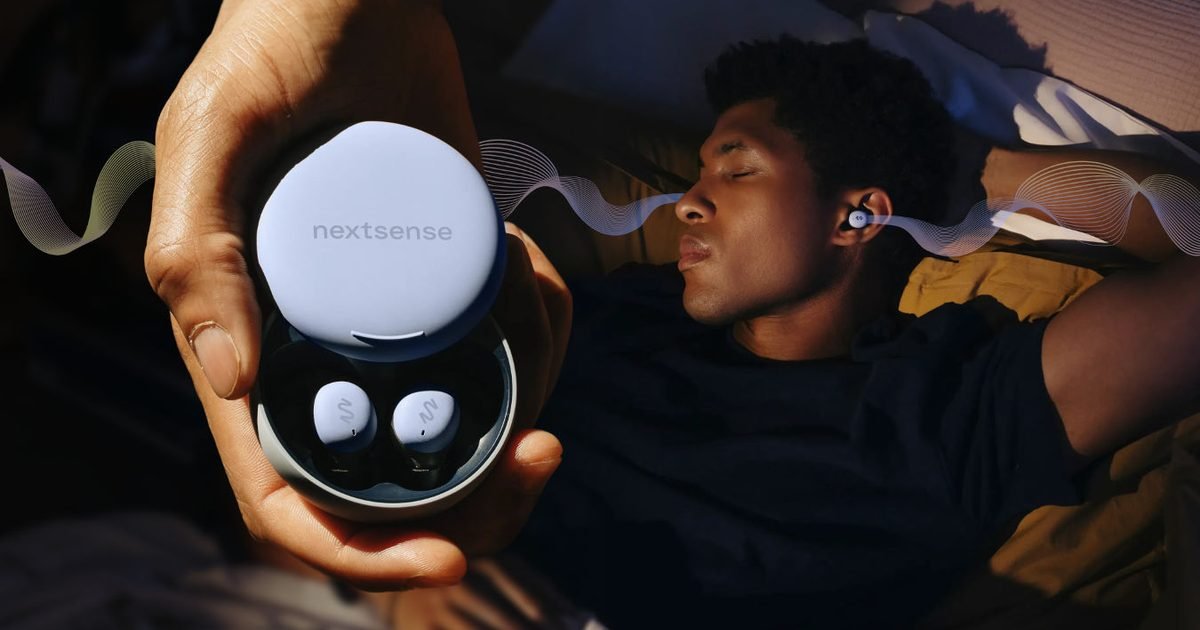
    NextSense thinks you’re done with sleep apps that only grade your night after the fact. It launched Smartbuds, EEG sleep earbuds built around a different promise, the buds don’t just measure sleep, it claims they can improve it while you’re still asleep.

    The pitch hinges on brain sensing. NextSense says Smartbuds use six EEG sensors to pick up brain activity, detect sleep stages and transitions in milliseconds, then trigger targeted audio stimulation aimed at supporting deeper sleep. That’s a sharper claim than most consumer wearables, which typically infer sleep from motion or heart rate.

    NextSense also frames the system as something that learns you over time, adjusting night by night.

    A tracker that pushes back

    The headline feature is a closed-loop approach. NextSense describes the earbuds as continuously monitoring EEG signals, then responding with stimulation when the timing lines up, rather than waiting until morning to hand you a score.

    It also wants EEG to feel effortless. Smartbuds are positioned as true wireless earbuds instead of a headband or wired setup, with the goal of making brain sensing something you’ll actually wear nightly.

    The price and the catch

    Smartbuds are priced at $399.99 at retail, with an early bird offer of $249. After the first three months, NextSense lists a Fit Kit subscription starting at $29.99 per month to keep using the system, so the long-term cost is part hardware, part service.

    Phone support is limited for now. You need an iPhone 12 or newer running iOS 17 or later, which shuts out Android users and older iPhones unless compatibility expands.

    That reality makes the decision pretty simple, you’re buying into an ecosystem, not just a gadget.

    Proof points to watch

    To back up the promise, NextSense points to a controlled beta spanning 106 nights, reporting an average increase in slow-wave activity with Smartbuds. It also cites user-reported improvements in sleep quality, mood, energy, and focus, plus more than 1,400 nights of real-world data.

    If you’re tempted, the practical move is to treat Smartbuds as a new class of EEG sleep earbuds and weigh the early bird price against the subscription. Watch for broader device support and outside validation, that’s when this shifts from bold claim to reliable sleep tool.

  • BJP national president Nitin Nabin accorded rousing welcome at Bihar assembly

    BJP national president Nitin Nabin accorded rousing welcome at Bihar assembly


    Patna: BJP national president Nitin Nabin on Tuesday received a rousing welcome upon reaching the Bihar legislative assembly, of which he is a member.

    Members of the BJP, which is now the single largest party in the House, raised slogans like ‘Jai Shri Ram’ and ‘Bharat Mata Ki Jai’ to greet the Bankipur MLA.

    Speaker Prem Kumar, a veteran BJP leader himself, said that it was a matter of pride for the House that one of its members has made it to the top in national politics.

    Patna: Bihar Deputy Chief Minister Samrat Choudhary, with state Assembly Speaker Prem Kumar, and BJP National President Nitin Nabin during the Budget session of the state Assembly, in Patna, Tuesday, Feb. 10, 2026. (PTI Photo)
    Patna: Bihar Deputy Chief Minister Samrat Choudhary, left, with BJP National President Nitin Nabin during the Budget session of the state Assembly, in Patna, Tuesday, Feb. 10, 2026. (PTI Photo)

    The Speaker thereafter urged leaders of various parties to share their thoughts on Nabin.

    The forty-five-year-old leader was catapulted to the top party post a month ago.

    Among those who spoke were Deputy Chief Minister and BJP legislator Samrat Choudhary, minister and JD(U) MLA Vijay Kumar Chaudhary, besides Raju Tiwari of Lok Janshakti Party (Ram Vilas), Rashtriya Lok Morcha’s Madhaw Anand and Hindustani Awam Morcha’s Jyoti Devi.

    Incidentally, opposition members had staged a walkout a little while ago in protest against the high incidence of rapes in the state.


    Get the latest updates in Hyderabad City News, Technology, Entertainment, Sports, Politics and Top Stories on WhatsApp & Telegram by subscribing to our channels. You can also download our app for Android and iOS.

  • The Blue Yeti is still the easiest “sound better instantly” upgrade, and it’s back under $100

    The Blue Yeti is still the easiest “sound better instantly” upgrade, and it’s back under $100

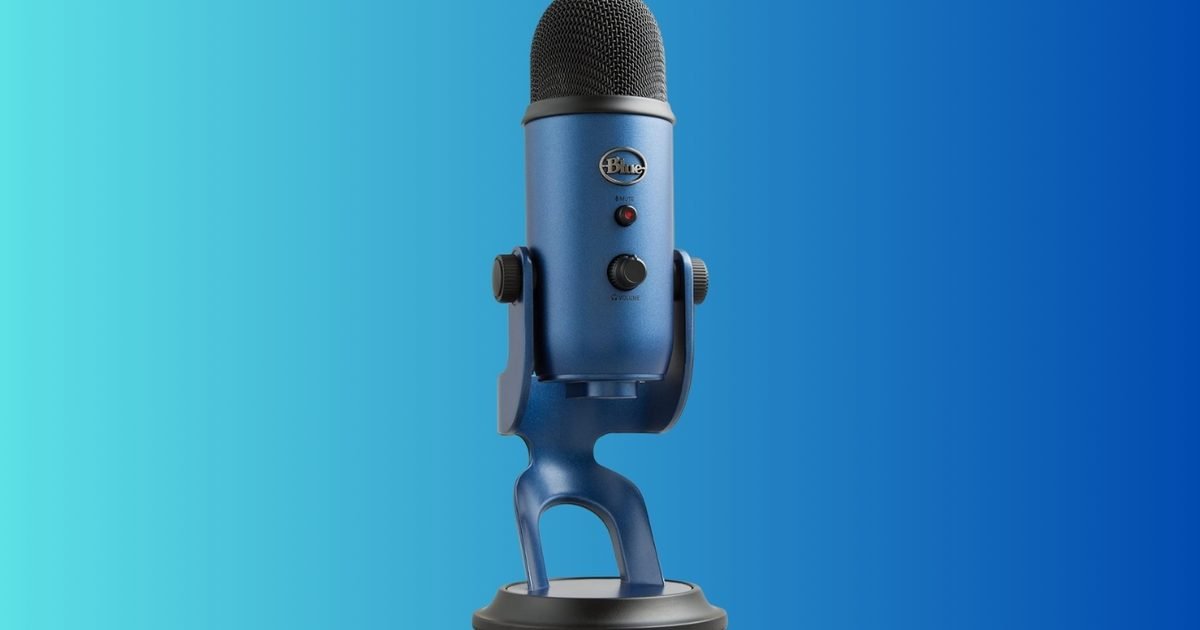
    If you’ve ever watched a stream or a YouTube video and thought, “The visuals are fine, but the audio is rough,” you already know the truth: sound quality makes or breaks content. The Logitech Creators Blue Yeti USB microphone is $94.99, down from $139.99 for 32% off. For anyone starting a podcast, upgrading a WFH setup, or trying to make game chat and voiceovers clearer, this is one of those practical buys that pays off the first time you hit record.

    What you’re getting

    The Blue Yeti is a USB microphone built for easy plug-and-play use on a PC. You don’t need an audio interface or a complicated setup to get studio-ish voice quality compared to a laptop mic or a basic headset.

    It’s popular for a reason: it works across a ton of use cases, including streaming, podcasting, voiceovers, Discord, and general video calls. It’s the kind of mic that can follow you from “I’m just trying this” to “okay, I’m doing this consistently” without forcing an immediate upgrade.

    Why it’s worth it

    This deal is worth attention because sub-$100 is a great price point for a microphone that can become your default for years. The real win is clarity. Your voice sounds fuller, background noise becomes less of the main character, and listeners do not have to strain to understand you.

    It’s also an underrated upgrade for non-creators. If you’re on calls all day, a solid mic makes you sound more professional with basically zero effort. Pair it with a decent set of headphones, and your whole communication setup feels cleaner.

    The bottom line

    At $94.99, the Logitech Blue Yeti is a strong value if you want an easy, reliable way to improve voice quality for streaming, podcasting, YouTube, gaming chat, or work calls. If you want something ultra-compact or you prefer an XLR studio workflow, there are other options. But for a straightforward plug-in-and-sound-better upgrade, this 32% discount is a great time to buy.