Just yesterday, Apple announced a special “experience” or small-scale media briefing to be held in three cities across the world, including London, New York, and Shanghai, and we’ve already published a detailed story about the items we’re expecting from the showcase.
However, less than a day later, Nothing’s CEO Carl Pei has emerged with a cheeky invite for the company’s new mid-rangers. In an X post, Pei shared a picture of the Apple invite, with “Nothing” spray-painted on the Apple logo and “March 5” on the event date.
A cheeky invite to a Phone 4a event
In his own cheeky way, Pei has announced a Nothing launch event on March 5, 2026.
The X post doesn’t mention anything else apart from the graffiti-style announcement, but there’s a YouTube live scheduled for 02:30 AM PT on the same day, indicating that the event should be streamed live.
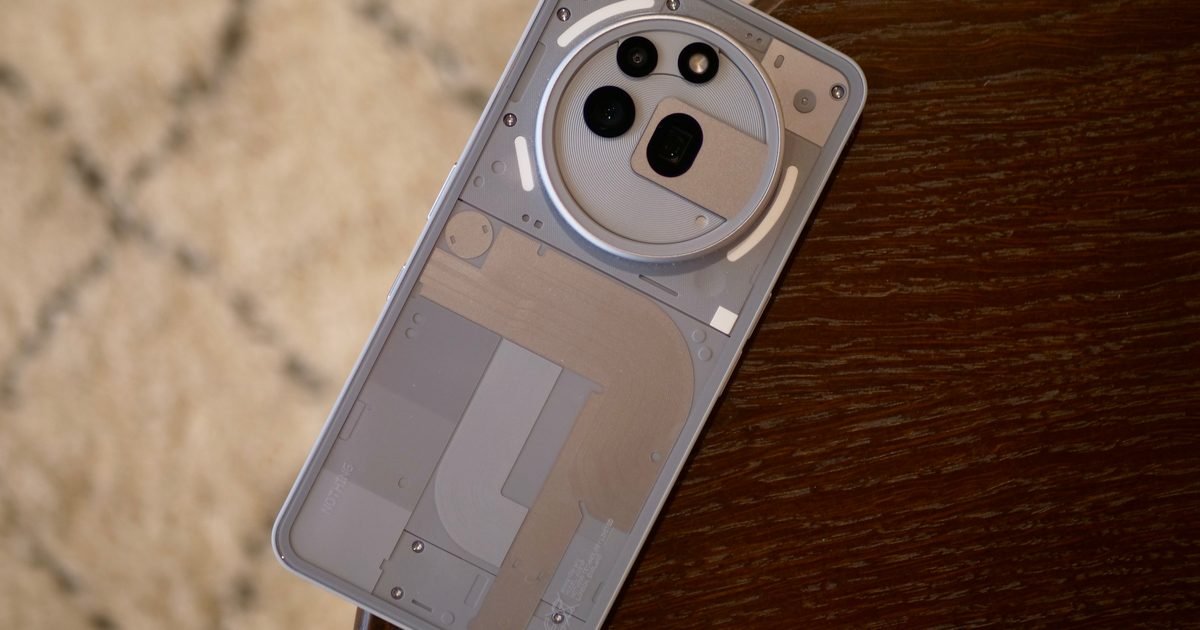
At the event, Nothing should unveil the successors of the Phone 3a series: the Phone 4a and Phone 4a Pro. In the past, Pei has mentioned that the brand is focusing on bringing its popular mid-range series closer to a “flagship” experience.
Bold colors and performance upgrades
In addition, Pei also teased a “bold new experimentation of color,” which could be a hint about a vibrant Phone 4a finish. According to recent leaks, both phones could be powered by the Snapdragon 7s Gen 4 chipset, which should offer an upgrade over the 7s Gen 3 chip used in the Phone 3a.
Otherwise, the Phone 4a series could feature a 6.82-inch AMOLED panel that supports a high refresh rate (120Hz or 144Hz), 8 or 12GB of RAM, either 128GB or 256GB of UFS 3.1 storage, multiple cameras on the back (with a dedicated telephoto sensor), and over 5,000 mAh of battery cells.
Both phones should run Nothing OS 4.0, based on Android 16, out of the box.
If you’ve ever felt the need to open two versions of the same podcast, one with the audio and the other with audio plus video, Apple has something for you. The company has unveiled an Apple Podcasts overhaul that brings native video streaming support to the app.
The native video support in Apple Podcasts is available as part of iOS 26.4 developer beta (for now). It aims to offer a seamless video podcast experience, similar to what platforms like YouTube and Spotify provide, rather than the current RSS feed-based mechanism.
Apple
A proper video experience for viewers
The underlying upgrade is support for HTTP Live Streaming (HLS), something that already works very well on Apple TV. It lets you switch between listening and watching experiences, with an inline or expanded video window and automatic adjustments to video quality (depending on connectivity).
As and when the feature moves out of beta, you’ll be able to watch video podcasts on the entire screen (including horizontal orientation), and even download video episodes for offline viewing, making the app much more useful for subway or airplane rides.
While these additions will benefit listeners, Apple Podcasts has also announced updates related to creator distribution and monetization.
At launch, several distributors, including Acast, ART19, Omny Studio, and SiriusXM (including SiriusXM Media, AdsWizz, and Simplecast), support HLS video.
Apple
A monetization boost for creators
Further, the platform will allow creators to insert advertisements dynamically, including host-read placements for the first time, giving creators new monetization avenues.
While Apple doesn’t charge creators for distribution via Podcasts, ad networks will pay impression-based fees later this year.
Even though the new Podcasts experience remains in beta, it is due for a launch this spring, arriving with iOS 26.4, iPadOS 26.4, and visionOS 26.4.
The update marks a shift from purely audio podcasts toward audio/video streaming. Integrating video streaming into Podcasts will help Apple place the app better against other giants.
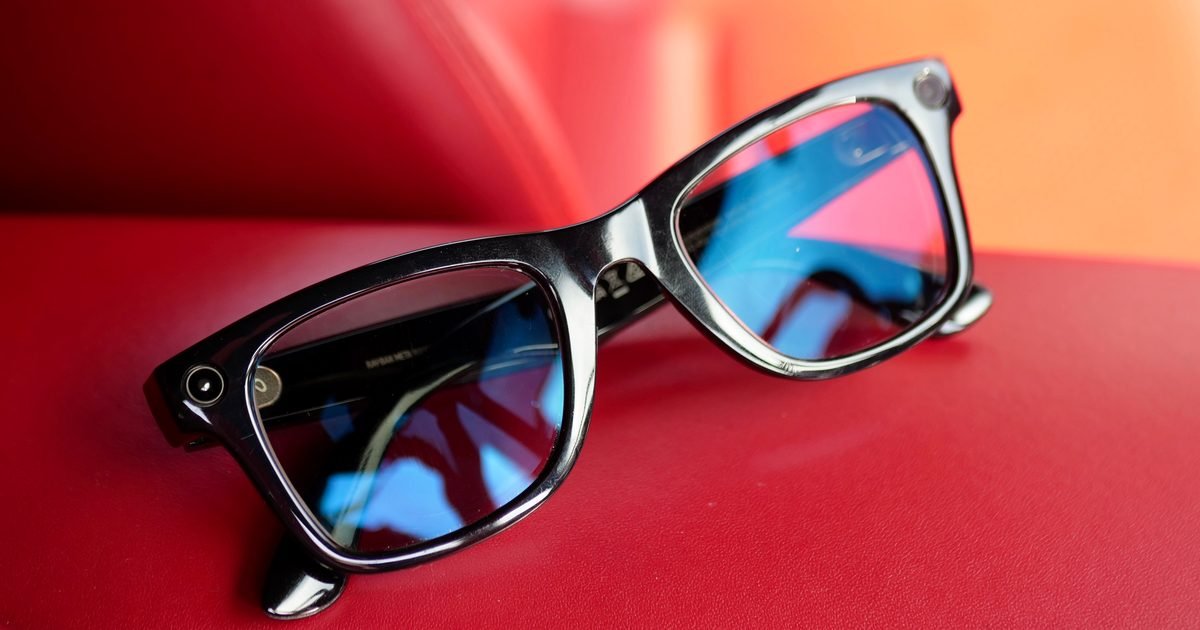
Apple is developing two new pairs of smart glasses, with a report from earlier this year suggesting the company is preparing a model to compete with the popular Ray-Ban Meta smart glasses, alongside a more advanced version with built-in displays. While leaks suggest the Meta rival could launch as early as this year, a fresh report indicates the AR model may not arrive until 2028.
According to market research firm Omdia (via ETNews), Apple is expected to release its AR glasses in 2028. The announcement will likely come months after Meta unveils its own advanced AR glasses featuring built-in displays. Both companies are reportedly planning to use OLEDoS (OLED on Silicon) display technology on their glasses.
OLEDoS is a display technology designed for compact devices such as smart glasses. Unlike traditional OLED panels used in smartphones and TVs, OLEDoS places the light-emitting layer directly onto a silicon wafer, allowing for much higher pixel density in a much smaller form factor. That higher pixel density is critical for AR applications, where displays sit close to the eyes and need to deliver sharp visuals.
More brands are betting big on OLEDoS for wearables
At CES earlier this year, Samsung showcased a wearable concept featuring its 1.4-inch RGB OLEDoS displays with a reported pixel density of 5,000 PPI, highlighting the level of resolution the technology can achieve. While Apple’s AR glasses may still be years away, Omdia says other brands could bring OLEDoS-equipped devices to market sooner.
Meta is reportedly preparing its next-gen lightweight MR glasses for launch this year, which could feature 0.9-inch dual OLEDoS panels. Meanwhile, Asus and RayNeo are also expected to introduce new AR glasses using OLEDoS displays. Asus’ ROG XREAL R1 is tipped to feature 0.55-inch dual OLEDoS panels with a 240Hz refresh rate, while RayNeo’s offering is said to use 0.6-inch dual OLEDoS displays.
“Asus Vivobook 14 is a good template for serving the best of Windows 11 on an affordable and practically rewarding platter”
Pros
Solid trackpad and decent keyboard
Sufficient selection of ports
Decent performance for the price
Reliable battery with fast charging
Generous memory for 2026
Windows Hello for biometric lock
Cons
Display could’ve been better
Plastic flexes on lid and deck
Fan can get noisy
Random performance hiccups
What makes a good laptop? Well, I can give a pretty haphazard answer to that. But if I were to give a broad verdict, I would say any PC that gets the job done without nuking your wallet, heating like a pan, and lasting at least a full day without forcing you to hunt for a wall socket, takes the cake.
Apple has mastered that art with the MacBook Air, and to such an extent that shoppers have no qualms spending on two, or even three-generation-old, machines. Windows, thanks in no part to the extreme fragmentation, has struggled with the idea.
With Intel Evo-certified PCs, an attempt was made, but they just couldn’t hit the performance-efficiency levels of a MacBook. Then came Qualcomm with its Snapdragon silicon for Windows-on-Arm machines bearing the Copilot+ branding. The vision was squarely a Mac-killer machine at various price points.
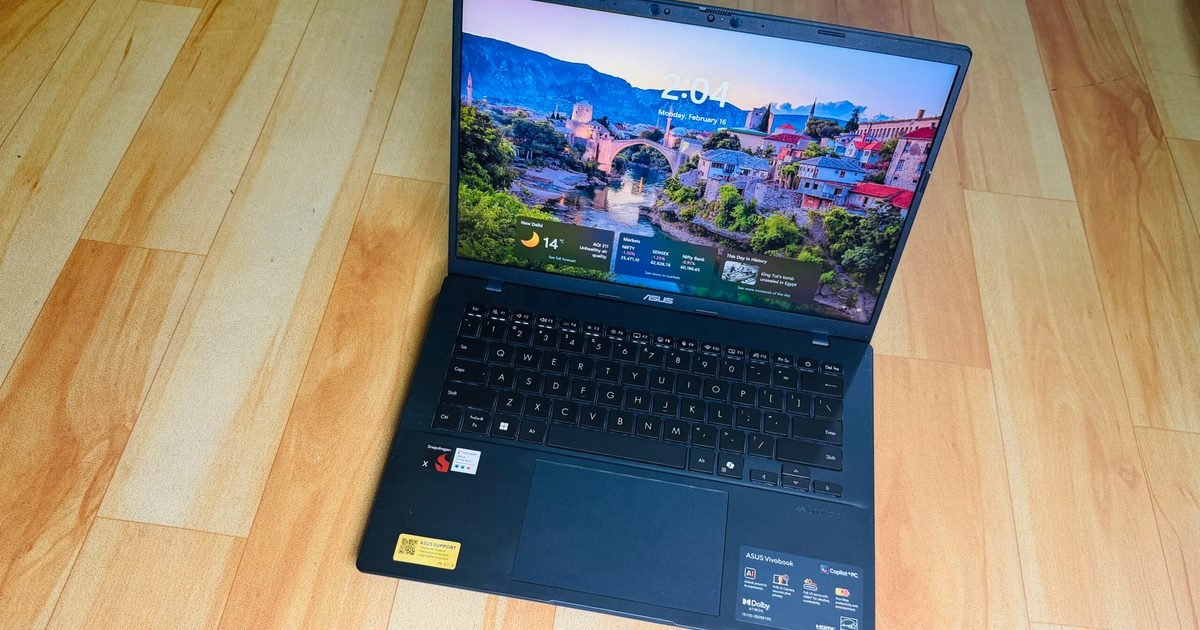
Now that we are headed into the second generation of Qualcomm-powered laptops, I took a leap of faith away from my trusty M4 MacBook Air and fired up the cheapest Cipolot+ laptop I could find – the Asus Vivobook 14, which is currently going for $649 from the brand’s online marketplace, and often dips lower during sales events.
Did I regret it? Not exactly. On the contrary, I came out fairly impressed with the machine, though not without a few harsh learnings.
A quick look at the specs
Color
Cool Silver, Quiet Blue
Operating System
Windows 11 Home (ASUS recommends Windows 11 Pro for business)
Processor
Snapdragon X (X1 26 100) (30MB Cache, up to 2.97GHz, 8 cores, 8 Threads)
Neural Processor
Qualcomm Hexagon NPU (up to 45TOPS)
Graphics
Qualcomm Adreno GPU
Display
14.0-inch LED Backlit, 60Hz, 45% NTSC, Anti-glare (87% screen-to-body ratio)
Memory
16GB LPDDR5X on board (Max 16GB)
Storage
512GB M.2 NVMe PCIe 4.0 SSD
I/O Ports
2x USB 3.2 Gen 1 Type-A; 2x USB 4.0 Gen 3 Type-C; 1x HDMI 2.1; 1x 3.5mm Jack
Camera
FHD camera with IR function (Windows Hello) and privacy shutter
I will start with the value perspective first. Asus is more generous with the memory situation on the Vivobook 14 than Apple, matching the memory at 16GB, but offering a healthy 512GB storage on the base model. For anyone who wishes to use their PC for at least the next half a decade, this is the bare minimum.
Nadeem Sarwar / Digital Trends
I keep my media editing work restricted to the iPad Pro, and it’s a headache. Beyond the cumulative burden of OS updates, the gradual app installs fill up the storage sooner than I would like. Whether you need a machine for work, or college duties, Asus offers a better value for your money if you have an Apple comparison in mind.
Then we have the port situation. Yes, the MacBook Air is sleek, but that comes at the cost of a terrible port selection. And the only way to survive the MacBook Air lifestyle is a dongle. Asus’ affordable laptop won’t outdo Apple’s laptop in the looks department, but it trades a svelte waistline for a reasonable diversity of ports.
You get a pair of USB-C and USB-A ports each, alongside an HDMI port and a 3.5mm combo jack. Now, you may not always use all the ports, but on the days when you are struggling with an external monitor, charger, storage device, and an input device, you really appreciate the I/O versatility at hand.
Nadeem Sarwar / Digital Trends
Another neat perk, and an expected one at the current asking price, is the IR camera kit for face unlock. On modern PCs, biometric unlock is an extremely underrated perk, especially in an age where passkeys are taking over conventional passwords for identity verification.
The keyboard isn’t bad either. There’s plenty of travel, the keycaps are spaced well, and despite the slight wobble, I actually loved typing on it more than my MacBook Air. The keys offer a springy feedback, and there’s a satisfying resistance, as well. There’s a bit of flex in the central portion of the deck, but not enough to hamper the typing experience.
The display is a mixed bag. The 14-inch panel offers a full-HD resolution, which is fairly standard for the price. But it doesn’t fare well in well-lit surroundings. I mostly work in a dark room, but every time I stepped out for a cafe work session, or the nearby park, I had to crank the brightness all the way up to the 100%, and still felt a tad underwhelmed.
Nadeem Sarwar / Digital Trends
Thankfully, it’s not a glossy panel, so reflection was never much of a problem. Out of the box, the display has an odd tint to it, and I had to manually adjust the temperature to make it look neutral. And yeah, the saturation could definitely be better. The Asus laptop, however, is hiding a cool trick.
In the MyAsus app, there’s an E-reading mode that gives a monochrome tint to the screen. All the content is rendered in black and white, and you can even adjust the grayscale level. You also get an eye-care mode, with five levels of blue light reduction. I often found myself juggling between these two modes as they tangibly reduced the eye strain, while the e-ink mode helped me with an extra dose of focus.
Another cool trick is hiding on the trackpad. It’s serviceable on its own, but I loved the edge gestures. Across the left and right edges, you can slide to adjust the volume and brightness levels, while the top edge helps with media playback. I love these thoughtful additions, which go beyond gimmicks and don’t burden you with a learning curve either.
Performance
Nadeem Sarwar / Digital Trends
The Snapdragon X is a rather odd processor, which is both good and bad news. For example, it fares almost as well as the MacBook Air… with the three-generation-old M2 chip on Cinebench at multi-core output, but the Oryon core can’t quite drive ahead of the single-core performance.
That’s both good and bad news. Apple’s M-series silicon is terrific, and I have friends and family members still holding on tightly to their M1-powered machines. On the Windows side of the ecosystem, the Vivobook 14 raced ahead of Intel’s Core Ultra 5 226V, and the equivalent Intel Core 12th Gen processor at Geekbench runs
Paired with 16 gigs of RAM and speedy SSDs, the Asus laptop fared pretty well at my day-to-day tasks. It handled Slack, Teams, Chrome with two dozen tabs, and Copoilt with ease. For academic use and basic corporate work restricted to Workspace and Office suites, there’s enough firepower available here.
Nadeem Sarwar / Digital Trends
But what holds this machine back — and nearly every Windows on Arm machine that I have tested so far – is the inconsistency. On days, the Asus laptop felt buttery smooth. And then there were occasions where it randomly crashed under the stress of a few Chrome windows. Another recurring problem is the update situation, which often left me staring at a blank screen and required a force restart.
Where Qualcomm needs to work, especially when compared against Intel’s Arc and AMD’s Radeon graphics architecture, is the integrated Adreno GPU. On 3DMark Steel Nomad, I got an average tally of around 9fps after three test runs, while an in-game benchmark only reached 18fps. Needless to say, gaming is a distant pipedream, and your only hope is cloud services such as Xbox or GeForce Now.
I wish the fans were a tad less noisy. Even under the stress of web-based work, you can hear them whirring. Thankfully, I didn’t notice any overt heating or scenarios where the laptop became too hot to keep on the lap. Whisper mode offers some respite from the fan house, but to avoid the heat build-up and throttling, I preferred working with the fan profile set to Full-Speed mode. Thankfully, my earbuds helped deal with the noise.
Nadeem Sarwar / Digital Trends
But when I pushed it while editing videos in Filmora, the upper area of the keyboard deck ran noticeably hotter. What bothered me more was the resource allocation. Between two windows and a total of eight apps in total, the system was using 80% of the memory, which is way too much, while the CPU load remained comfortably under the 18% range.
Battery life
This is one aspect where the Asus Vivobook 14 really surprised me. I was expecting it to be a mediocre performer, but it actually proved to be a workhorse. With Power Mode set to balanced, the laptop managed around 11 hours of work in my most recent run, with the screen brightness set close to the 60% mark.
Dialing up to the high-performance mode, the device still managed around eight to nine hours of consistent work before I saw the first low-battery alert. It’s evident that the entry-level Snapdragon X silicon is focusing more on efficiency, instead of raw performance. This approach, I believe, works well for a machine like the Vivobook 14.
I’ve tested over a dozen Windows machines in as many months, but this Asus machine offered the best mileage in the Snapdragon pool for its size, and fared better than Intel machines from rival brands. If your budget is strictly close to the $700 mark, you already have a certain performance expectation in mind.
Nadeem Sarwar / Digital Trends
The Asus Vivobook 14 isn’t exactly blowing past those expectations, but it delivers solid results with battery efficiency. The hiccup was the edge scenarios, where I needed the machine to focus more on creative workflows at high performance levels, and the drop in battery levels was haphazardly aggressive.
On the bright side, the laptop offers a few meaningful tricks within the MyAsus app. There’s a dedicated battery care mode that limits peak charging to the 80% mark, similar to iPhones, in order to preserve its longevity. But for scenarios where you want the full juice for on-the-go work sessions, you can temporarily bypass it for 24-hours and get the full 100% juice.
Verdict
The Asus Vivobook 14 is a laptop that cuts some expected corners, but delivers in a few unexpected ways. It’s got a kit that’s easy on the eyes, but raises the bar with a military-grade (MIL-STD 810H) build. For students and workers who commute daily, this is an underrated perk that can save you hundreds of dollars in accidental repairs and servicing.
Nadeem Sarwar / Digital Trends
On to the topic of battery life, this laptop does a fine job, and support for fast charging (an hour of plugged-in time for a full tank) is just the cherry on top. Now, I don’t know many souls out there who want a laptop specifically for native Copilot AI perks, but if you’re one of those souls, this Asus laptop is a bargain deal that qualifies for all the Copilot+ AI perks, such as on-device translations, AI-powered image editing, and Windows Recall.
The performance is enough for the asking price, though not exactly an Earth-scorcher. As a sweet bargain for not setting the benchmark tables on fire, you get plenty of ports (with ample diversity), a large trackpad with practical tricks, convenient biometric unlock with a physical privacy shutter, and a decent set of speakers that get the job done, but won’t exactly wow your ear canals.
At an asking price of $649 (and even lower, if you’re a good deal-hunter), the Asus Vivobook 14 is a lovely laptop for its target audience. And at a time when the industry is staring at rising PC prices owing to an unprecedented memory crisis, this laptop feels like a bargain in stormy days for market.
“At an ask of $99, the CMF Headphone Pro is hard to beat.”
Pros
Clean looks and comfy build
Sound quality is pleasing
Battery life is pretty solid
Noise cancellation is good
Cons
Bass slider and EQ need work
Non-foldable design
Small on-cup buttons
A couple of ecosystem locks
Nothing, the UK-based tech upstart, has made some waves with its flashy products since day one. The transparent look of its phones has been the spotlight grabber, and that aesthetic choice has also spilled over to its audio gear, as well. They don’t sound bad, either.
The brand recently created a distinct label called CMF, which has since spawned budget earbuds, phones, and, most recently, a pair of headphones. In typical Nothing fashion, the CMF Headphone Pro focuses on delivering more for less, served atop an eye-catching design.
I’ve been pushing these headphones as my primary driver for over a month, and they’ve punched above their weight. If your budget is strictly under $99, these are serious contenders for value-first audio excellence. Read on to find where they shine, and what’s not-so-good about them.
Headphones, Carry Pouch, 3.5mm Audio Cable, User Guide
Bold looks, old-school charm
So far, the CMF label has focused on staying away from the mundane and mediocre when it comes to aesthetics. The Headphone Pro doesn’t stray too far from that philosophy. They come in a minty green color, but if you want something more understated, you can secure them in light grey and dark grey shades, as well.
CMF by Nothing
And this is where the fun begins. The earcups are removable, with a simple twist movement. Nothing sells the earcups in multiple colors, including the CMF label’s signature orange shade. You can just mix and match them to achieve some funky combinations. Orange-on-black and black-on-white combos look pretty neat.
Not one for subtlety
The build quality also hits above the pay grade on these headphones. You get a synthetic leather finish on the soft earcups and the headband, which feels quite premium. The matte surface on the earcups also exudes a premium feel, though it’s decidedly plastic and got scuffed, while the metallic stem further defies their budget-centric appeal.
If an easy-on-the-eyes design is a key pre-requisite for you, the CMF Headphone Pro knocks it out of the park. They also fare pretty well on the comfort metric. The cups offer a decent seal around the ears for noise isolation, though I wish the headband had slightly thicker padding.
The real standout is a focus on good ‘ol tactile controls, instead of finicky touch-based inputs. Aside from the usual power and assistant buttons, there’s a volume dial that also doubles as a physical button for toggling between noise cancellation and transparency modes.
Nadeem Sarwar / Digital Trends
Then we have a slider — something the brand markets as an energy slider — on the left earcup. Broadly, it lets you adjust the high and low frequencies to shift between bass and treble-heavy listening experiences.
There’s also a customizable multi-function button that lets you pull up ChatGPT or record a voice note, but these perks are restricted to Nothing smartphones and not available in the companion Nothing X app. I just wish the round buttons on either earcup were slightly bigger.
A neat surprise is IPX2 water resistance, something you don’t often get on budget headphones. It’s not the best, but for gym workouts, they should be able to handle sweat exposure without frying the circuits and drivers. On the connectivity front, dual-device pairing worked fine, and so did auto-pair.
Sound in, noise out
Nadeem Sarwar / Digital Trends
Nothing has built a reputation for making audio gear that punches above its weight class, especially under the CMF label, and the Headphone Pro is no exception. The CMF Headphone Pro is somewhat of a breath of fresh air. A healthy chunk of headphones in this price bracket often go with a bass-heavy approach, and even CMF’s budget earbuds have taken a similar approach in the not-too-distant past.
These headphones take a more restrained approach, though I could feel that there’s still an inclination for bass. By default, the sound output is pleasing and warm. The soundstage is pretty vibrant, though not the widest. Notably, these headphones also do a decent job of reproducing the trebles, and when needed, a layered bass, given the right track and EQ preset.
The bass output is thumping, and thankfully, I didn’t notice any aggressive distortion. I listened to a wide range of songs, shifting extremes between Rob Zombie and the soothing vocals of Morteza Pashae, covering at least four genres across half a dozen languages. The Headphone Pro held its fort pretty well across all the music types I pushed it at.
You get five pre-tuned presets — Pop, Rock, Electronic, Enhanced Vocals, and Classical. I am happy to report that a few of these create a discernible difference. Listening to electronica tracks, you often struggle with the vocal clarity as it gets mushed between the instrumental tunes.
Nadeem Sarwar / Digital Trends
Switching from Electronic to vocal preset in the Equalizer settings, you get a discernible lift in the vocals and clarity, though it comes at the cost of subdued treble and lower thump in the bass output. The preset switching doesn’t always work as expected, and depends more on the track at hand.
Listening to Farida Khanum, the Classical preset actually worked better than the Enhanced Vocal EQ preset. The latter pushed the classic crooner’s voice to the background, despite raising the mids. A similar situation was observed while listening to the Persian tracks by Moein and Siavash Ghomayshi.
The difference in EQ turning is mostly felt when you are listening to heavy instrumental tracks, such as Mick Gordon’s Rip & Tear. I would strongly recommend that you stick with one of the built-in presets, as the custom EQ option does some heavy-handed adjustments to the bass, treble, and highs, and even subtle changes can make the songs sound utterly different.
I don’t quite understand why Nothing offered a full-fledged EQ adjustment system on the Headphone (1), but skipped it in favor of a nerfed three-way custom EQ system on the CMF Headphone Pro, despite using the same Nothing X companion app for both.
Nadeem Sarwar / Digital Trends
The good news here is that you can shift to the LDAC codec for hi-res music streaming, though I felt only a subtle lift in overall depth and clarity when jumping from the standard quality music streaming. Broadly, the Headphone Pro sounds better than a lot of other options I’ve tried in the $100 ballpark, and that’s no mean feat.
Noise cancellation is pretty solid
When I first enabled the noise cancellation, I was pretty surprised at the result. In a room playing groovy fusion music, I handed them over to my friend just to make sure the ANC was working as well as I had experienced moments ago. “Oh, this is pretty good,” they told me.
On paper, the 40dB noise cancellation figure is fairly standard, and it’s enough to mask the sonic ruckus around you, if not entirely silence it. Sitting on a plane, the engine sounds still made their way in, and so did the unhinged laughter of a few college students at the next table in a cafe.
But if you’re predominantly buying headphones to drown out the noise, put on some music, and immerse yourself in work, these budget headphones will get the job done. Just make sure you get a good seal around the ears, and clamp them tight atop the skull.
Nadeem Sarwar / Digital Trends
Transparency mode, on the other hand, also does its job well. I was expecting the mics to be meh, but for cellular and internet-based voice calls, I never heard any complaints from the person on the other end. “It sounds natural, and doesn’t feel like you’re using headphones,” said my brother. Neat job, Nothing!
Battery life: Just keeps going
Nothing promises up to 100 hours of battery life without noise-cancellation, and 70 hours with ANC active. But if you have enabled the LDAC codec for listening to music at a higher quality, the numbers drop down to 70 hours (without ANC), and 38 hours (with ANC, respectively).
Those numbers hold pretty well. Spacing out my listening time across an hour of workouts, about 40-60 minutes of daily commute, and roughly five hours of music streaming during the daily work, I didn’t have to charge the headphones for a week.
I switched between Apple Music (AAC codec) and Amazon Music (for hi-res listening over LDAC), while the audio levels were usually hovering between 40-60% levels. My ANC usage was mostly restricted while I was out, so it accounted for nearly 20% of my daily listening time.
Nadeem Sarwar / Digital Trends
Your mileage will vary depending on the hours you keep noise cancellation enabled and the preferred audio codec. But even when pushed to their absolute limit, the CMF Headphone Pro will easily last you 3-4 days of average usage. In my ANC-only run, the headphones lasted just over 43 hours, which is pretty good.
Charging the headphones takes about two hours, but the real winner is the charging pace. With just five minutes of plugged-in time, you get roughly eight hours of listening time (ANC disabled and volume levels around the halfway mark) and two days of standby time for calls.
The power draw is surprisingly frugal. Even after four hours of listening over LDAC and noise-cancelling mode, the battery life just took a hit of around 10-12% in my most recent test. Overall, if you’re looking for long-lasting headphones without nuking your wallet, the Nothing Earbuds work pretty well.
Where they miss the mark
The CMF Headphone Pro makes for an impressive audio kit, but it is not without its fair share of flaws. To begin, they keep the doors open for wired audio output via the 3.5mm jack. Unfortunately, you don’t get the same facility via the USB-C port.
Nadeem Sarwar / Digital Trends
That port is only there for charging, and not allowing an audio signal stream. In a nutshell, if you want to enjoy hi-res audio, your only option is an additional wire with a round 3.5mm interface in your pocket or bag.
Another miss is the lack of wear detection, which means if you take off (or put on) the headphones, the audio playback doesn’t pause or resume automatically. Then there’s the ecosystem lock situation.
You get support for Hi-Res audio, a setting that lets you switch between AAC and LDAC codes. This setting is only available when the headphones are paired with an Android phone, but is missing from the Nothing X app for iPhones.
Moreover, when you switch the audio codec, it requires a reboot that disconnects the headphones from the paired phone. Then we have the design of these headphones. Well, these are not folding-style headphones, which means you can’t put them in one of those flattened boxes.
You either stuff them in a bag, carry them around like a handbag, or wear them around your neck. Thankfully, the retail box comes with a carry pouch. To their credit, they don’t look over the top, especially in the black variant that I have for review, so they blend in well.
Nadeem Sarwar / Digital Trends
With the orange cups, well, be prepared for some unwanted attention from your immediate surroundings. Finally, we have the energy slider, which is a great concept in theory, but doesn’t really create much of a tangible difference in the listening experience.
I dearly wish it transformed the listening experience, but it doesn’t in a straightforward fashion. Then we have the equalizer situation. Once again, there are two sides to the argument here. The Custom EQ only lets you adjust the Mid, Treble, and Bass, which is good news for beginners who want a simpler approach to tuning their listening experience.
But these controls are pretty crude, and take some hit-and-miss adjustments to strike the right balance. And unlike the proper equalizers, where you have more control over different frequency ranges, the three-way EQ adjustments in the Nothing X app are pretty aggressive and dramatically change the audio output.
Raising the bass, for example, adds an odd noise aspect that dilutes the treble and overall sonic depth. I strongly suggest sticking with the five EQ presets and picking one that sounds the best for each genre.
Verdict: Yeah, you can splurge
Nadeem Sarwar / Digital Trends
Nothing’s product philosophy is a mishmash of standout design and a solid set of features, and it reflects pretty well on the CMF Headphone Pro. For $99, you get a fairly well-built kit with an easy-on-the-eyes design and bright colors to break the monotony.
They are comfortable to wear, offer good per-charge mileage, pack decent mics for calls, and won’t bother you with connectivity hassles. The focus on tactile controls is a welcome shift, though I wish the buttons were a tad bigger and the energy slider did more.
Sound output is pretty impressive, while ANC will get you through the daily commute without the ambient noise raising your anxiety levels. To sum it all up, the CMF Headphone Pro is a heavy-hitter at $99. In case you want to take a look at rivals, check out the Anker Soundcore Space One, 1More SonoFlow Pro, JBL Tune 770NC, Sony WH-CH720N, and the Earfun Wave Pro.
But if you want to make a fashion statement without sacrificing substance, the CMF outing should serve you well.
Apple has sent out invites to a special “experience” scheduled for March 4, 2026. For the first time in a while, the iPhone maker is holding press briefings in three different cities around the world: New York, London, and Shanghai, as a way to address three of its key markets.
Unlike the usual events that take place at Apple Park, the March 4 “experience” focuses more on providing localized, hands-on access to a higher number of new devices. These could include the purported iPhone 17e, four new MacBook models with the most-anticipated low-cost or affordable version, a new baseline iPad, iPad Air, Studio Display, and a couple of other products.
So without any further ado, let’s dive right into everything that Apple might unveil at the localized March 4 press briefings.
New MacBooks
Apple / Digital Trends
The most likely candidate for Apple’s upcoming event is fresh Mac hardware. The company could start the launch thread by revealing the budget MacBook (codenamed J700) that could be priced around or below $799 for its baseline variant.
To kick things off, the cheaper alternative to the MacBook Air could run on Apple’s A18 Pro chip (also seen on the iPhone 16 Pro), alongside 8GB of RAM and 256GB of storage. There might be a 16GB variant on the cards as well. For connectivity, the device could rely solely on USB-C ports.
Nadeem Sarwar / Digital Trends
The device could feature a 12.9-inch screen (smaller than the 13-inch MacBook Air), retain the classic Apple design (including the aluminum chassis), and ship in vibrant colors, including light yellow, light green, blue, pink, and silver, likely to attract young buyers.
The company could also launch the new MacBook Pro models based on the M5 Pro and M5 Max chips, which should offer significant upgrades in the CPU, GPU, and memory bandwidth fronts, all contributing toward blazing-fast performance for massive AI models or high-resolution video editing with multiple timeline layers.
For reference, Apple’s M4 Max chip is configurable up to 40 GPU cores (limited to 20 on the M4 Pro and 10 on the vanilla M4), provides a maximum memory bandwidth of 546 GB/s, and is available with up to 128GB of unified memory.
If anything, the M5 Pro should be closer in performance to the M4 Max, while the M5 Max could set an even higher performance benchmark.
Chris Hagan / Digital Trends
Next up on the new MacBooks list is the M5-powered MacBook Air, successor to the M4 MacBook Air unveiled in March 2025 (hence the timing makes perfect sense).
However, unlike the cheaper variant, this one might not be as interesting, primarily because it is expected to offer only a spec bump to the M5 chip, likely at the same $999 price as the variant with 16GB of RAM and 256GB of storage.
iPhone 17e
Renders showcasing the iPhone 17e in a new color, via Front Page Tech
Yes, I am aware that the German outlet Macwelt reported the iPhone 17e’s launch date as February 19, 2026, but that’s a Thursday, and Apple usually prefers the first three days of a week to introduce its products.
Now that we already have an official Apple “experience” lineup for March, it’s unlikely that the company will reveal a product in February. Yet, Apple has often dropped products with any events in recent years, so the iPhone 17e just might end up being one of those muted events.
Nirave Gondhia / Digital Trends
The iPhone 17e is said to sport a 6.1-inch 60Hz OLED screen with a Dynamic Island, which makes me wonder whether the company is using the same display as the vanilla iPhone 15.
Under the hood, Apple’s affordable iPhone may feature the baseline A19 chip (or a binned version of the chipset with a four-core GPU) to power all the current and upcoming Apple Intelligence features. The chipset does perform excellently on the vanilla iPhone 17, for those catching up.
The chipset could be paired with 8GB of RAM on the device. For capturing high-resolution pictures and 4K videos (60 fps), the phone could get a 48MP (f/1.6) primary sensor on the back, and, to many people’s surprise (and my dismay), the 18MP (f/1.9) Center Stage front camera.
Nirave Gondhia / Digital Trends
Buyers could also get a 4,005 mAh battery (larger than the iPhone 17) that supports 25W MagSafe charging, along with Apple’s C1x 5G modem for better energy efficiency and longer usage time between charges.
Along with all the meaningful upgrades and the devil of the current memory crisis, it’s quite difficult to believe that Apple will retain the iPhone 16e’s launch price for the iPhone 17e, but given that recent rumors suggest it, I’ll remain optimistic.
What else is lined up for 2026 at Apple?
Nadeem Sarwar / Digital Trends
Along with the new iPhone 17e and the four different MacBook lineups, the Cupertino giant could also be gearing up for the unveiling of two new iPads. The 12th-gen iPad could come with the A18 or A19 chip (both of them support Apple Intelligence) and 8GB of RAM. Apple should retain the starting price ($349) as well.
The 8th-gen iPad Air could get the M4 chip, providing a performance boost over the M3 or the M2 chips. All the other specifications, including the 11-inch and 13-inch Liquid Retina LCD screens and the storage options, are likely to remain the same. The pricing, however, should remain the same at $599.
Mac display refresh
Mark Coppock / Digital Trends
According to Bloomberg’s Mark Gurman, Apple is working on the second-generation Studio Display. Even though we aren’t expecting any major changes in terms of design, the Display 2 could get technically more sound.
While the Studio Display supports 60Hz of refresh rate, its successor could either support a 90Hz or 120Hz refresh rate (with the latter being more likely, as the device doesn’t get updates as frequently as other lineups).
Instead of the A13 Bionic chip, the Display 2 may get the much more capable and powerful A19 chip. Other rumored updates include mini-LED backlighting (similar to the current MacBook Pro models) for improved brightness and contrast, as well as support for HDR content.
Other devices
Unsplash
At the limited media showcase, Apple could also reveal devices like the AI Smart Home Hub with a six to seven-inch touchscreen and two different designs: a wall-mounted model for areas like the kitchen or living room, and another tabletop model with a hemispherical speaker base.
Among the key features of the device are a new operating system inspired by iPhone’s Standby mode and watchOS, proximity sensors that detect when someone enters a room, a 1080p FaceTime camera (it would make sense if the device gets a Center Stage camera for group video calls), and Apple Intelligence features.
We could also get to see the fourth-generation of Apple TV 4K with a new A17 Pro chip, better connectivity, and a revised price tag to better compete with low-cost streaming options from Amazon and Google.
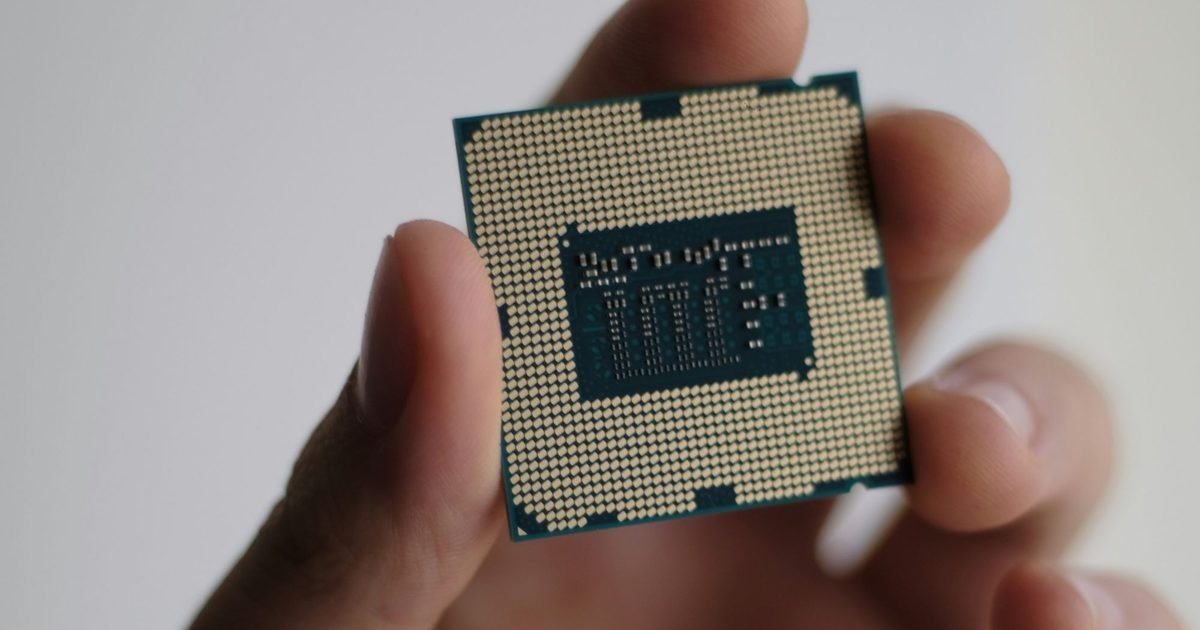
Computing is often celebrated for its precision and speed. But researchers and hyperscale data center operators are warning of a growing threat that challenges one of computing’s core promises: correctness. The issue is known as silent data corruption (SDC) – a phenomenon where hardware defects cause programs to produce incorrect results without crashing, triggering an error, or leaving any visible trace.
The invisible threat inside modern chips
At the heart of the concern are silicon defects in CPUs, GPUs and AI accelerators. These defects can originate during chip design, manufacturing, or even develop later due to aging or environmental factors. While manufacturers screen for most faults, even the most rigorous production testing can only catch an estimated 95% to 99% of modeled defects. Some flawed chips inevitably make it into the field.
In certain cases, those defects lead to visible failures such as system crashes. But more troubling are silent errors. Here, a faulty logic gate or arithmetic unit may produce a wrong value during execution. If that value propagates through the program without triggering detection mechanisms, the system completes the task and returns an incorrect output – with no indication anything went wrong.
Computer chipUnsplash
For decades, many believed SDCs were rare, almost mythical events. However, major hyperscale operators including Meta, Google and Alibaba have disclosed that roughly one in 1,000 CPUs in their fleets can produce silent corruptions under certain conditions. Similar concerns have been reported in GPUs and AI accelerators.
Correctness is a foundational property of computing. Whether processing financial transactions, running AI inference, or managing infrastructure, systems are expected to deliver accurate results within strict time constraints.
Silent corruption undermines that trust. Unlike crashes, which are immediately visible and prompt investigation, SDCs quietly alter outputs. In data centers operating millions of cores, even a small defect rate can translate into hundreds of incorrect program results per day.
The scale of modern computing intensifies the problem
Massive parallel architectures such as GPUs and AI accelerators contain thousands of arithmetic units. The more components a system includes, the higher the statistical likelihood that some will be defective.
Measuring SDCs directly is nearly impossible – by definition, they are silent. The industry must therefore estimate their rates and weigh the cost of prevention. Detection and correction mechanisms exist, but they can significantly increase silicon area, energy consumption and performance overhead.
Computer chipUnsplash
Researchers are calling for multi-layer solutions, including improved manufacturing tests, fleet-level monitoring in data centers, smarter fault estimation models, and hardware-software co-design approaches that contain errors before they propagate.
As computing systems grow larger and faster, the challenge is clear: maintain both speed and correctness without unsustainable cost. In what some describe as a “Golden Age of Complexity,” ensuring that computing remains trustworthy may become one of the industry’s defining engineering battles.
NASA has announced a date for the second wet dress rehearsal for the SLS rocket that will send a crew of astronauts on a voyage around the moon in the highly anticipated Artemis II mission.
The space agency also confirmed that the earliest the rocket could launch is Friday, March 6.
NASA is now targeting Thursday, February 19, for the fueling part of the wet dress rehearsal at the Kennedy Space Center launch site in Florida.
The rehearsal is a key part of flight preparation and involves engineers fueling the rocket and going through the entire launch procedure short of actually igniting the engines.
During the first Artemis II rehearsal at the start of this month, engineers spotted a hydrogen leak at the base of the SLS rocket, prompting the team to ditch the target launch date of February 8 while it addressed the issue.
NASA said that it will only announce a new target launch date once the results of the second wet dress rehearsal have been fully assessed, but said the rocket would not lift off before March 6.
“The wet dress rehearsal will run the launch team as well as supporting teams through a full range of operations, including loading cryogenic liquid propellant into the SLS rocket’s tanks, conducting a launch countdown, demonstrating the ability to recycle the countdown clock, and draining the tanks to practice scrub procedures,” NASA said in a post on its website on Monday.
It added that the launch controllers will arrive at their consoles in the Launch Control Center at Kennedy at 6:40 p.m. ET on Tuesday to start the nearly 50-hour countdown. The simulated launch time is 8:30 p.m. on Thursday.
The Artemis II mission will send NASA astronauts Victor Glover, Reid Wiseman, and Christina Koch, together with the Canadian Space Agency’s Jeremy Hansen, on a 10-day flight around the moon aboard the Orion spacecraft. It’ll be the first crewed lunar-bound flight since the final Apollo mission in 1972.
The mission will test the spacecraft’s systems and deep-space operations to validate them for future crewed moon missions and lunar landings.
If you’ve been using a decent gaming monitor and wondering why people obsess over OLED, this is the type of discount that makes the upgrade feel justified. The Alienware AW2725DF is $499.99 for a limited time, down from $649.99 (23% off). What makes it interesting is the combo: QD-OLED, 2560×1440, 360Hz, and 0.03ms response. That mix is aimed at gamers who want both “wow” image quality and genuinely fast competitive performance, without having to pick one or the other.
What you’re getting
This is a 26.7-inch QD-OLED gaming monitor with a WQHD (2560×1440) resolution, a 360Hz refresh rate, and a claimed 0.03ms response time. The practical benefit of OLED is instant pixel response and true contrast, so dark scenes look actually dark, highlights pop, and motion stays clean.
It also supports AMD FreeSync Premium Pro, and you get the modern connection options you’d expect (HDMI, DisplayPort, USB). Ergonomics matter more than people admit, and this one includes height, tilt, swivel, and pivot adjustment, which is a big deal if you sit at a desk for long sessions.
Why it’s worth it
Here’s the different way to think about it: this monitor is trying to be two monitors at once.
For competitive games, 360Hz plus OLED’s response can make motion look incredibly crisp. Not everyone needs 360Hz, but if you play shooters or fast esports titles, you’ll notice the smoothness and reduced blur.
For everything else, QD-OLED is the “your games look expensive” upgrade. Colors feel richer, contrast is dramatic, and you get that depth that IPS panels struggle to match.
At $499.99, you’re also landing at a price that’s easier to rationalize for a centerpiece monitor. A lot of people keep their display through multiple PC upgrades, so it’s one of the few purchases that can make every game, every session, and even everyday desktop use feel better.
The bottom line
At $499.99, the Alienware AW2725DF is a compelling limited-time deal if you want a single monitor that covers both competitive speed and premium OLED visuals. If you mainly play slower games and do a lot of productivity work, you might prioritize resolution or screen size instead. But if your goal is “fast and gorgeous” at 1440p, this price drop is worth acting on.
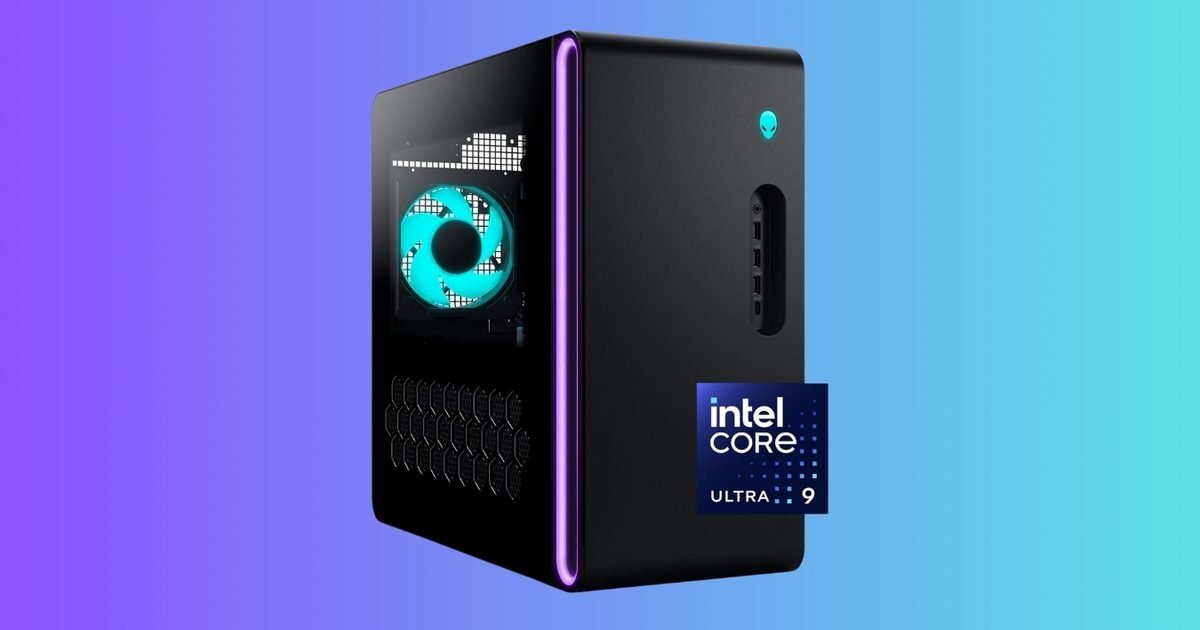
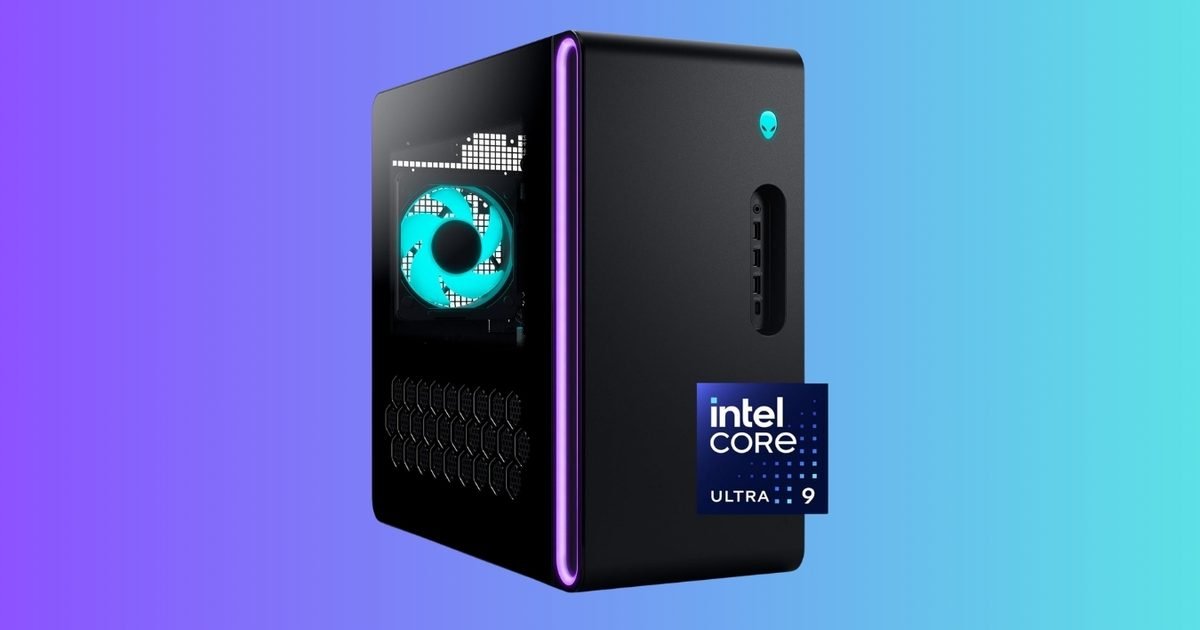
Prebuilt gaming desktops usually make you pay extra for the convenience. This one is interesting because the discount lines up with what the market is doing right now. The Alienware Aurora ACT1250 is $2,399.99 for a limited time, down from $2,999.99 (20% off).
The key reason this deal pops is the GPU. Even though NVIDIA lists the RTX 5080 as starting at $999, real-world pricing has been running far higher due to availability and demand.
What you’re getting
This configuration is built like a “no compromises” core setup for high-end 2026 gaming and creator workloads:
Intel Core Ultra 9 285 processor
Liquid cooling
NVIDIA GeForce RTX 5080
32GB DDR5 RAM
1TB SSD
1000W Platinum-rated power supply
Windows 11 Home
Those parts matter because they keep the machine balanced. You’re not just buying a big GPU and then living with tiny storage or borderline memory.
Why it’s worth it
Here’s the straight and narrow on the RTX 5080: it’s reasonable to say the card alone is hovering around the $1,400–$1,500 range in many listings right now. Newegg search results commonly show RTX 5080 cards around $1,499 (with “more options” spanning higher), and tracking sites are also showing $1,499 as a current Amazon price point.
So when a full, liquid-cooled prebuilt with a 1000W Platinum PSU and 32GB DDR5 lands at $2,399.99, the value becomes less about “is Alienware worth it” and more about “how much hassle am I avoiding.” You skip the parts hunt, compatibility checks, the build time, and the risk of catching the GPU market on a bad week. And since GPU prices have been volatile again recently, locking in a full system price can be the better move.
The bottom line
At $2,399.99, this Alienware Aurora deal makes sense for anyone who wants an RTX 5080-class desktop now and doesn’t want to play the waiting game with GPU inventory and pricing. If you were planning to build a similar rig and the RTX 5080 is already eating $1,400–$1,500 of the budget, this prebuilt starts looking like the more efficient path.