Category: Uncategorized

  • Snapseed update brings retro film camera vibes and manual controls to your iPhone

    Snapseed update brings retro film camera vibes and manual controls to your iPhone

    Following last year’s design overhaul and the addition of a retro film-style camera feature, Google is rolling out another update for Snapseed on iOS. The latest release refines the Snapseed camera, making it easier to access and adding new capabilities.

    When Google first debuted the Snapseed camera last year, users could only access it from a Lock Screen widget, the Control Center, or using the Camera Control button. With version 3.15.0, the company has added a new camera shortcut in the top-right corner of the app’s interface, allowing users to launch the Snapseed camera from within the app.

    9to5Google reports that the latest Snapseed update also brings support for more advanced controls. Users can now manually adjust ISO, shutter speed, and focus by enabling the new Pro toggle located in the top-left corner. Once activated, three dedicated controls appear at the bottom of the viewfinder, along with a dial positioned above the shutter button for fine-tuning these settings. This brings the Snapseed camera closer to offering a more retro-inspired shooting experience.

    Google has also adjusted the layout to improve usability, moving the flash and zoom buttons from the top of the interface to the bottom of the viewfinder. This change should make one-handed shooting more convenient. The outlet adds that photos taken with the Snapseed camera integrate seamlessly with the app’s editing workflow, with each photo including a full editable stack in Snapseed that lets users revisit and adjust images later without quality loss.

    The Snapseed camera continues to focus on creative expression, offering eleven distinct retro-inspired styles that emulate classic film aesthetics in real time. With easier access and newly added manual controls, the feature has become a more capable option for iPhone users who want more creative flexibility from a camera app.

    Snapseed camera is available with the latest Snapseed update on iOS. Sadly, Google has yet to bring the redesigned interface or the camera feature over to the Android version.
  • Google Maps tests hiding reviews and images unless you sign in

    Google Maps tests hiding reviews and images unless you sign in

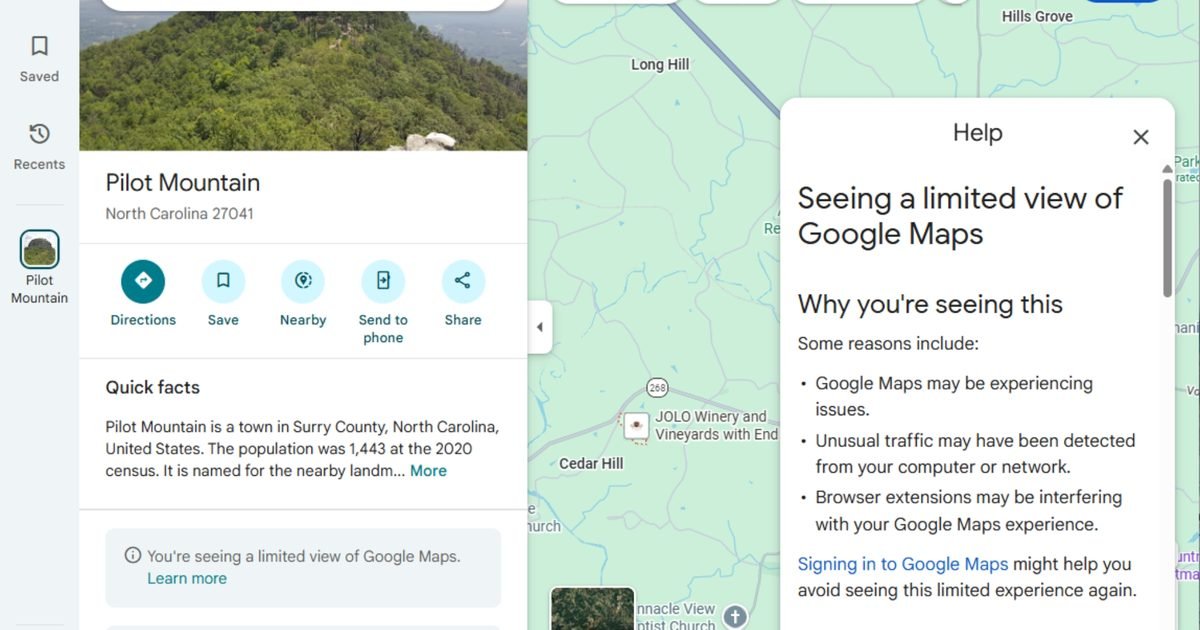
    Google Maps has quietly begun treating signed-out users differently. It gives them the directions but hides all the other useful information, including photos, reviews, restaurant menus, etc. The development was shared by several Reddit user (1,2) over the last week (covered by 9To5Google).

    Signed-out users are reportedly seeing a pop-up that informs them about “Seeing a limited view of Google Maps,” along with the list of possible reasons, including Maps experiencing issues, unusual traffic from users’ computers or networks, or browser extensions.

    Sign in or see a “limited” Maps experience

    At the bottom of the pop-up is a message that reads “Signing in to Google Maps might help you avoid seeing this limited experience again.”

    Per the report, signed-out users aren’t seeing nearby locations, user photos, addresses, hours, phone numbers, popular times of visit, or restaurant menus, among other details. Now, I can think of two reasons why Google is using the limited Maps view to compel users to sign in.

    First, “unusual traffic” has historically been used to refer to systems detecting bots or suspicious activity. However, in this case, even everyday users are seeing the warning. Further, a growing number of people are using ad-blocking extensions or privacy tools while surfing the internet, hiding their personal data from advertisers.

    In addition, Google doesn’t have all the data it needs to target such users with ads, as it can’t link and store their browsing history to an account (which is key information, such as the user’s name, email ID, age, photo, etc.).

    Google hasn’t confirmed anything yet

    Whenever I go to a new place, whether for work or vacation, I mostly rely on user reviews and photos on Google Maps to decide where to go. Over the years, the platform has built a vast database of really useful user reviews.

    Whether it is a new cafe, restaurant, amusement park, movie theater, public park, local businesses, or other important locations, Google Maps has become an integral part of my life, and I can’t even imagine losing all the user-generated data.

    Even though Google hasn’t officially confirmed the change (whether it is a change at all, or just a test), losing all the additional information makes the Maps experience quite less useful. For signed-in users, however, the experience remains intact.

  • AI chatbots with web browsing can be abused as malware relays

    AI chatbots with web browsing can be abused as malware relays

    AI chatbots with web browsing can be abused as malware relays, based on a Check Point Research demo. Instead of malware calling home to a traditional command server, it can use a chatbot’s URL fetching to pull instructions from a malicious page, then carry the response back to the infected machine.

    In many environments, traffic to major AI destinations is already treated as routine, which can let command-and-control fade into normal web use. The same path can also be used to move data out.

    Microsoft addressed the work in a statement and framed it as a post-compromise communications issue. It said that once a device is compromised, attackers will try to use whatever services are available, including AI-based ones, and it urged defense-in-depth controls to prevent infection and reduce what happens after.

    The demo turns chat into a relay

    The concept is straightforward. The malware prompts the AI web interface to load a URL, summarize what it finds, then scrapes the returned text for an embedded instruction.

    Check Point said it tested the technique against Grok and Microsoft Copilot through their web interfaces. A key detail is access, the flow is designed to avoid developer APIs, and in the tested scenarios it can work without an API key, lowering friction for misuse.

    For data theft, the mechanism can run in reverse. One method outlined is to place data in URL query parameters, then rely on the AI-triggered request to deliver it to adversary infrastructure. Basic encoding can further obscure what’s being sent, which makes simple content filtering less reliable.

    Why it’s harder to spot

    This isn’t a new malware class. It’s a familiar command-and-control pattern wrapped in a service many companies are actively enabling. If browsing-enabled AI services are left open by default, an infected system can try to hide behind domains that look low-risk.

    Check Point also highlights how common the plumbing is. Its example uses WebView2 as an embedded browser component on modern Windows machines. In the described workflow, a program gathers basic host details, opens a hidden web view to an AI service, triggers a URL request, then parses the response to extract the next command. That can resemble ordinary app behavior, not an obvious beacon.

    What security teams should do

    Treat web-enabled chatbots like any other high-trust cloud app that can be abused after compromise. If it’s permitted, monitor for automation patterns, repeated URL loads, odd prompt cadence, or traffic volumes that don’t match human use.

    AI browsing features may belong on managed devices and specific roles, not every machine. The open question is scale, this is a demo and it doesn’t quantify success rates against hardened fleets. What to watch next is whether providers add stronger automation detection in web chat, and whether defenders start treating AI destinations as potential post-compromise channels.

  • Check your Copilot settings after this confidential email bug

    Check your Copilot settings after this confidential email bug

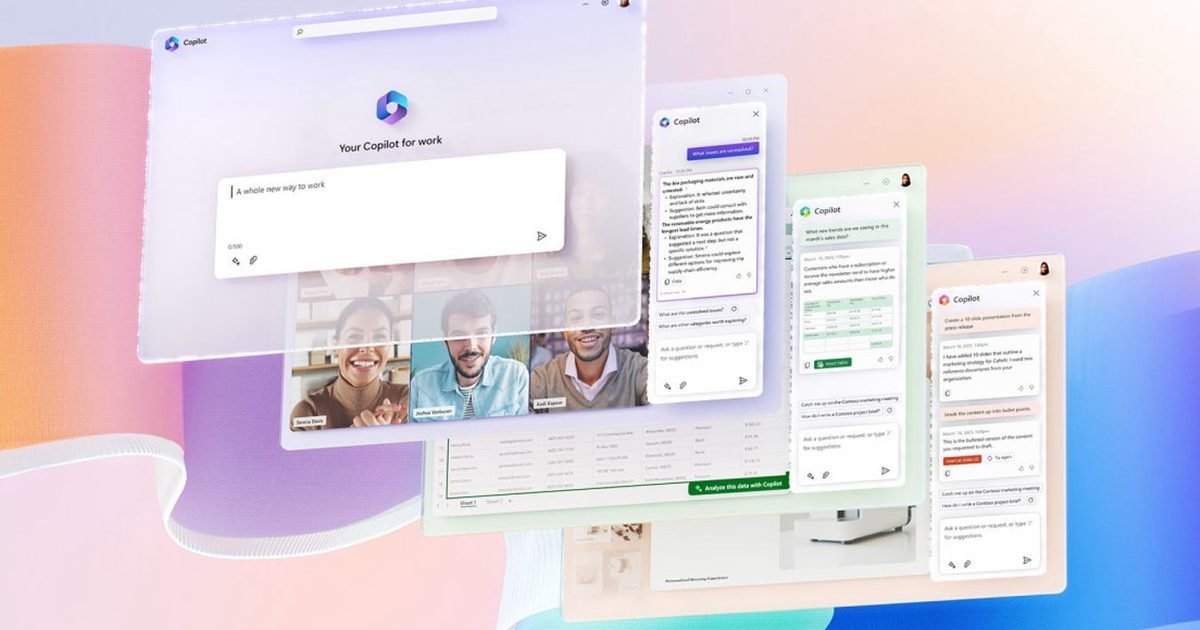
    Microsoft has warned that a Microsoft 365 Copilot issue led Copilot Chat to generate summaries from confidential emails that should have been blocked by sensitivity labels and data loss prevention controls. It detected the problem on January 21, and tied it to the Copilot “work tab” chat experience.

    If your workplace relies on labels and DLP to keep sensitive mail from being processed, the immediate question is simple. Did the fix reach your tenant, and does Copilot still pull from the wrong places.

    A DLP bypass in the work tab

    First spotted by BleepingComputer, Microsoft says an internal code error caused Copilot “work tab” chat to pick up items from Sent Items and Drafts, then summarize them even when a sensitivity label and a DLP policy were configured.

    Those folders are also where sensitive material tends to live. Drafts can hold negotiations, early numbers, or language you never intended to send. Sent Items can include the final wording that went to a customer, partner, or regulator. A summary that includes restricted text makes it easier for information to travel inside everyday chat.

    For admins, the key point is that this isn’t about someone copy pasting an email into Copilot.

    What Microsoft still isn’t saying

    Microsoft began deploying a fix in early February and says it’s monitoring to confirm the change works. But it hasn’t shared two details security teams will care about, how many tenants were affected, and how far back the behavior went before it was detected on January 21.

    Without a clear window, it’s hard to choose between a narrow review and a broader one.

    What you should do next

    Admins should test whether Copilot “work tab” chat can still summarize labeled emails from those mail folders in your environment. Write down what you observe, and keep it with audit notes in case your security team needs to document impact later. Be thorough.

    For everyone else, treat Copilot summaries as something to verify, not something to trust by default, until your IT team confirms the updated behavior. If you handle regulated or contract bound information, flag this now so the controls can be checked instead of assumed.

  • Meta could launch a smartwatch in 2026, years after killing its original plans

    Meta could launch a smartwatch in 2026, years after killing its original plans

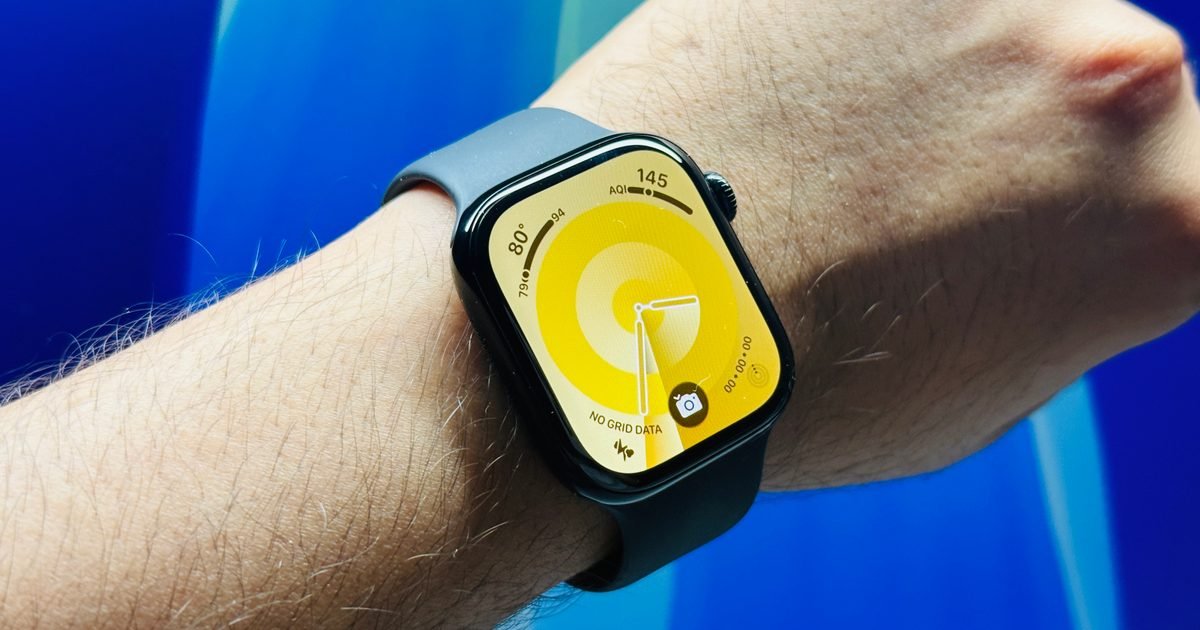
    Mark Zuckerberg’s Meta is reviving its plan to release a smartwatch (codenamed “Malibu 2”), with a targeted launch later this year. According to a new report from The Information (vie Reuters), Meta’s first smartwatch could feature several health and fitness-tracking features.

    Further, like the Ray-Ban Meta glasses, the smartwatch will include a built-in Meta AI assistant. In fact, the company will bank on integrating its AI assistant into the smartwatch, as this will help create an AI-powered consumer hardware ecosystem.

    An AI-first wearables strategy

    It looks like the company might position itself on AI-based features and experience. This isn’t the first time the company has been rumored to launch a smartwatch. Meta previously explored launching a smartwatch in 2022, experimenting with versions that included built-in cameras.

    However, that project was shelved due to broader restructuring within the company’s Reality Labs division and an effort to cut the rising operational costs. If anyone remembers the term “metaverse,” the company was heavily focused on it at the time, along with virtual reality, but since, it appears to have moved on.

    However, the renewed push toward an AI-powered smartwatch, which could come with a voice-driven interface powered by Meta AI, suggests that the company wants to expand into the consumer electronics market (with wearables as the key driver) and not rely solely on social media ads to balance its books.

    Meta would enter a crowded smartwatch arena

    It’s not like the company doesn’t have any experience with consumer wearables. One of the most popular AI smart glasses worldwide is made by Meta, in collaboration with Ray-Ban. The product is a testament to both the company’s understanding of the market and the demand for AI-infused wearable technology.

    However, Meta’s first smartwatch would enter an already crowded, competitive market dominated by giants like Apple, Samsung, Google (via Wear OS and Fitbit), Garmin, and others. By the end of this year, we’ll have the latest flagship smartwatches from all these companies, with even more AI-based features than they already have.

  • Research suggests you might be too confident in your ability to spot AI faces

    Research suggests you might be too confident in your ability to spot AI faces

    Think you can easily identify AI-generated faces? A new study suggests you might be overestimating yourself.

    Researchers at the University of New South Wales (UNSW) and the Australian National University (ANU) tested 125 participants on their ability to distinguish real human faces from AI-generated ones. Most volunteers were confident in their judgment, but the results told a different story. Even people with exceptional face recognition skills, referred to as super-recognizers, only scored slightly above average.

    The study used AI-generated faces that removed obvious visual errors, making them highly convincing. While early examples often had telltale flaws like distorted teeth or mismatched glasses, modern image generation systems create symmetrical, well-proportioned images that are much harder to detect.

    “What we saw was that people with average face-recognition ability performed only slightly better than chance,” Dr James Dunn from UNSW says. “And while super-recognizers performed better than other participants, it was only by a slim margin. What was consistent was people’s confidence in their ability to spot an AI-generated face – even when that confidence wasn’t matched by their actual performance.”

    How overconfidence can put you at risk

    This overconfidence has real-world implications, making people and companies more vulnerable to scams, fake social media accounts, and fraudulent profiles if they rely solely on their instincts to judge authenticity. The research highlights that gut feeling is no longer enough to tell real from AI.

    The study shows that even those with above-average face recognition skills can struggle to identify AI-generated faces, and there is no clear evidence yet that this ability can be reliably trained or predicted.

    If you thought spotting a fake face was easy, this research shows it is now a whole lot trickier than you realize.

  • Windows 11 is adding a speed test, you can run it from the taskbar

    Windows 11 is adding a speed test, you can run it from the taskbar

    Windows 11 is getting a built-in way to measure your connection speed, and it’s placed right where you already look when something feels off. Instead of jumping to a third-party site or installing another utility, you’ll be able to kick off a Windows 11 speed test from the taskbar area in a couple of clicks.

    The shortcut shows up in Quick Settings under Wi-Fi or Cellular, and it’s also available by right-clicking the network icon in the system tray. When you run it, Windows opens your default browser and starts the test there. The setup is simple, but it’s still a little different from a fully native panel inside Settings.

    Microsoft says the feature is meant to help you check performance and troubleshoot network problems. It supports Ethernet, Wi-Fi, and cellular connections, which should make it useful on everything from a wired desktop to a laptop that can connect over mobile data.

    There’s no clear timeline for when it will reach the standard Windows 11 release outside Insider channels, or whether it’ll arrive all at once or in a phased rollout.

    It’s built for fast checks

    The biggest benefit is convenience. If streaming starts buffering or a video call gets choppy, you can run a quick speed check without breaking your flow. That makes it easier to answer the first question, is it my internet, or is it the app.

    It covers every common connection

    A lot of PCs move between networks during the day. Wi-Fi at home, Ethernet at work, cellular on the road. Having the same built-in test available across those connection types gives you a cleaner baseline when you’re comparing performance.

    It also helps narrow down the culprit. If Wi-Fi looks bad but Ethernet looks fine, you’ve got a strong hint that the issue is local, not your provider. If everything is slow, you can stop chasing your router settings and start looking upstream.

    What to do when it arrives

    Once it shows up on your PC, use it as a quick comparison tool. Run one test on Wi-Fi, then try Ethernet if you can, or compare Wi-Fi to cellular on a supported device. Big swings between results point to the connection type that needs attention next.

  • You’ll soon be able to use ChatGPT, Gemini, and Claude in Apple CarPlay

    You’ll soon be able to use ChatGPT, Gemini, and Claude in Apple CarPlay

    ChatGPT, Gemini, and Claude are coming to Apple CarPlay with iOS 26.4. Earlier reports suggested that Apple would soon open up its in-car software experience to AI models from OpenAI, Google, and Anthropic, and the CarPlay Developer Guide now partially confirms the plan.

    According to MacRumors, iOS 26.4 will let users access third-party chatbots in CarPlay, adding support for voice-based conversational apps. Apple is reportedly introducing a new voice control screen to enable the feature, allowing apps to provide visual feedback during voice interactions. The company has published a template for this screen in the CarPlay Developer Guide.

    AI apps that integrate with CarPlay will be required to support this new voice control screen while voice-based services are active. In addition, Apple has introduced a new “CarPlay voice-based conversational app” entitlement, requiring iOS 26.4 as the minimum version. Companies like OpenAI, Anthropic, and Google will need to update their apps with this entitlement to enable CarPlay compatibility.

    While CarPlay already supports third-party apps, Apple currently restricts which types of apps can be used in the in-car experience to keep drivers focused. Until now, this limitation kept companies like OpenAI, Google, and Anthropic from bringing their chatbots to CarPlay, leaving users reliant on Siri.

    Third-party chatbots won’t support wake words

    With the new integration, CarPlay users will be able to interact hands-free with apps like ChatGPT, Gemini, and Claude. However, these apps won’t be able to control vehicle functions or iPhone settings, and they won’t support wake words like “Hey, Siri.” Users will need to manually open the app to start a voice-based interaction, but once active, the new voice control screen will deliver “vehicle-optimized chatbot experiences.”

    It’s worth noting that the CarPlay Developer Guide doesn’t specifically list the chatbots coming to CarPlay, but based on the previous report, ChatGPT, Gemini, and Claude are likely candidates. iOS 26.4 is currently in beta and is expected to hit the stable channel this spring.

  • You only have a few weeks left to enjoy Call of Duty: Warzone Mobile before it goes dark

    You only have a few weeks left to enjoy Call of Duty: Warzone Mobile before it goes dark

    Call of Duty: Warzone Mobile is nearly out of time. Activision says the servers shut down on April 17, 2026, and the game won’t be playable after that.

    Until then, it’s business as usual with what’s already in the app. If Warzone Mobile is still installed on your device, you can keep jumping in, using your unlocked gear, and spending any COD Points you have left. Don’t wait.

    There’s an important limit for anyone who removed it. Warzone Mobile was pulled from Google Play and the Apple App Store in May 2025, so you can’t reinstall it later just to check your loadouts, purchases, or progression.

    What you can still do now

    If the game is on your phone or tablet, previously purchased content keeps working right up to shutdown. You can also redeem remaining COD Points on whatever is still available in the Store while the servers are live.

    Spending real money is already off the table. Activision says the last day to buy COD Points, Battle Pass or BlackCell, or other store items with real currency was May 19, 2025.

    The hard part is what happens to leftover points. After the shutdown, unused COD Points won’t be accessible, and Activision says refunds aren’t available for purchased content or unspent points. If you want something, grab it while you can.

    Your account after shutdown

    How you logged in matters. Guest accounts won’t be accessible once the servers go offline, so players who never linked an account should plan for a clean stop.

    If you used an Activision account, it will still exist outside the app. But Activision says you won’t be able to access that account through Warzone Mobile after shutdown, even though it remains available through Activision sites and other games that use it.

    The easiest alternatives

    Activision is steering mobile players to Call of Duty: Mobile. It’s free to play, with Battle Royale and Multiplayer, plus Zombies, and it also includes an extraction mode called DMZ: Recon.

    Want the classic Warzone lane instead? Call of Duty: Warzone on PC and console is also free to play. Either way, treat April 17, 2026 as your finish line, spend any COD Points you care about, and pick your next install before you delete the app.

  • Microsoft develops storage that lets you backup data that lasts 10,000 years

    Microsoft develops storage that lets you backup data that lasts 10,000 years

    Microsoft is betting on glass data storage for the kind of files you can’t afford to lose, the records that have to survive hardware refreshes, format changes, and decades of time. Its Project Silica research says laser-etched silica glass can hold data for 10,000 years, with room for longer lifespans in normal storage conditions.

    Data gets written inside a small glass plate with ultra-fast lasers, then imaging and decoding software reconstructs it later. Microsoft has also pointed to a peer-reviewed Nature paper as evidence it can reliably write, read, and decode what it stores. This is aimed at archives, not your personal photo drive.

    Still, it’s early. Access depends on purpose-built read equipment, and the system needs to prove it can raise write throughput and scale manufacturing beyond demonstrations.

    How Microsoft writes inside glass

    Project Silica converts bits into symbols and maps them to tiny 3D points called voxels. A high-powered laser inscribes those voxels inside a square silica glass plate about the size of a CD, stacking layers through the thickness of the glass.

    Retrieval is a two-part process. Microscopy captures images of each layer, then software reconstructs the patterns and an AI-based decoder translates them back into usable data. That decoding step matters because the storage is physical, but the meaning of what’s stored lives in the math.

    Why this matters for long-term archives

    For institutions that keep records for decades, glass data storage promises fewer migrations. Traditional media needs periodic replacement, plus ongoing monitoring to manage failures, aging, and environmental risk. Microsoft estimates more than 10,000 years of retention even at 290C, and it frames silica glass as resistant to moisture, electromagnetic interference, and routine handling.

    It won’t erase every long-term hazard. Archives still need disciplined processes, verification, and redundancy. But reducing how often the underlying media gets swapped could cut cost and complexity over time.

    What you should watch next

    The next hurdle is making it practical at scale. Laser writing has to get faster, and the ecosystem around plates and readers has to be affordable for organizations that don’t want a bespoke setup.

    Long-term accessibility is the other test. Even if the glass lasts for millennia, future access depends on preserved specs, stable decoding methods, and software that can still translate what’s stored.

    For now, treat Project Silica as a signal that archival storage is changing. If you’re planning for longevity today, keep multiple copies on proven media, and watch for a clear service model with pricing, throughput, and reader availability.