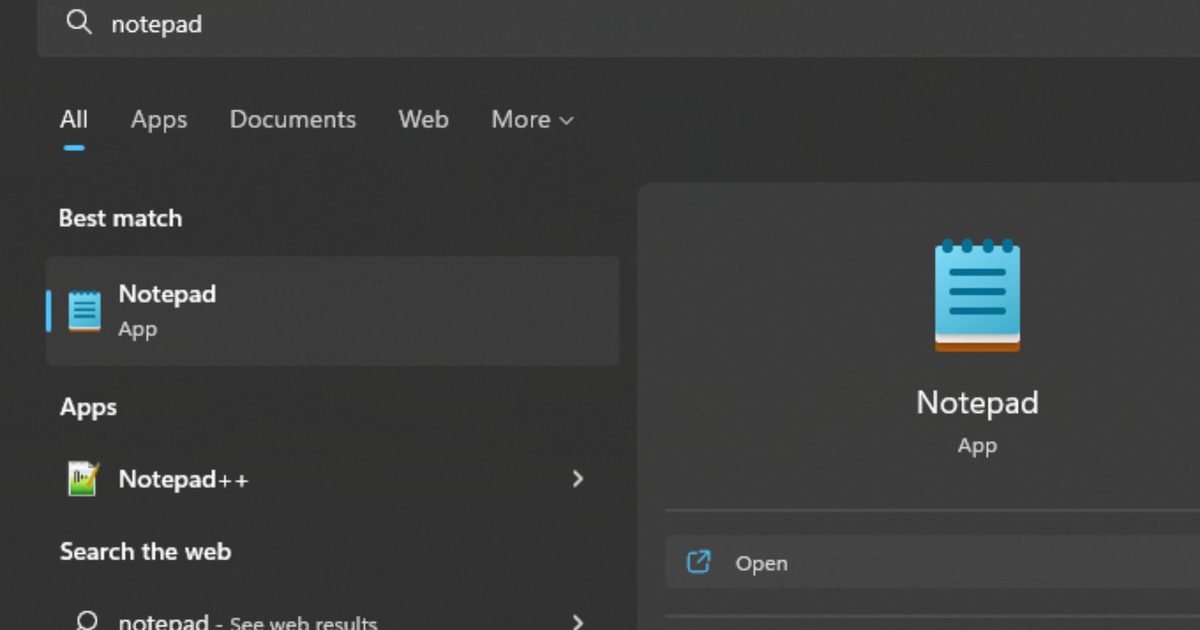
Microsoft is preparing to bring another change to the humble Notepad app. According to Windows Latest, internal testing on Windows 11 shows that the classic text editor is gaining full image support.
Notepad was once just a simple tool for typing plain text, but that simplicity has steadily evolved over multiple updates. Microsoft has modernized Notepad with autosave, undo history, and Markdown formatting. You can now apply basic styling, such as bold text, italics, and links.
WordPad, the older rich text editor that could handle images, has been removed from Windows, leaving Notepad to fill the gap. With WordPad gone, Microsoft appears to be expanding Notepad’s capabilities to cover more use cases.
The new image support will be part of Notepad’s extended formatting features. Microsoft sources told Windows Latest that image support is being tested in internal versions of Notepad. You’d be able to turn the feature off in Settings if you prefer the classic text-only experience.
How Notepad has been quietly changing
Microsoft
Image support in Notepad can be seen as a natural step toward a more capable note-taking tool, similar to Apple’s Notes or other built-in apps that support text formatting and images.
Microsoft has also added major features to Notepad, including artificial intelligence to automatically summarize notes and built-in spell check and autocorrect support.
However, adding too many features could dilute what made Notepad appealing to users in the first place. Adding visual elements risks blurring the line between Notepad and more complex apps like OneNote.
Notepad’s evolution reflects broader changes in how people use built-in apps. If image support rolls out widely, the simple editor could become a more flexible space for jotting down ideas, links, and pictures all in one place.
Ubisoft has had a turbulent few years, but its biggest franchises are clearly not going anywhere. In an interview with Variety, CEO Yves Guillemot confirmed that multiple Assassin’s Creed titles and two new Far Cry games are currently in development, signaling a renewed focus on the company’s most reliable blockbuster series.
Ubisoft
The update arrives during what Ubisoft has described as a major reset. The company has undergone layoffs, canceled projects, and reorganized studios as it tries to stabilize after several difficult years. Against that backdrop, Guillemot’s message was simple. Ubisoft plans to lean heavily on the franchises that consistently attract massive audiences. For Assassin’s Creed, Guillemot said “several titles” are in development, spanning both single-player and multiplayer experiences. The goal is to keep growing a community that already surpassed 30 million players last year. On the Far Cry side, Ubisoft confirmed two promising projects, widely expected to include the next mainline entry and a long-rumored multiplayer spin-off.
A future built around blockbuster franchises
This renewed emphasis ties directly into Ubisoft’s broader restructuring strategy. The company has created new “creative houses” designed to give major franchises more autonomy while improving accountability and production efficiency. One of those units, Vantage Studios, is responsible for Ubisoft’s biggest brands, including Assassin’s Creed, Far Cry, and Rainbow Six. The idea is to treat these series as long-term ecosystems rather than standalone releases, helping Ubisoft deliver a steadier pipeline of games and content over time.
Ubisoft
The shift also reflects lessons learned from the pandemic era. Ubisoft admitted it had launched too many projects and is now scaling back to focus on fewer, bigger bets. For players, that likely means a more predictable future. Instead of scattered experiments, Ubisoft’s roadmap looks increasingly centered on expanding the worlds fans already know.
Ubisoft
While Ubisoft did not share release windows or gameplay details, the confirmation alone matters right now. After months of layoffs and uncertainty, fans finally have reassurance that Assassin’s Creed and Far Cry remain core pillars of Ubisoft’s future. Whether that excites or worries players will depend on how Ubisoft balances quantity with quality.
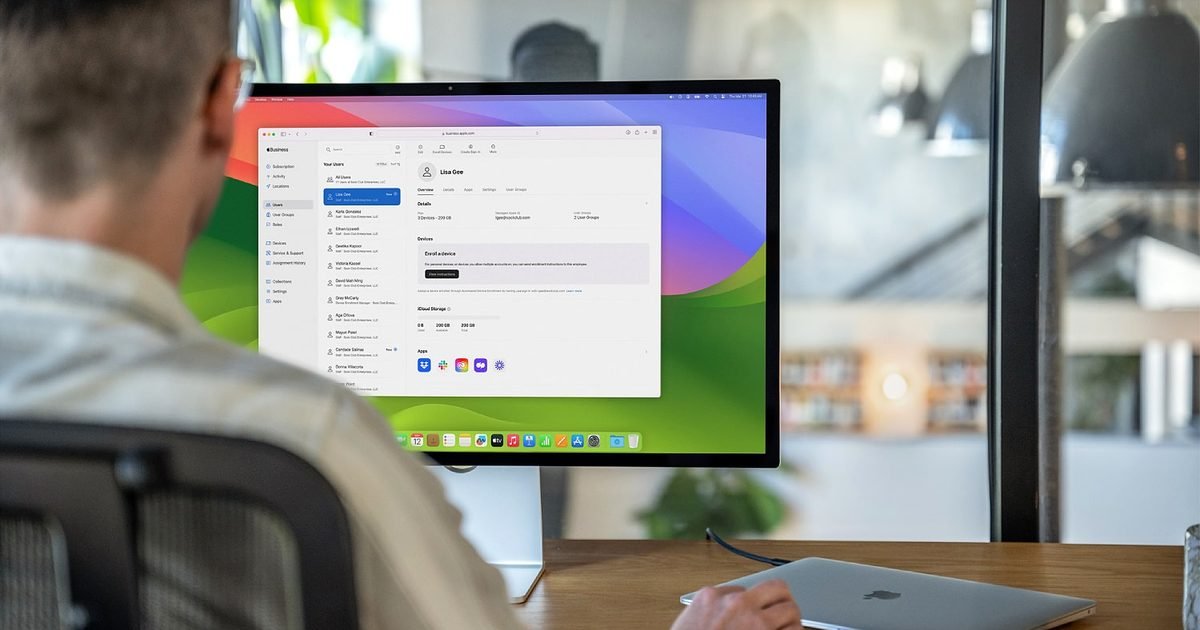
A couple of days ago, I compiled a detailed roundup of all the products we’re expecting from Apple at the upcoming media “experience” on March 4, 2026. In the story, we discussed new devices like new MacBooks, iPhone 17e, and a couple of other Apple devices, including the proposed Studio Display 2.
Now, folks over at Macworld have discovered something very interesting about Apple’s external display (or displays). Per the outlet, the public version of macOS 26.3 contains kernel extensions for not one but two new Studio Display models.
Mark Coppock / Digital Trends
macOS 26.3 hints at two Studio Display 2 models
In total, the new software build contains alphanumeric codenames for three devices. The first, “J700,” is the internal name for the affordable 12.9-inch MacBook that is rumored to launch alongside the new M5 MacBook Air and the M5 Pro and M5 Pro Mac Pro versions.
However, the other two — J427 and J527 — are believed to be references to two different models of the Studio Display 2. Although there’s no information about the differences between the two models, Apple could use either size or features to differentiate them.
Currently, Apple’s first-generation Studio Display is available with a 27-inch 5K panel. So, there’s a chance that we see a 27-inch Studio Display 2, along with another model with either a smaller or a bigger screen.
Apple
Size or features: How Apple might differentiate between the models
The second (and the more likely) way is that the company could reserve some features for one model, which would be the more expensive of the two, and another, cheaper model (either retains the current set of specifications or gets only minor upgrades).
From what I know, at least one of the two rumored models could get a bump in refresh rate (up to 120Hz), a mini-LED backlighting panel for enhanced brightness and contrast, and a more capable A19 chip (also found on the iPhone 17).
OpenAI is preparing to launch its first ChatGPT-powered device, with a senior executive recently confirming it could debut later this year. Earlier leaks pointed to a wearable that sits behind the user’s ear and offers hands-free access to ChatGPT, but a new report now claims the company’s first product may instead be a speaker with a built-in camera.
According to The Information, the speaker could be priced between $200 and $300 and may be capable of identifying “items on a nearby table or conversations people are having in the vicinity.” The camera is also said to support biometric authentication, similar to Face ID from Apple, enabling users to verify purchases.
The report adds that the speaker may not be the only hardware in development, pointing to the potential for ChatGPT-powered smart glasses and even a smart lamp. However, the smart glasses are not expected to arrive before 2028. The company has also prototyped the smart lamp and other experimental devices, according to the report, though there is currently no confirmation that any of these products will reach the market.
No update on the previously leaked wearable
OpenAI’s hardware efforts remain in the early stages, the outlet notes. However, the report makes no mention of the previously leaked audio device. That device, codenamed Sweetpea, is described as resembling wireless earbuds with a distinctive design twist. Instead of sitting inside the user’s ear, a leaked schematic suggests it would rest behind the ear, offering ambient, hands-free access to ChatGPT.
If the information proves accurate, the speaker could arrive later this year, in line with the timeline previously shared by OpenAI’s chief global affairs officer, Chris Lehane. More details are likely to surface in the coming months as the anticipated launch window approaches.
Apple is accelerating work on its long-rumored smart glasses, and new reporting suggests the device is shaping up to be one of the company’s most ambitious entries in the personal AI era. Early prototypes point toward a premium, fashion-oriented wearable that blends compact hardware, advanced imaging capabilities and Apple’s upcoming generation of AI features.
Apple tests dual-camera smart glasses with a luxury-forward design
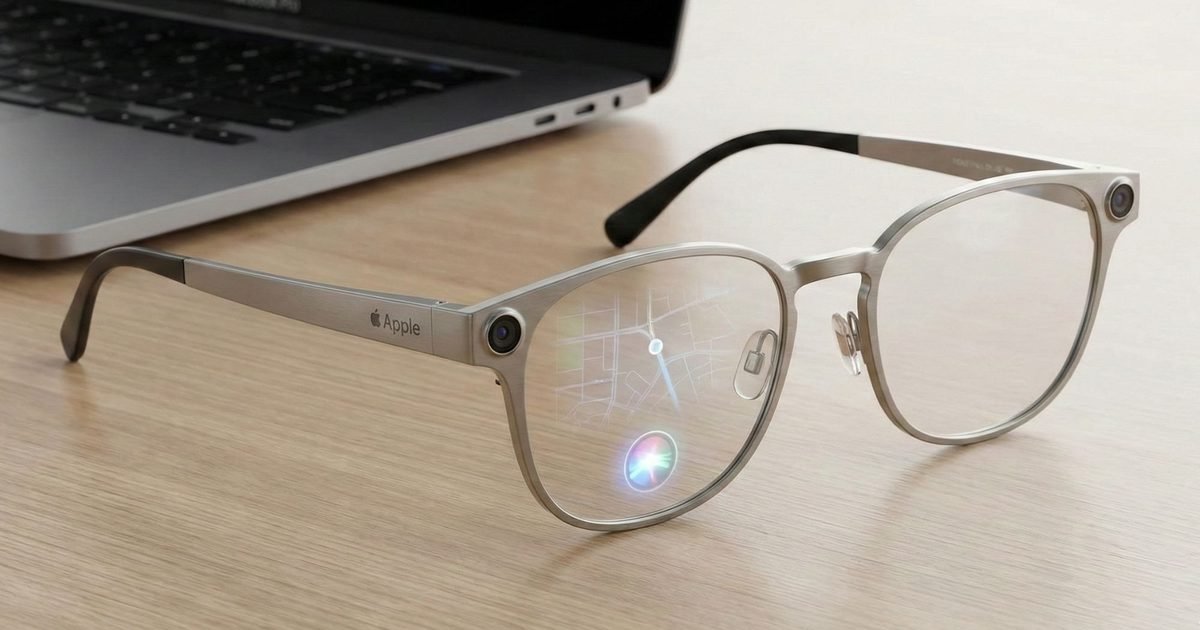
According to details shared with Bloomberg, Apple’s smart glasses are now in an advanced prototyping phase. The most striking development is the inclusion of dual cameras, a feature rarely seen in consumer eyewear. These cameras are expected to support depth perception, environmental scanning and real-world understanding – crucial for Apple’s next wave of AI-driven features that rely heavily on visual context.
The design itself leans toward a luxury eyewear aesthetic rather than a tech-heavy headset. Apple is reportedly testing multiple frame styles, including metal and glass combinations, with finishes that echo the premium sensibilities of its high-end Apple Watch models. Rather than positioning the glasses as an alternative to the Vision Pro, Apple sees them as a lightweight, all-day wearable that brings AI into everyday life without the bulk of mixed reality gear.
Apple GlassesGemini AI
Apple’s strategy reflects a broader shift toward building an ecosystem of ambient, AI-enabled devices. The glasses would serve as a more discreet complement to Vision Pro, offering situational intelligence through the wearer’s natural perspective. This aligns with the company’s parallel development of camera-equipped AirPods and a pendant-style wearable, which together form a network of sensors designed to interpret the environment and enhance Siri’s contextual awareness.
The move signals Apple’s intention to make personal AI a seamless, constant presence – much like the transition smartphones once made from occasional tools to everyday companions.
Why the glasses matter for future Apple users
The appeal for users goes far beyond novelty. A glasses-based form factor has the potential to revolutionise Apple’s AI experience by allowing the system to actually see what the user sees. That unlocks capabilities like real-time translation, object recognition, hands-free note-taking, navigation cues and accessibility enhancements, all delivered without lifting a phone or speaking a command into thin air.
Gemini AI
This is also a pivotal moment for Apple’s product roadmap. With smartphone growth slowing and wearables becoming a bigger revenue pillar, smart glasses offer a pathway into the next major computing platform. The device could appeal to users who want the advantages of AI-enhanced vision without adopting the fully immersive, and often socially awkward, experience of a headset.
What’s next as Apple refines its wearable AI ecosystem
Apple has not finalised a release window, and as with all of its long-term hardware projects, the glasses may still undergo substantial changes before entering production. The company is also evaluating battery placement, weight and optical comfort, which have historically been challenges for smart eyewear.
What’s clear is that Apple is steadily assembling the pieces of a multi-device wearable AI ecosystem – one that includes smart glasses, camera AirPods and sensors that work together to understand the world around you. As the company prepares major updates to iOS and its AI architecture later this year, these glasses could become one of Apple’s most influential steps toward a future where personal computing lives quietly on your face rather than in your pocket.
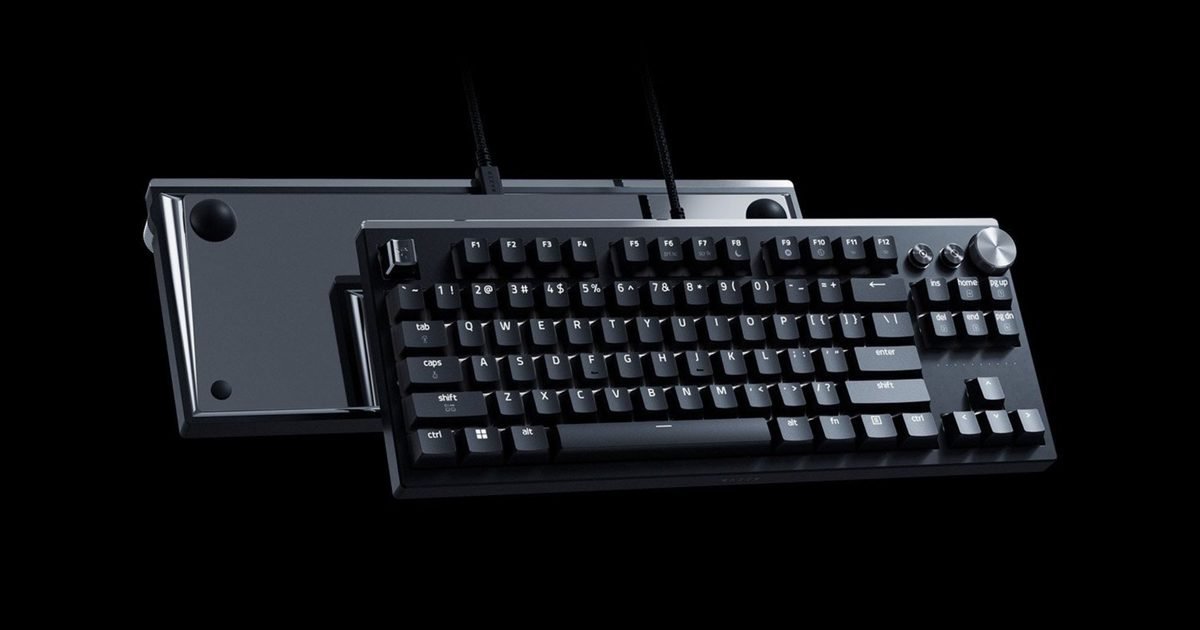
After launching the resurrected Boomslang mouse earlier this month, Razer is back with another limited-edition release. The company has unveiled the Huntsman Signature Edition, a premium tenkeyless mechanical keyboard that sits at the top of its Huntsman lineup. While not as outrageously priced as the Boomslang mouse, it still carries a hefty $499.99 price tag and will be sold in a limited run of just 1,337 units directly through Razer.
What sets the Huntsman Signature Edition apart is its build. Instead of featuring a plastic chassis like other Huntsman models, Razer has crafted this keyboard from CNC-milled anodized aluminum, giving it a more solid, premium feel. A mirror-finished back and a metallic snake keycap enhance the aesthetic, while foam and rubber dampening materials on the inside deliver a more satisfying, rounded typing sound and improved key feel.
Razer
Performance-wise, the keyboard is not entirely different from the Huntsman V3 Pro, featuring Razer’s second-gen analog optical key switches, a Rapid Trigger Mode, and an ultra-high 8,000Hz polling rate for near-instant input. Key actuation is adjustable from 0.1mm to 4mm, letting users fine-tune the feel for gaming or typing. The keyboard also includes full RGB lighting, on-the-fly macro recording, and supports both Mac and PC with a physical toggle to switch between the two systems.
Razer
The Huntsman Signature Edition only offers wired connectivity over USB-C and will go on sale through Razer’s website at 8 AM PT on February 22. In the box, you’ll get a vegan leather signature box, a vegan leather sound-dampening mat, a cleaning cloth, a keycap puller, additional keycaps, and a USB-A to USB-C Speedflex cable. Given how quickly the Boomslang pre-order sold out, you’ll need to act fast to get your hands on this premium mechanical keyboard.
Microsoft is bringing Copilot to the Windows 11 taskbar and File Explorer. The update turns the plain old search box into something that actually understands how you ask questions. Type “When is my performance review due?” and the system pulls the answer from your calendar, emails, and local files. No more digging through folders.
The taskbar becomes a kind of mission control for AI. The search field now connects your local PC with your Microsoft 365 data. It knows who you work with and what documents you touch most.
The taskbar is now a command center for AI agents
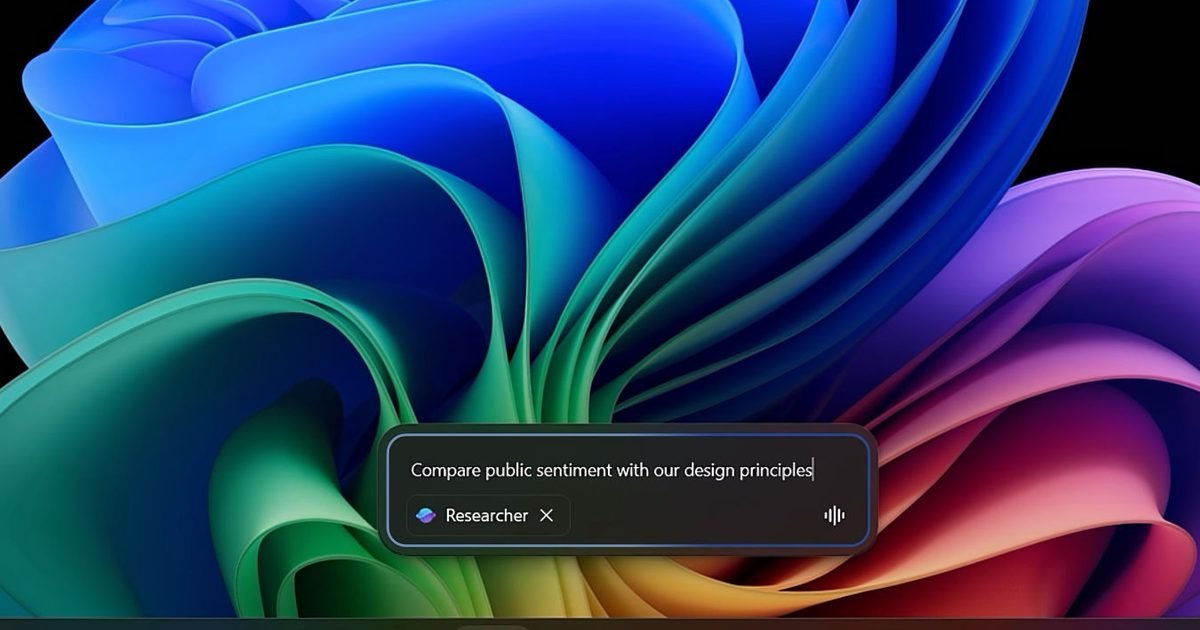
Hit the @ symbol in the taskbar search and you get a menu of AI agents that run in the background. These aren’t the kind that disappear into browser tabs. They sit on your taskbar so you can see their progress while you do other stuff. A researcher agent might spend 10 minutes comparing public sentiment against internal design guides. You watch its status on the taskbar icon like a download bar. Green checkmark means it’s done. Hover for a summary. Click for the full report with sources.
Microsoft
Voice works too. Hold the Copilot key or hit Windows key + C. Tell it “Find the file Robin shared” and it checks your emails and meetings to figure out which Robin you mean.
File Explorer gets Copilot Control for instant document insights
File Explorer now shows your SharePoint and OneDrive files right alongside local ones. Recent docs, shared stuff, favorites, all in one view. But the Copilot Control is the real trick. You can ask questions about a file without opening it.
Need a stat buried deep in a design doc? Ask for it. Copilot pulls out something like “over 70% of employees prefer sustainable materials” and shows you the context immediately. You never leave the File Explorer window.
Microsoft
Over on Android, Google is doing something similar with its Files app. Gemini now automatically offers to analyze PDFs when you open them, letting you ask questions about a document without importing it into a separate AI tool.
What this means for your workflow
The updates are rolling out now. Which ones you get depends on your hardware. Standard Windows 11 machines handle the cloud stuff. Copilot+ PCs with NPUs unlock the offline tools like Fluid Dictation and Click to Do.
Bottom line? You search less and find more. The taskbar starts acting like a coworker who remembers where everything lives. File Explorer becomes a window into your documents, not just a list of folders. Keep an eye out for the Copilot icons in the coming weeks.
With the release of Claude Opus 4.6 earlier this month, Anthropic rolled out a new Microsoft PowerPoint extension for its chatbot. Initially launched as a research preview for users on the Max, Team, and Enterprise plans, the Claude in PowerPoint extension is now available to Pro subscribers as well.
Anthropic announced the expanded availability in a recent post on X, adding that Claude in PowerPoint has gained support for connectors, allowing users to seamlessly integrate information from other tools. Its support page also outlines a limited-time promotion that gives users on all paid plans double the usage limit when using Claude in PowerPoint until March 19.
Claude in PowerPoint is an add-in that brings the company’s large-language model directly into the presentation workflow, allowing users to build and refine slides without switching between apps. Instead of manually drafting and formatting each slide, users can describe what they need in natural language, whether that’s generating a new deck, rewriting content, or restructuring existing slides.
The extension can revise selected content without reworking the entire deck and adapts to match the presentation’s existing layout, theme, and formatting. It can also turn bullet points into editable native PowerPoint charts and diagrams, reducing the time spent manually building visuals.
With connector support, Claude in PowerPoint can now pull information from linked apps and services, giving it access to more relevant context when generating or updating slides. Users can enable connectors by opening the Claude sidebar, selecting the connectors icon, and choosing from the available options.
The extension is available through the Microsoft Marketplace. As it’s still in research preview, Anthropic notes that it is best suited for iterative editing and drafting rather than highly sensitive or final deliverables.
Ring has a message for anyone worried about its new AI-powered search tool: it’s just for finding lost dogs. But internal correspondence obtained by 404 Media tells a different story, one where that same feature becomes the foundation for a much broader surveillance network.
Ring CEO Jamie Siminoff sent a message to employees after the “Search Party” launch. The tool currently tracks missing canines by scanning neighborhood camera feeds.
But Siminoff called it a starting point. He described a future where Ring helps “zero out crime in neighborhoods.” The emails arrived weeks after a Super Bowl ad introduced millions to the dog finder. They also land as the company faces fresh heat over its expanding role in home security and policing.
The CEO’s private ambition
Siminoff didn’t hold back in that October email. “This is by far the most innovation that we have launched in the history of Ring,” he wrote. He introduced Search Party “first for finding dogs.” But he framed it as the foundation for “the most important pieces of tech and innovation to truly unlock the impact of our mission.”
That mission now includes neighborhood-wide crime elimination. “You can now see a future where we are able to zero out crime in neighborhoods,” Siminoff told staff.
“So many things to do to get there but for the first time ever we have the chance to fully complete what we started,” he added. The company hasn’t explained what “complete what we started” actually means. It hasn’t said how a dog tracker becomes a crime stopper either.
How the Kirk manhunt fits in
The 404 Media emails tie Ring directly to police work. The day after Charlie Kirk was assassinated, Siminoff sent staff an Instagram video. It showed a law enforcement officer describing how doorbell recordings helped track Kirk’s alleged killer.
“It is so important to create the conduit for public service agencies to efficiently work with our neighbors,” Siminoff wrote. He was promoting “Community Requests,” a feature that lets police formally ask Ring users for footage.
Siminoff appears to view high-profile incidents as proof that deeper police integration works. This comes after Ring revived its law enforcement partnerships following a brief pause in 2023. The company publicly distances itself from tracking people. The internal messages suggest a different priority.
What Ring tells the public
The official response sounds nothing like the emails. A Ring spokesperson told The Independent that Siminoff’s messages spoke broadly about long-term potential. Not specific product plans. “No single feature is designed to zero out crime,” the spokesperson said. Search Party is “purpose-built for specific use cases like helping reunite lost pets.”
The company emphasizes privacy and user choice. Search Party “does not process human biometrics or track people,” the spokesperson noted. Sharing footage through Community Requests is always the camera owner’s decision. But the internal messages show a CEO with a much larger role in mind for Ring.
New features like Familiar Faces and Fire Watch are already rolling out. Watch the gap between what Ring says today and what it actually builds. That’s where the real story lives.
WhatsApp is introducing a small but meaningful tweak to group chats, and it addresses a longstanding annoyance for anyone who has ever added a new member to an ongoing conversation.
Until now, new group chat members could only see messages sent after they were added, so they were dropped in with zero context. In busy family threads, office groups, or event planning chats, newcomers were often thrown into the middle of a conversation with no clue what had already been discussed. The usual workaround involved copying and pasting key messages or sending a string of screenshots to bring them up to speed.
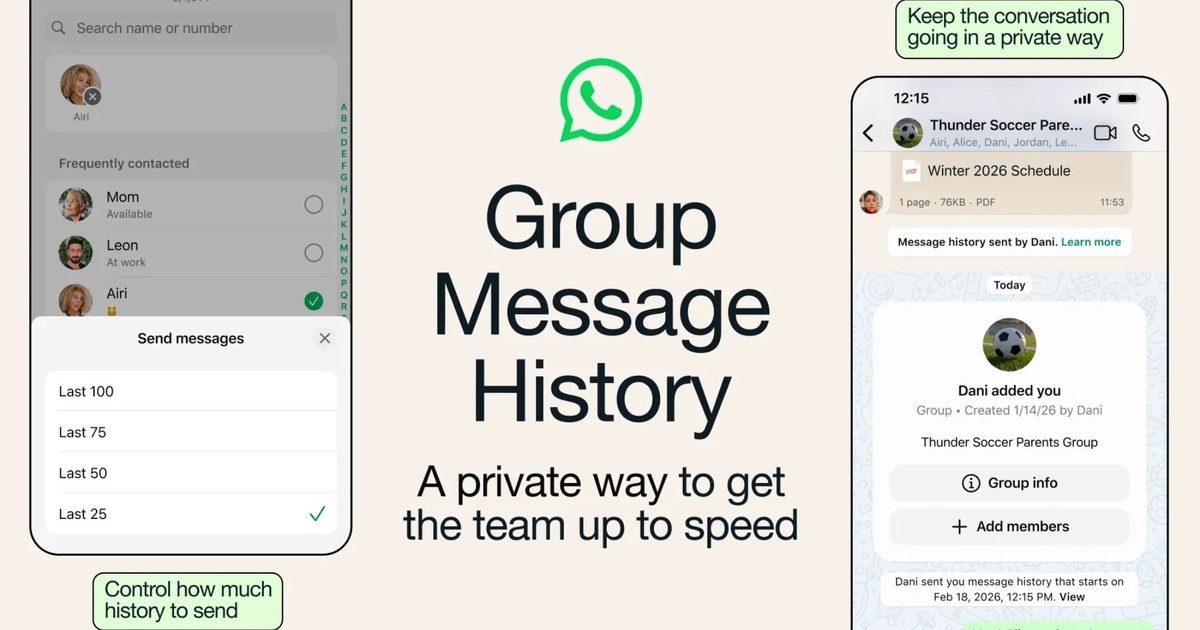
With its latest update, WhatsApp is tackling this issue with a new feature called Group Message History, first spotted in a beta release earlier this year. When adding someone to a group, users can now choose to share a portion of recent messages so the new participant can quickly catch up. Instead of manually summarizing everything, the chat itself can provide the necessary context. Shared messages appear directly in the conversation view, complete with timestamps and sender names.
Shared group chat history with safeguards
WhatsApp says Group Message History, like all other chats on the platform, remains end-to-end encrypted and is not shared automatically. The option to share recent messages shows up when adding a new participant, and users can choose to send as few as 25 or up to 100 messages. The app will notify all group members when past messages are shared to ensure transparency.
Group admins can also disable the feature to prevent other members from sharing message history, although they will always retain the option themselves when adding someone new. Group Message History is not a major overhaul, but it’s a welcome addition that solves a very common annoyance. For anyone managing large or fast-moving group chats, it could make a noticeable difference.