










Add Techlomedia as a preferred source on Google. 
Samsung has announced a new beta program for Bixby as part of the One UI 8.5 update. With this release, the company is turning Bixby into a more conversational and intelligent device assistant. The focus is on making everyday phone interactions easier by allowing users to talk naturally and get real-time information from the web.
In One UI 8.5, Bixby can understand normal, everyday language instead of fixed commands. Users no longer need to remember exact setting names or dig through menus. They can simply explain what they want to do, or even ask why their phone is behaving in a certain way, and Bixby will handle it based on intent.
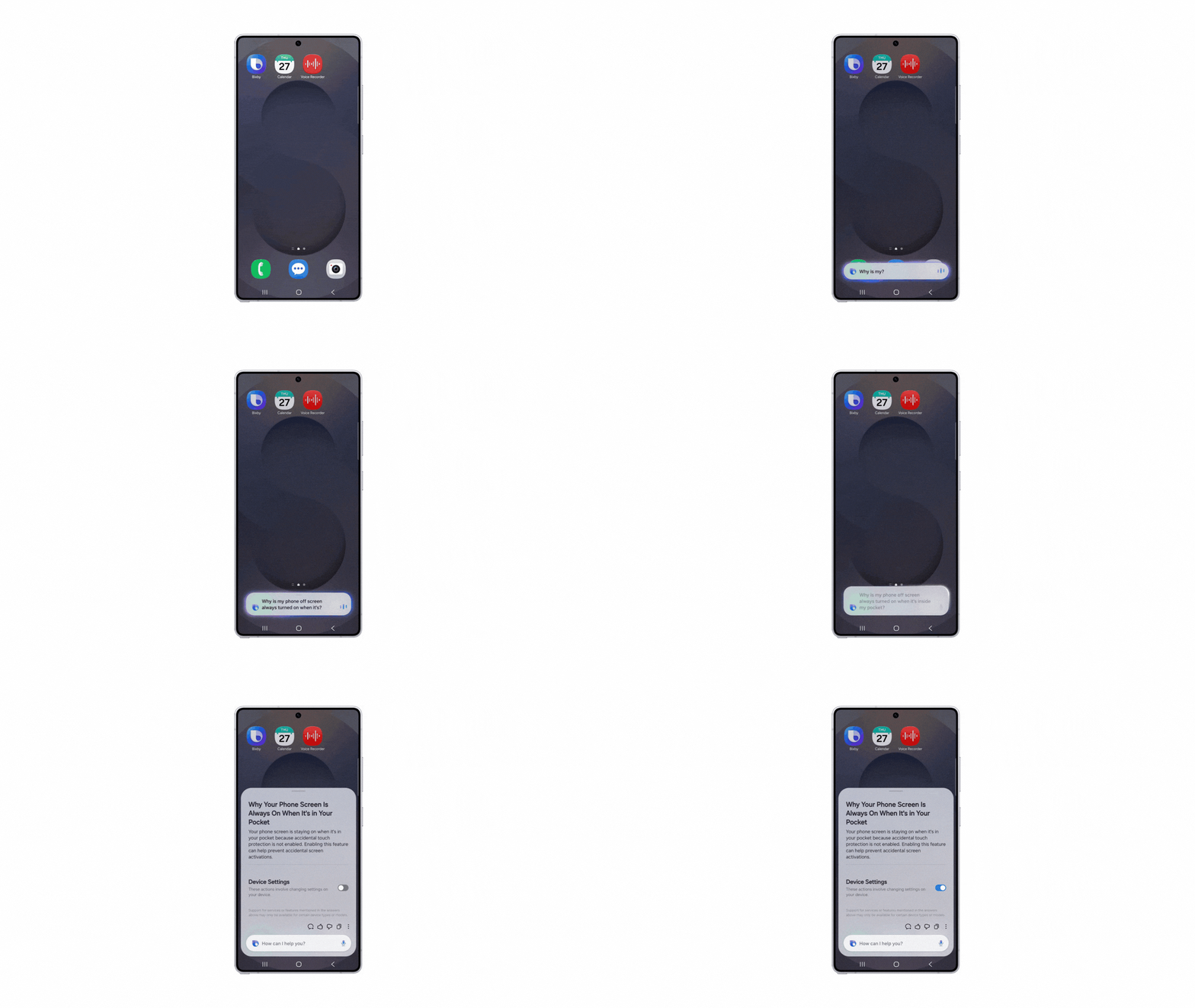
For device control, Bixby now responds to what the user means rather than how the command is phrased. It can change settings, suggest related options, and guide users directly to relevant features. For example, if someone says they want the screen to stay on while they are still looking at it, Bixby can turn on the appropriate display setting. If a user asks why the screen stays active inside a pocket, Bixby can point to features like accidental touch protection and let the user enable it instantly.
Another major addition is live web search. Samsung has integrated Perplexity into Bixby, which allows the assistant to fetch up-to-date information from the open web. Search results appear directly inside the Bixby interface, so users do not need to switch to a browser or another app.

This makes Bixby more useful for general queries as well. Users can ask for things like family-friendly hotels in Seoul with a swimming pool, and Bixby will show relevant live results within the same screen.
Samsung confirmed that the updated Bixby experience will initially be available via the One UI 8.5 beta in select markets. Samsung has also planned the broader availability later.
Follow Techlomedia on Google News to stay updated. 
Affiliate Disclosure:
This article may contain affiliate links. We may earn a commission on purchases made through these links at no extra cost to you.


